¶ Reflex 2/2 Pro Build Platform Side Drainer
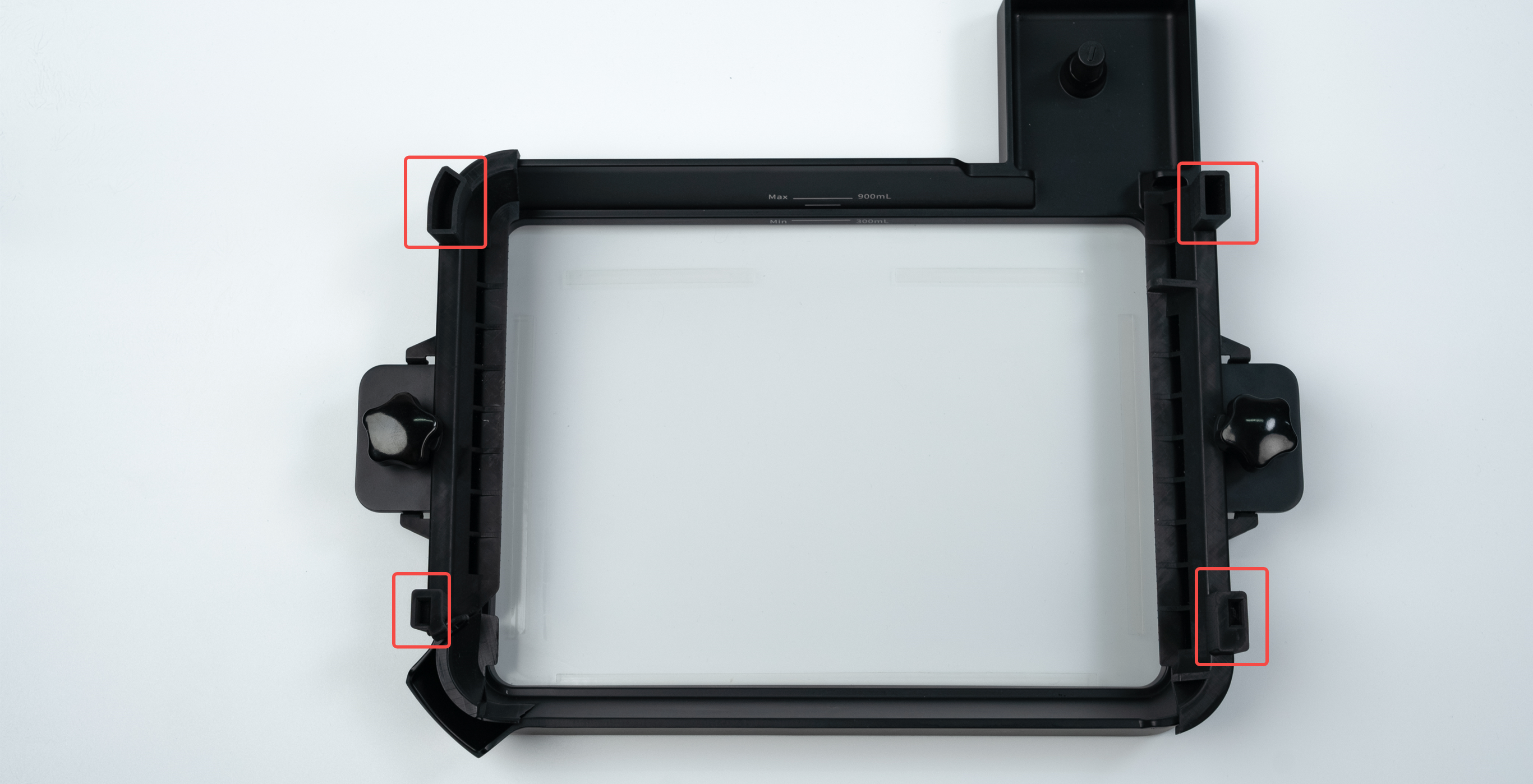
The build platform side drainer is suitable for: Reflex 2 and Reflex 2 Pro resin tank、Pulsing release resin tank.
-
It can effectively reduce the splashing and overflow of resin during the movement of the scraper.
-
After the printing task is completed, build platform side drainer to recover the remaining resin and avoid waste.
-
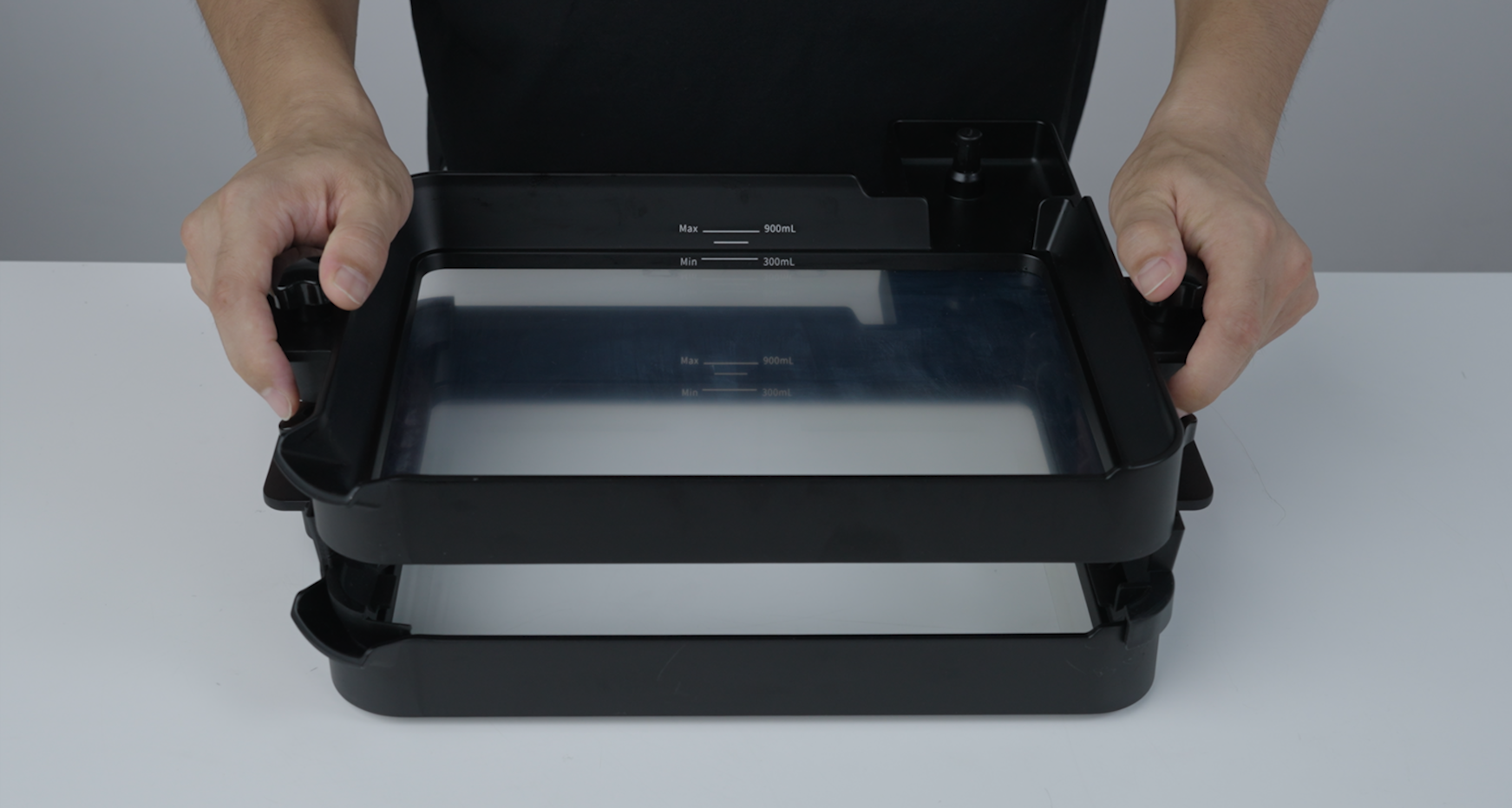
For users using different resins, the resin tanks can be stacked to save space.
¶ 1. Print the side-mounted draining tool model.
In the BluePrint Studio project, click on the parts library and find the build platform side drainer compatible with Reflex 2/Reflex 2 Pro.
Or download the model and import it into Blueprint Studio for slicing and printing. After printing, perform the corresponding post-processing procedures according to the resin material used.
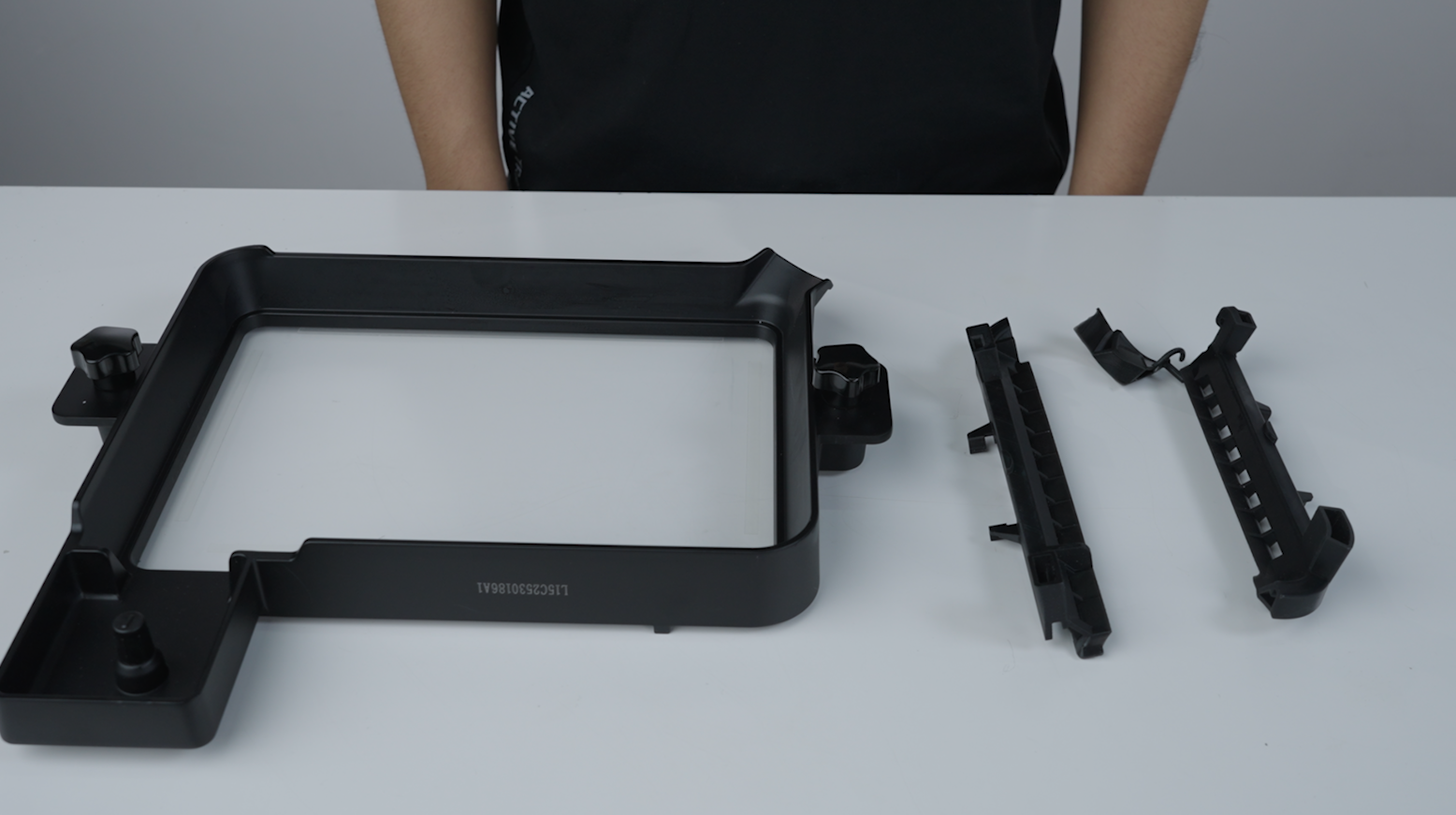
Reflex_2&2_pro_build_platform_side_drainer_left.stl
Reflex_2&2_pro_build_platform_side_drainer_right.stl
Reflex_2&2_pro_build_platform_side_drainer_tank_resin_cover.stl
¶ 2. Install the Build Platform Side Drainer
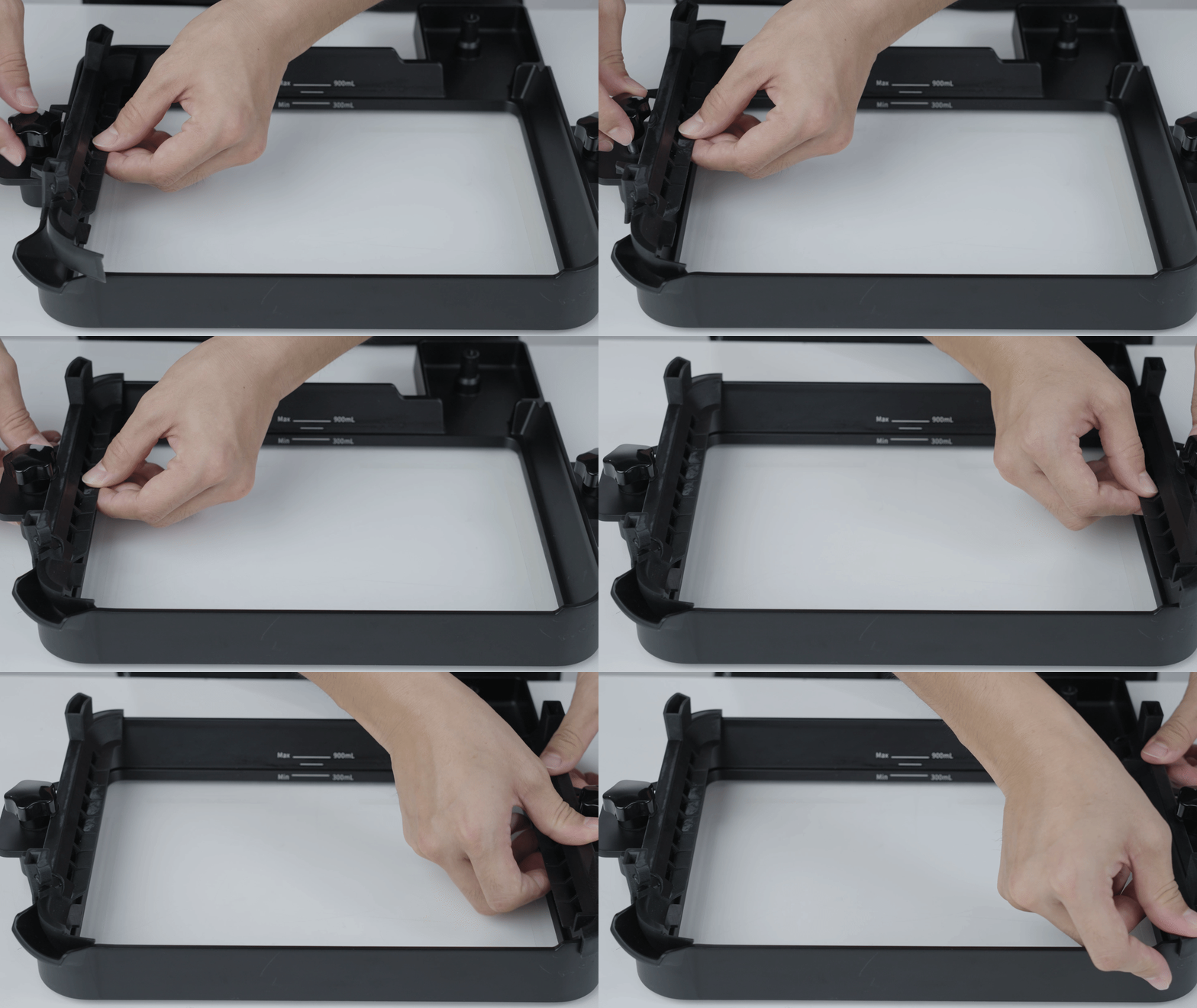
¶ 2.1 After finishing the model processing, assemble it.
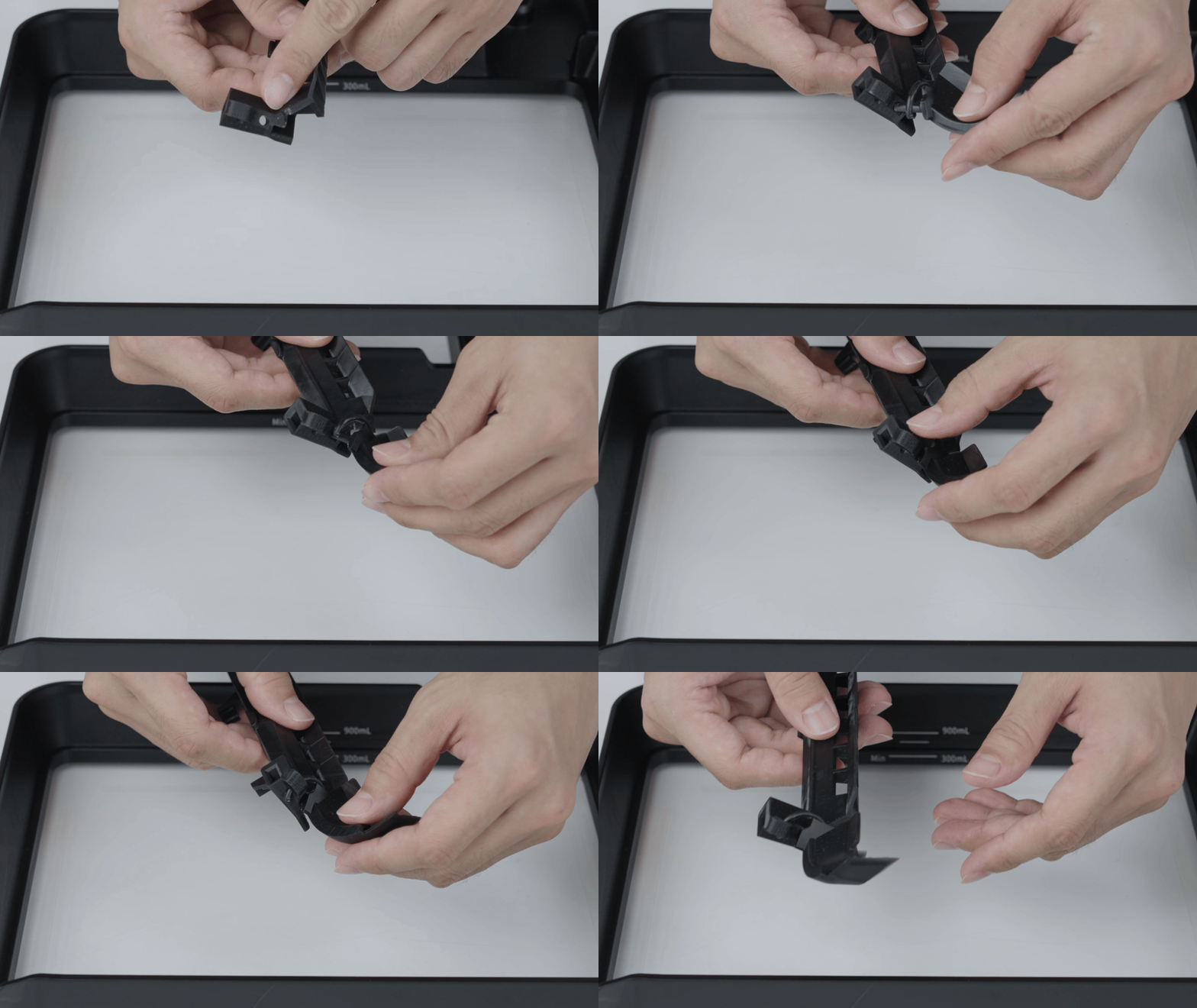
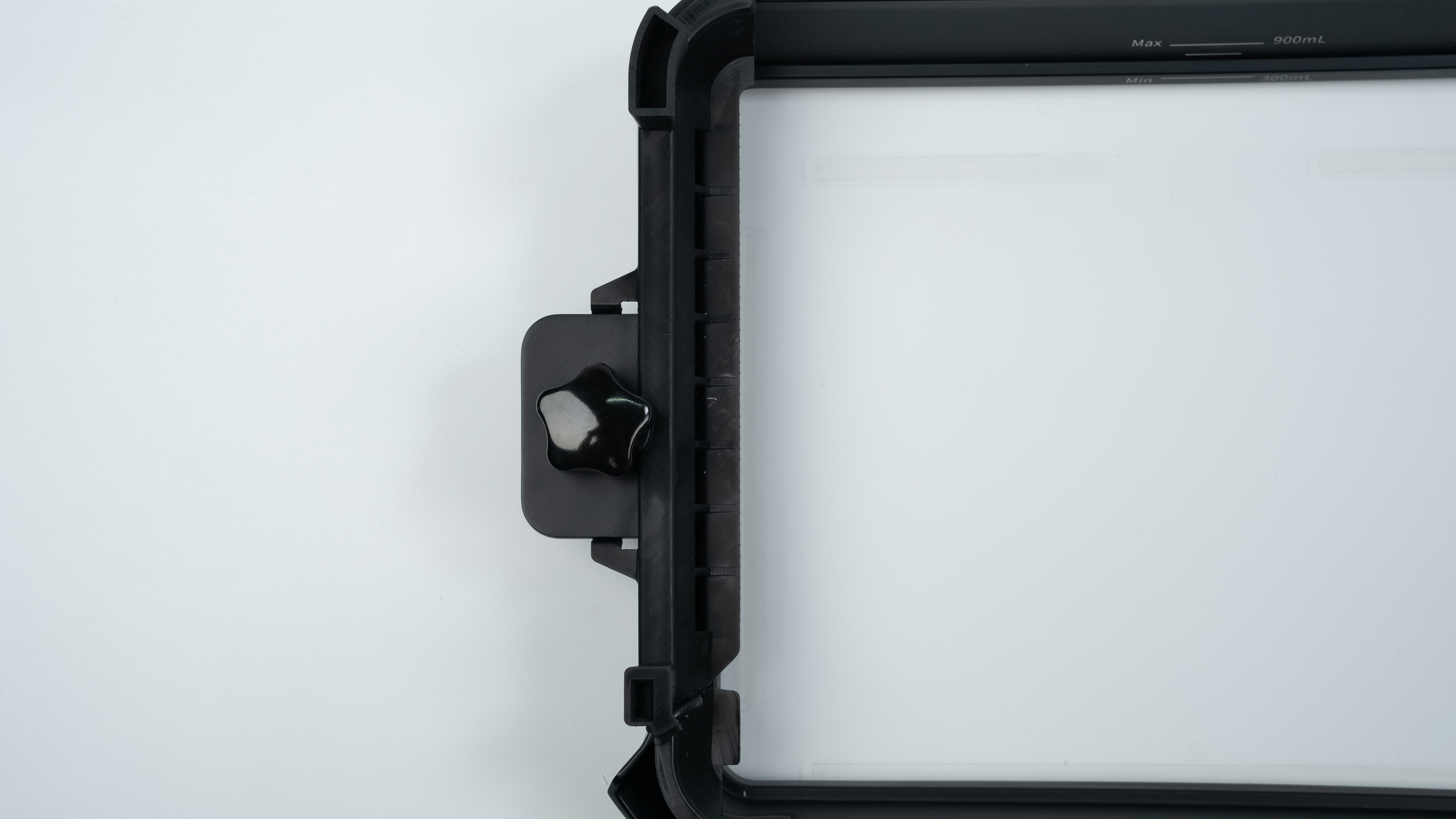
¶ 2.2 After assembly, install the tool above the resin tank.
Pull up the fixing bolts of the material tray, then install the build platform side drainer and make sure it is fastened.
¶ 3. Initial Installation
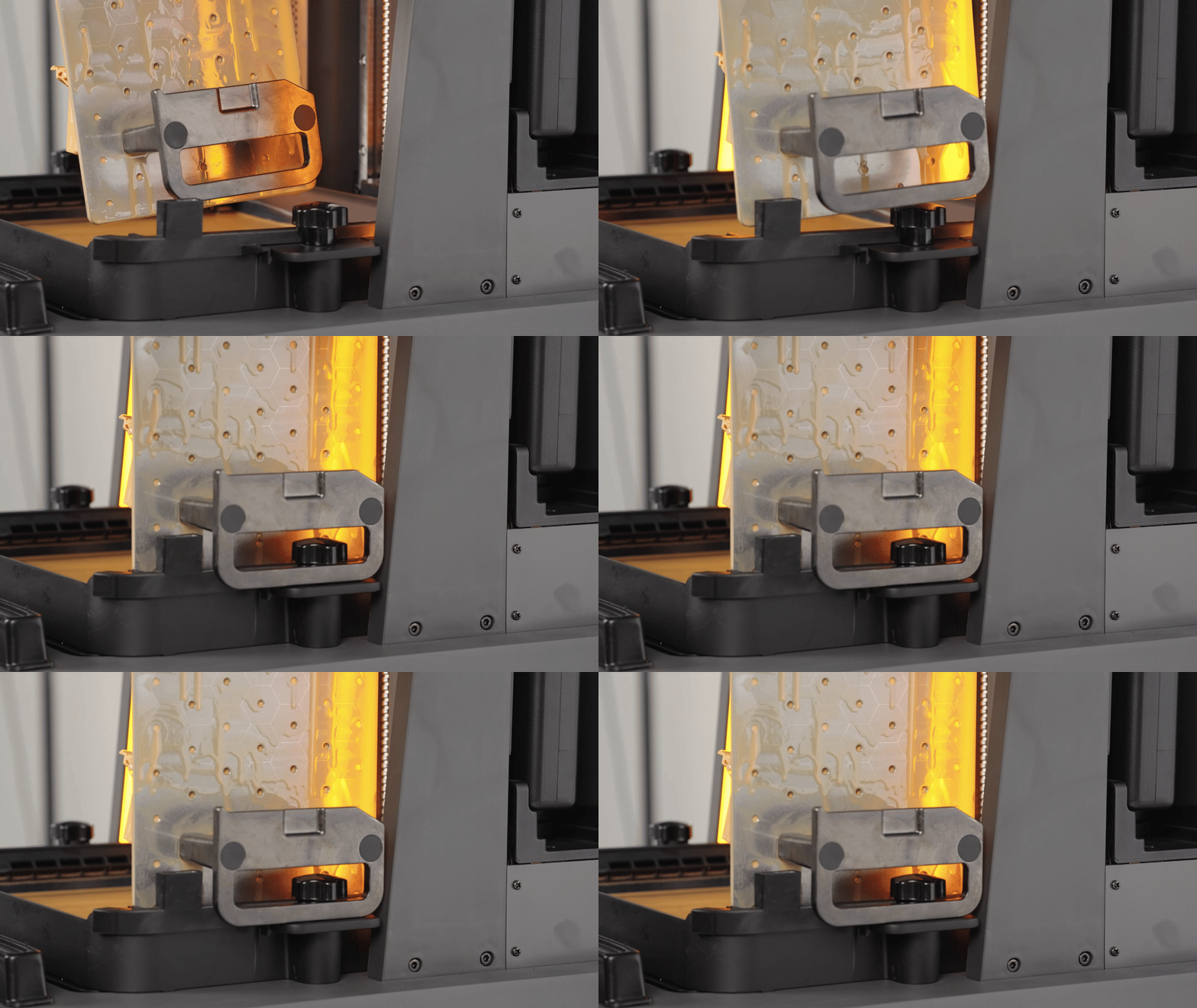
¶ 3.1 Build platform side drainer to recover the resin on the platform and the model to avoid waste.
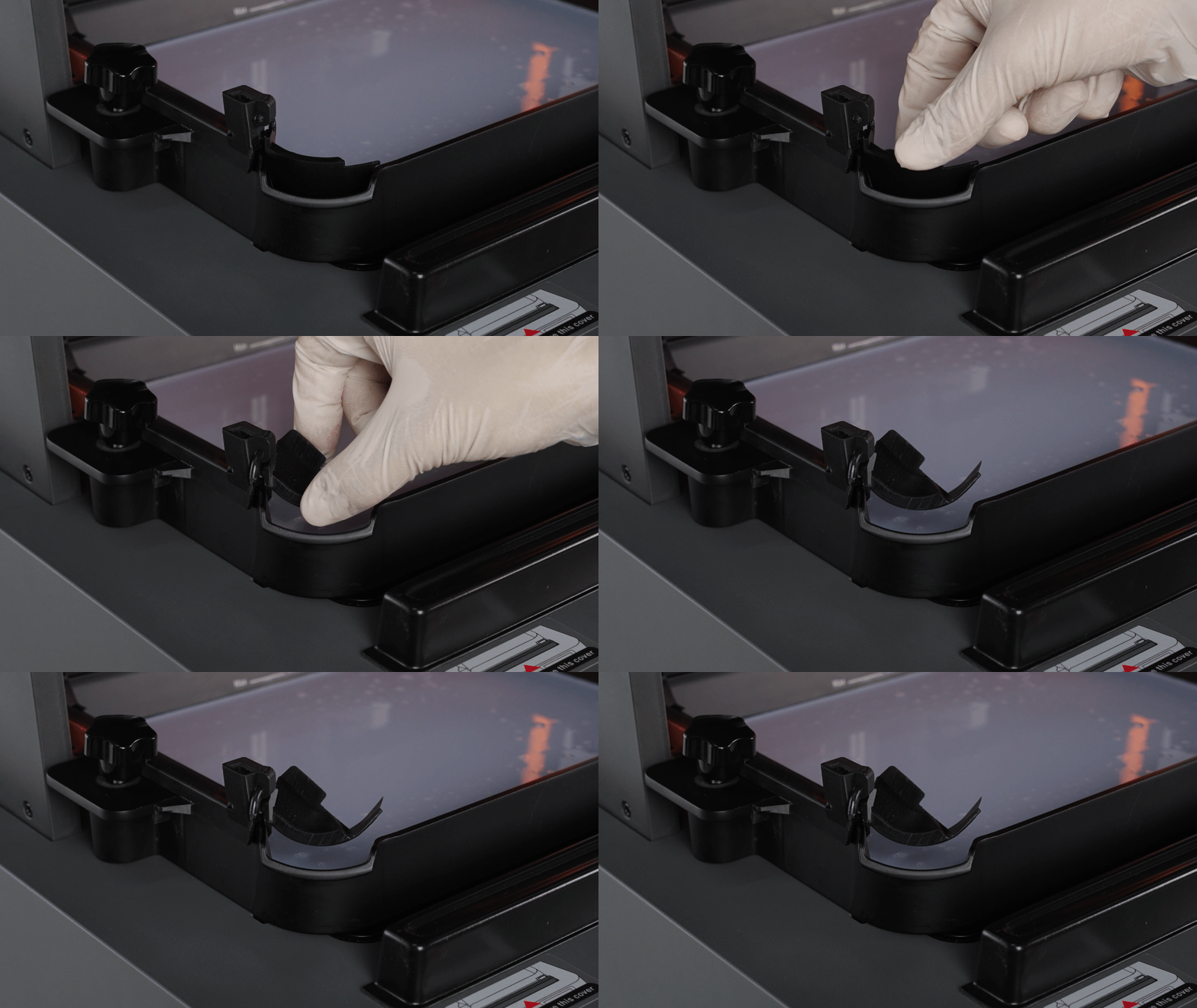
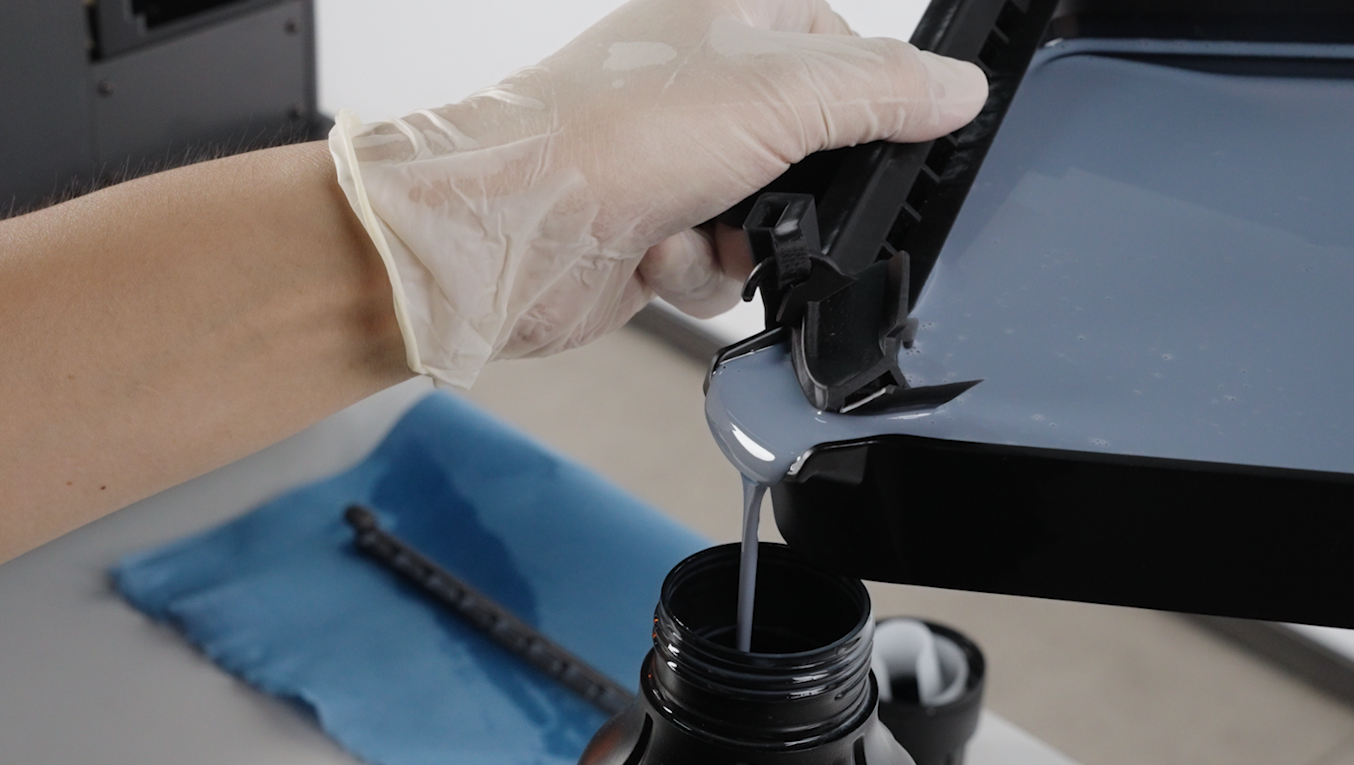
¶ 3.2 Recover the resin in the resin tank. Open the resin baffle at the liquid outlet of the resin tank.
¶ 3.3 Stack the material trays
Align the four protruding columns at the bottom of the material tray with the concave holes above the build platform side drainer and stack them after alignment.