¶ Instructions on Application of General Purpose Modeling Resin, Modeling PAT10
| Instructions on Application of General Purpose Modeling Resin, Modeling PAT10 | ||
|---|---|---|
| Product Department - Product Application Engineering Team | Project date: 3/21/2024 | Version: V1.0 |
¶ Material Information
¶ Overview
Modeling PAT10 is a highly transparent material with a low price. It features excellent construction performance and the ability of fast printing. It can print complex and exquisite models with its stunning ability of appearance reproduction. Its print parts are easy to post-process (sanding and polishing, etc.) as it has a proper viscosity and little odor and is fast to be cured. Thanks to its proper toughness, its print parts do not easily crack even if falling from desktop.
¶ Recommendations on Applications
1. Transparent figure parts;
2. Prototyping validation of consumer electronics and so;
3. Transparent parts in end applications;
4. Transparent applications with demands in long-term anti-yellowing.
¶ Performance
| Basic Properties of UltraPrint-Modeling PAT10 | |||
| Categories | Properties | Criteria | Value |
| Rigidity | Tensile Strength (MPa) | ASTM D638 | 42.9-44.5 |
| Tensile Modulus (MPa) | ASTM D638 | 1650.2-1857.4 | |
| Flexural Strength (MPa) | ASTM D790 | 64.6-69.3 | |
| Flexural Modulus (MPa) | ASTM D790 | 1471.5-1604.6 | |
| Toughness | Elongation at Break (%) | ASTM D638 | 25 |
| Impact Strength (Notched) (J/m) | ASTM D256 | 30.3-36.9 | |
| Essential Work of Fracture (J/m²) | ISO 20795 | 12747.1-13568.7 | |
| Heat resistance | Heat deflection temperature (0.45Mpa) (℃) | ASTM D648 | 66.9 |
| Mechanical | Shore D Hardness | ASTM D256 | 81.0 |
| Viscosity (mPa·s) | ASTM D792 | 925 | |
| Water Sorption (%) | ASTM D570 | 0.91 | |
| Aging Testing | UV aging testing for 600 h (= being placed in room for 8 years, outdoors for 1 year) | ASTM G154 | Passed |
| Heat aging testing (= being placed outdoors for 1 year) | YY/T0681.1 | Passed | |
| Humidity and heat aging testing | GB/T 2423.3 | Passed | |
| Thermal shock testing | GB/T 2423.22 | Passed | |
| Corrosion testing of human sweat | ISO 105-E04:2013 | Passed | |
| Bio-compatibility | Cytotoxicity | ISO 10993-5:2009 | No |
| Sensitization | ISO 10993-10:2021 | No | |
| Irritation | ISO 10993-23:2021 | No | |
Note: The properties were results of testing with HeyGears UltraCraft Cure curing machine in Performance mode.
¶ Design Suggestions
¶ Design Parameters for Minimum Construction Performance
| Construction performance | ||
|---|---|---|
| Items | Pulsing release resin tank | Resin tank (regular) |
| Gap width (mm) | 0.15 | 0.15 |
| Overhang length (mm) | 1.4 | 1.2 |
| No support offset (°) | 20 | 25 |
| Wall thickness (mm) | 0.22 | 0.24 |
| Hole diameter (mm) | 0.3 | 0.5 |
| Pillar diameter (mm) | 0.3 | 0.4 |
Note: The table presents the design requirements to guarantee at least the minimum construction performance of the material. Design parameters below them would lead to detail missing or print failure.
¶ Recommended Design Parameters
Design parameters are recommended below for various kinds of structures which guarantee the printing success rate.
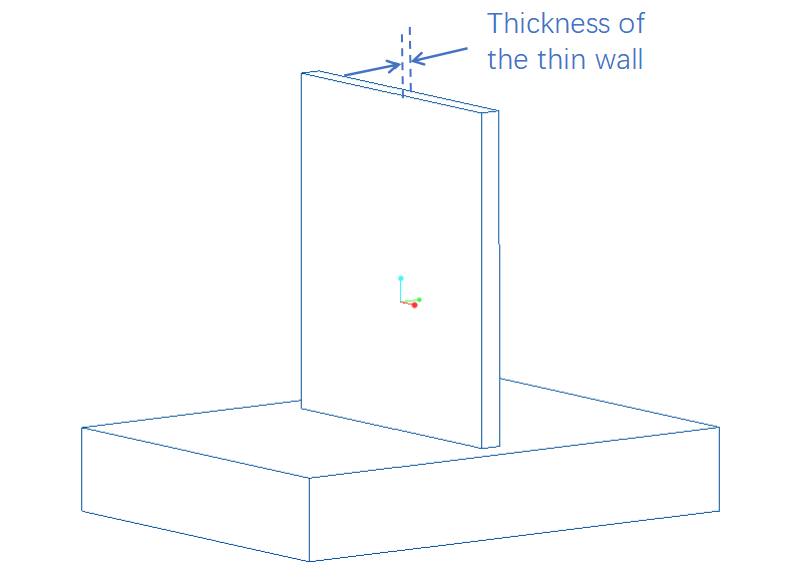
¶ Thickness of Thin Wall Structures
|
|||||
| Recommended values | |||||
| Thin wall area (mm2) | 5*5 | 10*10 | 50*50 | 100*100 | 200*200 |
| Min. thickness of wall that provides support (mm) | 0.4 | 0.5 | 1.2 | 2.5 | 3.0 |
| Min. thickness of wall that does not provide support (mm) | 0.4 | 0.5 | 1.5 | 2.5 | 3.0 |
| Typical scenarios: |
1.Construction parts and shells of consumer electronics; 2.Thin walls on figures. |
||||
| Testing method by HeyGears: | 1.The printed object was visually inspected, from the thinnest to the thickest areas, whether it was intact with no obvious deformation or misalign lines. | ||||
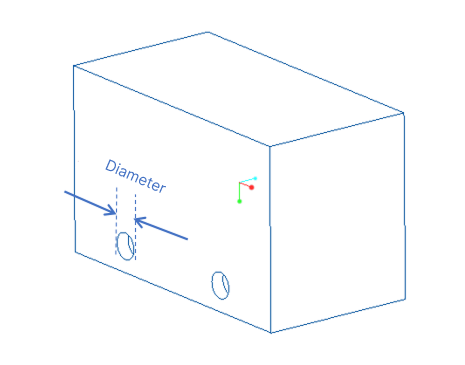
¶ Hole
|
|||||
| Types: | Straight, bent, blind | ||||
| Hole Depth (mm) | 2 | 10 | 30 | 40 | 50 |
| Min. inner diameter of straight hole (mm) | 0.4 | 0.5 | 0.6 | 0.7 | 0.7 |
| Min. inner diameter of bent hole (mm) | 0.5 | 0.6 | 0.8 | 1.0 | 1.2 |
| Min. inner diameter of blind hole (mm) | 0.5 | 0.6 | 0.6 | 0.7 | 0.8 |
| Typical scenarios: |
1.Sound holes in earphones, charging holes; 2.Small tubes, details on figures; 3.Industrial assembly parts. |
||||
| Testing method by HeyGears: |
1. All holes were completely cleaned (washed and dried for about 3~5 times); 2. Straight holes: HeyGears team directed the light source at the holes from one end, inspected at the other end to see if the light could be seen, and recorded the minimum data that passed the test; 3. Blind holes: HeyGears team pointed a wire through the holes to see if it could reach the bottom (the other end), and recorded the minimum data that passed the test; 4. Bent holes: HeyGears team blew in the holes from one end with an air blow gun or an injector, inspected if the holes were ventilated, and recorded the minimum data that passed the test. |
||||
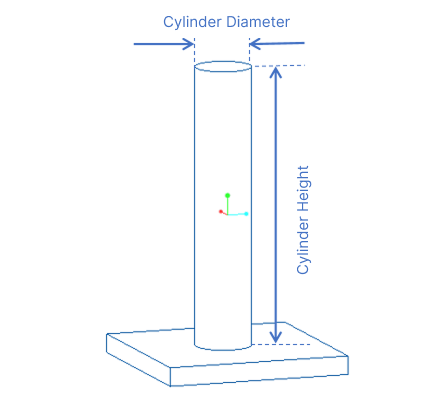
¶ Pillar
|
|||||
| Types: | Pillars providing supports and not providing supports | ||||
| Depth/Height (mm) | 7 | 10 | 20 | 40 | 50 |
| Min. diameter of pillar providing supports (mm) | 0.5 | 0.9 | 1.2 | 1.2 | 1.4 |
| Max. diameter of pillar providing supports (mm) | 0.6 | 1.0 | 1.4 | 1.4 | 1.6 |
| Typical scenarios: |
1.Positioning pins, connection of assembly parts; 2.Details, tubes, fingers; 3.Thin long structures like combs and needles. |
||||
| Testing method by HeyGears: | 1.The printed object was visually inspected to see if it was intact with no obvious deformation or misalign lines. | ||||
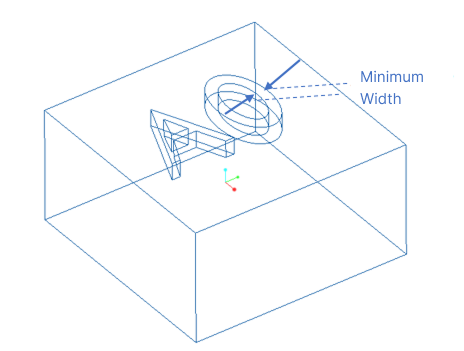
¶ Width of Raised & Depressed Details
|
|||||
| Types: | Raised and depressed | ||||
| Depth (mm) | 0.4 | ||||
| Min. width of depressed details (mm) | 0.15 | ||||
| Min. width of raised details (mm) | 0.12 | ||||
| Typical scenarios: |
1.Tagged text; 2.Special texture. |
||||
| Testing method by HeyGears: |
1. The test was finished after part removal, washing and curing; 2. The printed object was visually inspected to see if the details were intact and clear with no obvious missing; |
||||
¶ Drain Hole
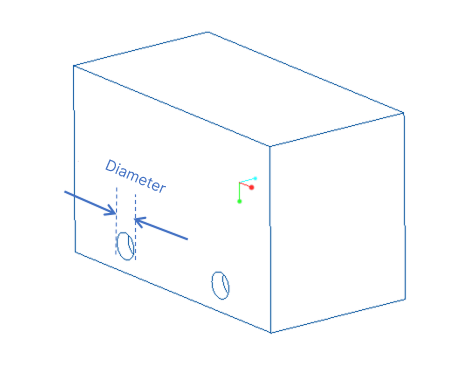
|
|||
| Types: | Any type of drain holes in hollowed structures | ||
| Size of the area to add drain holes (mm²) | 10*10 | 20*20 | 30*30 |
| Min. diameter of drain hole (mm) | 0.8 | 1.0 | 2.0 |
| Typical scenarios: | 1.Drain holes in hollowed structures. | ||
| Testing method by HeyGears: |
1. During washing, the printed object was washed and blown dry 5 times for testing; 2. The holes were visually inspected to see if they had been cleaned completely with no resin or misalign lines; |
||
¶ Acute Angle
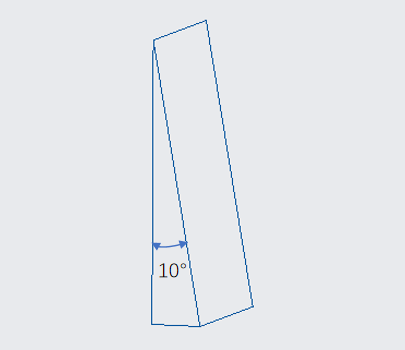
|
|||||
| Types: | Acute parts of various wall thickness | ||||
| Wall thickness (mm) | 1 | 2 | 3 | 4 | 5 |
| Smallest acute angle (°) | 20 | 20 | 20 | 20 | 20 |
| Typical scenarios: | 1.Acute parts | ||||
| Testing method by HeyGears: | 1. The printed object was visually inspected to see if the acute parts were intact with no obvious deformation or misalign lines; | ||||
¶ Gap
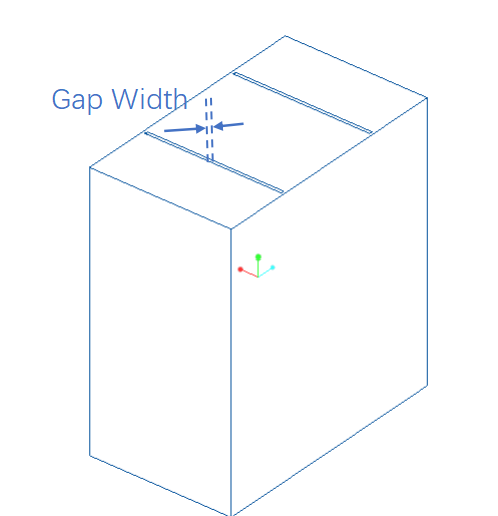
|
|||||
| Types: | Gaps between curved parts and gaps between flat parts | ||||
| Depth/Height of curved part (mm) | 5 | 10 | 15 | / | / |
| Gap width (mm) | 0.20 | 0.20 | 0.25 | / | / |
| Depth/Height of flat part (mm) | 5 | 10 | 20 | 30 | 50 |
| Gap width (mm) | 0.20 | 0.20 | 0.20 | 0.20 | 0.20 |
| Typical scenarios: |
1.One-piece structure (gears, architecture miniatures) 2.Details on surface, texture structures |
||||
| Testing method by HeyGears: | 1. Printed connection parts were visually inspected if they could be separate intactly. | ||||
¶ Gap in Connections
|
Gap in Connections
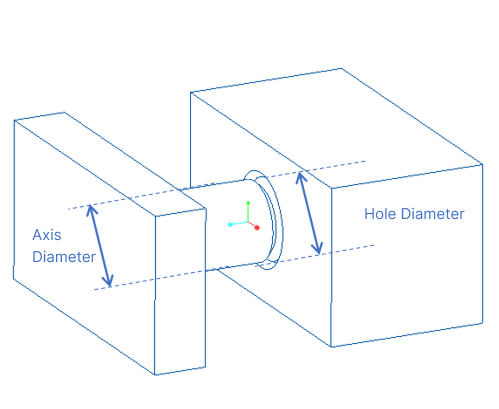
|
|||||
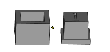
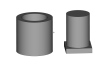
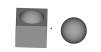
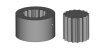
| Types | Fit, tight, loose | ||||
| Image | Shapes | Tight (mm) | Fit (mm) | Loose (mm) | |
|
Square | <-0.02 | -0.01 | >0 | |
|
Circle | ≤-0.01 | 0 | >0-0.02 | |
|
Ball | <-0.02 | -0.01 | >0 | |
|
Polygonal | <-0.04 | -0.03 | >0 | |
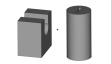
|
C-shaped/U-shaped | <-0.04 | -0.03 | >0 | |
| Testing method by HeyGears: |
1. Test was done after part removal, washing and curing. 2. Column-shaped connection structures were taken out from the sprue. 3. The structures were assembled, from the loosest ones to the tightest ones; 4. Data was recorded according to the assembly results. |
||||
¶ Gap in Moving Parts
| Results | Images | PAT10 | |
|
Min Gap in Moving Pieces |
Attached |
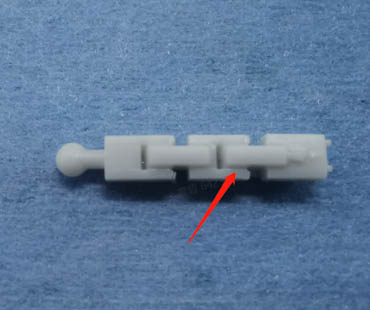
|
≤0.15mm |
| Not attached |
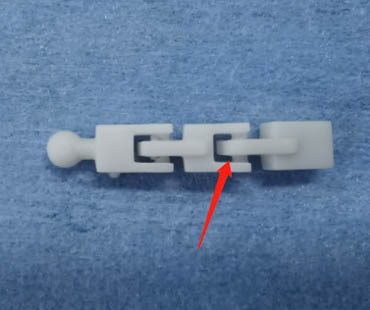
|
>0.15mm |
¶ Tolerance
|
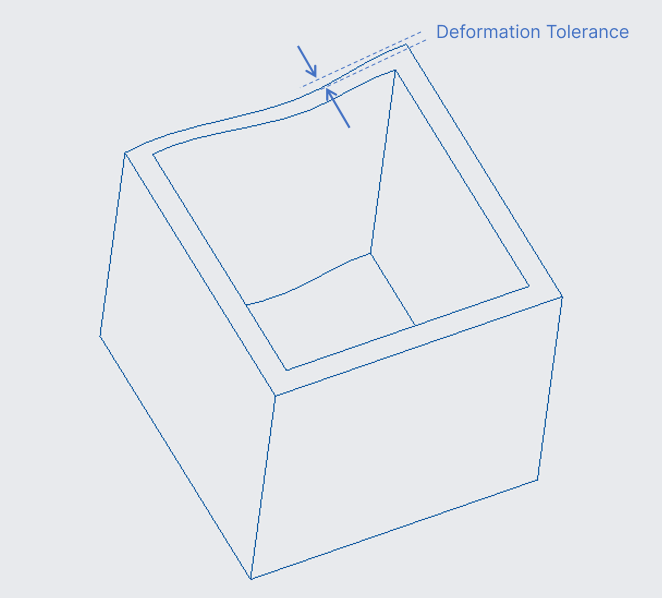
Printed dimensions and tolerances |
|
||
| Types: |
Any structure |
||
| Max. value among dimensions of a printed object (mm) | 20 | 50 | 100 |
| Tolerance(mm) | ±0.05 | ±0.1 | ±0.2 |
| Testing method by HeyGears: |
1.Thin walls or other special structures were not considered; 2.Measurement was done within 2 hours after part removal, washing and curing; 3. Printing parameters were the same when using Pulsing Release Resin Tank and using regular resin tank. |
||
¶ Process and Configuration
¶ Support Parameters
| Support parameters (regular resin tank) | ||
| Support areas | Parameter items | Default values |
| Support body | Lift height (mm) | 5 |
| Trunk diameter (mm) | 0.9 | |
| Overhang angle (°) | 40 | |
| Support density | Anchor distance (mm) | 2.5 |
| Border anchor distance (mm) | 2 | |
| Connection | Top diameter (mm) | 0.36 |
| Connection length (mm) | 1.5 | |
| Contact | Contact shape | Sphere |
| Diameter (mm) | 0.5 | |
| Embedded depth (mm) | 0.25 | |
Note: As a tough material, Modeling PAT10 is relatively more difficult to print, and is sensitive to islands. For a success print, it's advised not to change the support parameters when printing with a regular resin tank for the first time. Sufficient supports are needed on areas such as lowest points and islands, considering the center of gravity shifting during the process of printing, which might cause the object to shake and lead to misalignment. Appropriate improvements might be done on support parameters after the first print is successfully finished.
| Support parameters (pulsing release resin tank) | |||
| Support areas | Parameter items | Default values | Min. values |
| Support body | Lift height (mm) | 5 | 5 |
| Trunk diameter (mm) | 0.7 | 0.6 | |
| Overhang angle (°) | 40 | 35 | |
| Support density | Anchor distance (mm) | 2 | 2.5 |
| Border anchor distance (mm) | 2 | 2.5 | |
| Connection | Top diameter (mm) | 0.28 | 0.2 |
| Connection length (mm) | 1.5 | 1.5 | |
| Contact | Contact shape | Sphere | Sphere |
| Diameter (mm) | 0.35 | 0.25 | |
| Embedded depth (mm) | 0.20 | 0.15 | |
Note: Since the support parameters using regular resin tank are quite small already, when printing an object from the material, using a Pulsing Release Resin Tank can hugely decrease the peeling force and improve the success rate of printing. Supports can be 30% less compared with those using a regular resin tank. But support parameter values are advised not to be weaker than the min. parameters provided above, or there will be some printing risks.
¶ Parameters for Slicing in Other Slicer Software (Not Recommended)
| Chitubox (printing with regular resin tank) | ||
| Support areas | Parameter items | Default values |
| Basic config. | Z lift height (mm) | 5 |
| Raft shape | Cross grid | |
| Raft thickness (mm) | 1.0 | |
| Overhang angle (°) | 45 | |
| Support Density | Anchor distance (mm) | 2.0 |
| Connection | Top diameter (mm) | 0.4 |
| Connection length (mm) | 1.5 | |
| Trunk diameter(mm) | 1.0 | |
| Contact | Contact Shape | Sphere |
| Diameter (mm) | 0.6 | |
| Embedded depth (mm) | 0.35 | |
| Voxeldance Tango (printing with regular resin tank) | ||
| Support areas | Parameter items | Default values |
| Basic config. | Z lift height (mm) | 5 |
| Raft shape | Convex hull | |
| Raft thickness (mm) | 1.0 | |
| Overhang angle (°) | 45 | |
| Support density | Anchor distance (mm) | 2.0 |
| Connection | Top diameter (mm) | 0.36 |
| Connection length (mm) | 1.5 | |
| Trunk diameter(mm) | 1.0 | |
| Contact | Contact shape | Sphere |
| Diameter (mm) | 0.6 | |
| Embedded depth (mm) | 0.35 | |
Note: It's advised to use a “safer” parameter configurations and have some tests first, as HeyGears printers cannot guarantee a high printing success rate for models sliced with a third-party slicer software which does not enjoy HeyGears print strategies.
¶ Recommended Washing
| Material Cleaning Parameters | ||||
| Material | Cleaning devices | Washing settings | Cleaning solution | Washing time |
| UltraPrint-Modeling PAT10 | UltraCraft Wash | Rotation speed 180r/min | 95% alcohol | 3-min rough wash + 3-min fine wash |
| Ultrasonic cleaning | Power 240Kw | 95% alcohol | 3-min rough wash + 2-min fine wash | |
Note 1: Rough wash refers to the behavior of washing off most liquid resin on the printed object with used alcohol (used for more than 3 batches of prints); Fine wash refers to the behavior of well cleaning details of the printed object with clean alcohol (used for less than 3 batches of prints).
Note 2: Washing finished, it's advised to blow dry the print with compressed air or bake it dry in a baker at 40℃ for 10min. Please AVOID submerging the print in alcohol for a long time (over 10 min in total), which might impact the resin's performance and the print's dimension.
¶ Recommended Curing
| Material Curing Parameters | ||||
| Material | Curing modes | Heat or not | Curing media | Curing settings |
| UltraPrint-Modeling PAT10 | Rapid | No | Air | At room temperature for 7 min |
| Performance | Yes | Air | Pre-baking at 46 ℃ for 15 min + curing at 46℃ for 15min + Post-baking: 62°C for 25 minutes | |
Note 1: Cure the print with HeyGears UltraCraft Cure. It’s advised to send the curing job from HeyGears Blueprint to the device first and then start curing on the device, as the job sent from Blueprint would enjoy a more advanced curing process and have an even better curing result.
Note 2: It is common if the print part turns yellowish after curing. Leave the part for a week (cured in Rapid mode) or 1-2 days (cured in Performance mode), the color will fade.
¶ Operation Steps
¶ Model Placement
Model Placement Principles
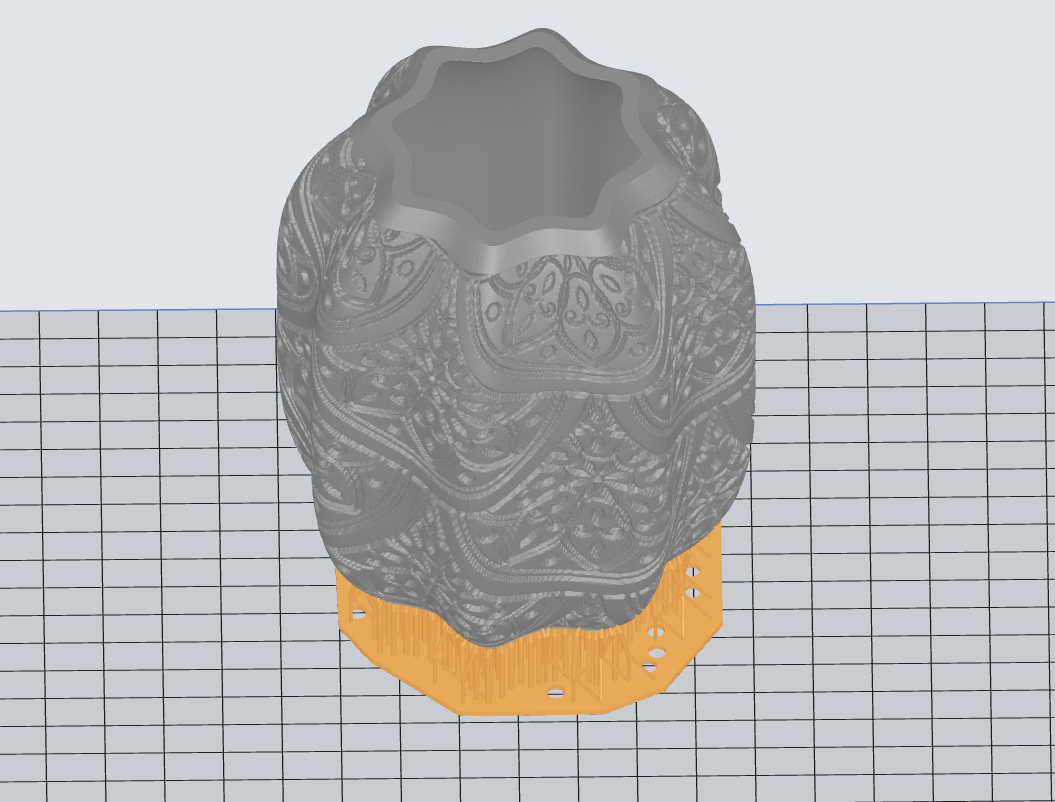
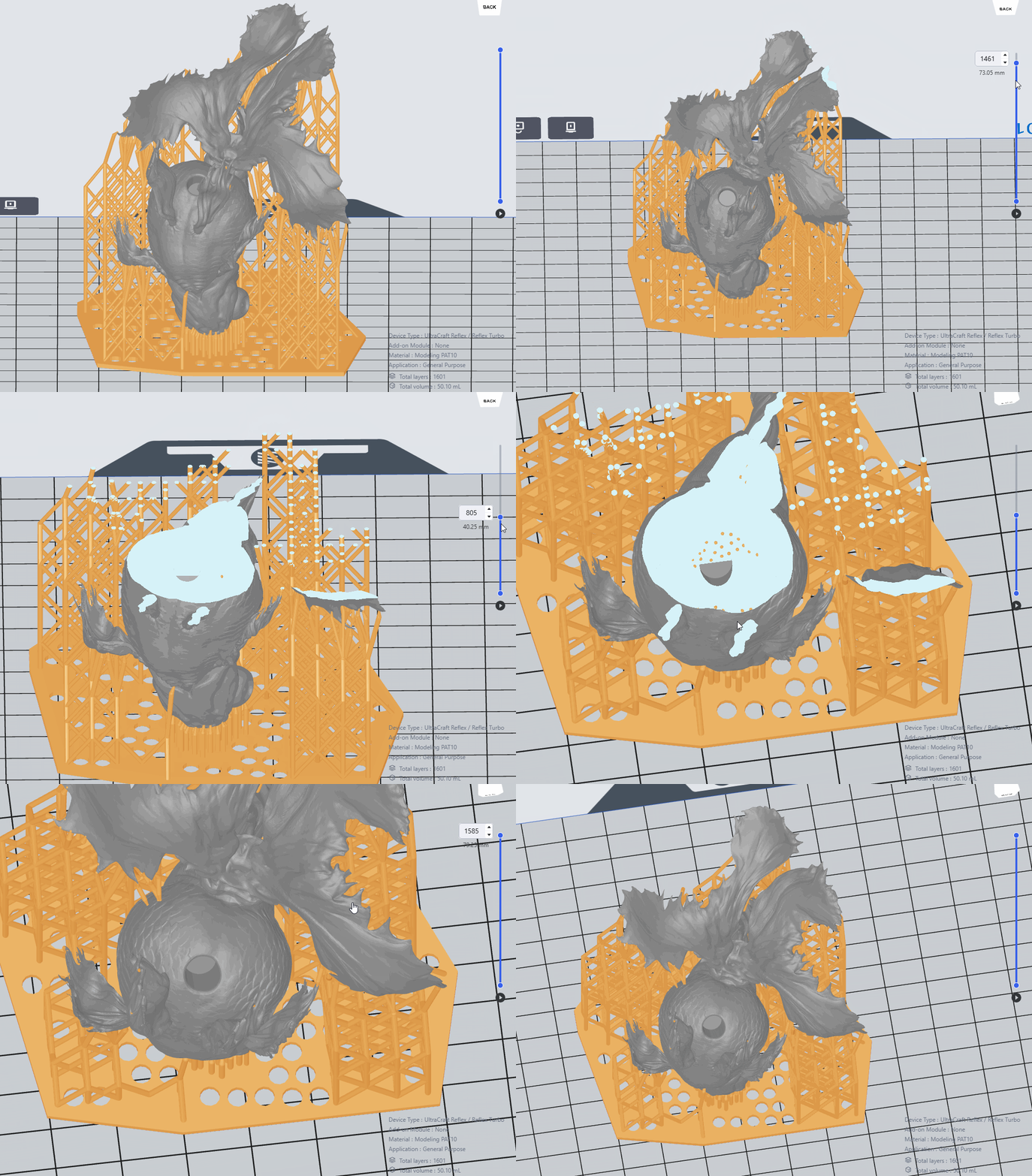
In the software interface, click on the Edit section at the top to access the “Select Bottom Surface,” “Translate,” and “Rotate” functions. Arrange the model to be printed according to specific principles (e.g., detail/feature surfaces facing up, sharp angles facing up, cup openings facing down, minimal support, etc.). The steps for this process are as follows:
General Principles: To ensure the surface quality of detailed textures, the flatness of the underside of beams, and the successful printing of solid long rods or large flat surfaces, the following placement guidelines should be observed:
- Avoid Parallel Placement: When placing the model, avoid aligning long straight edges or flat surfaces parallel to the printing platform. Minimize the printing area for each layer to effectively reduce the risk of excessive peeling forces and deformation during printing, ensuring better print quality.
- Feature Surfaces Up: Important detail surfaces of the model should generally be oriented upwards. This is because added supports can affect the surface details of the model. After removing the supports, further sanding or finishing may be required as needed.
- Internal Cavities: Adjust the model placement to avoid generating supports inside cavities that cannot be manually removed. Supports should be removable from any cantilevers within 0.8 mm. Fine details or sharp angles should face upwards to prevent damage to delicate features when removing supports from the bottom or when there is significant weight or support at the base.
- High Placement Flexibility: There is considerable flexibility in model placement. After following the main principles, check the model after automatic support generation. You can delete or adjust supports and regenerate them to compare the results.
¶ Examples of Model Placement
| Lantern Shade - PAT10 | Headphone Case - PAT10 | Poké Ball Figurine - PAT10 | Goldfish Figurine – Fish Body - PAT10 | ||||
|---|---|---|---|---|---|---|---|
| Bad | Good | Bad | Good | Bad | Good | Bad | Good |
.png) |
 |
.png) |
.png) |
.png) |
.png) |
 |
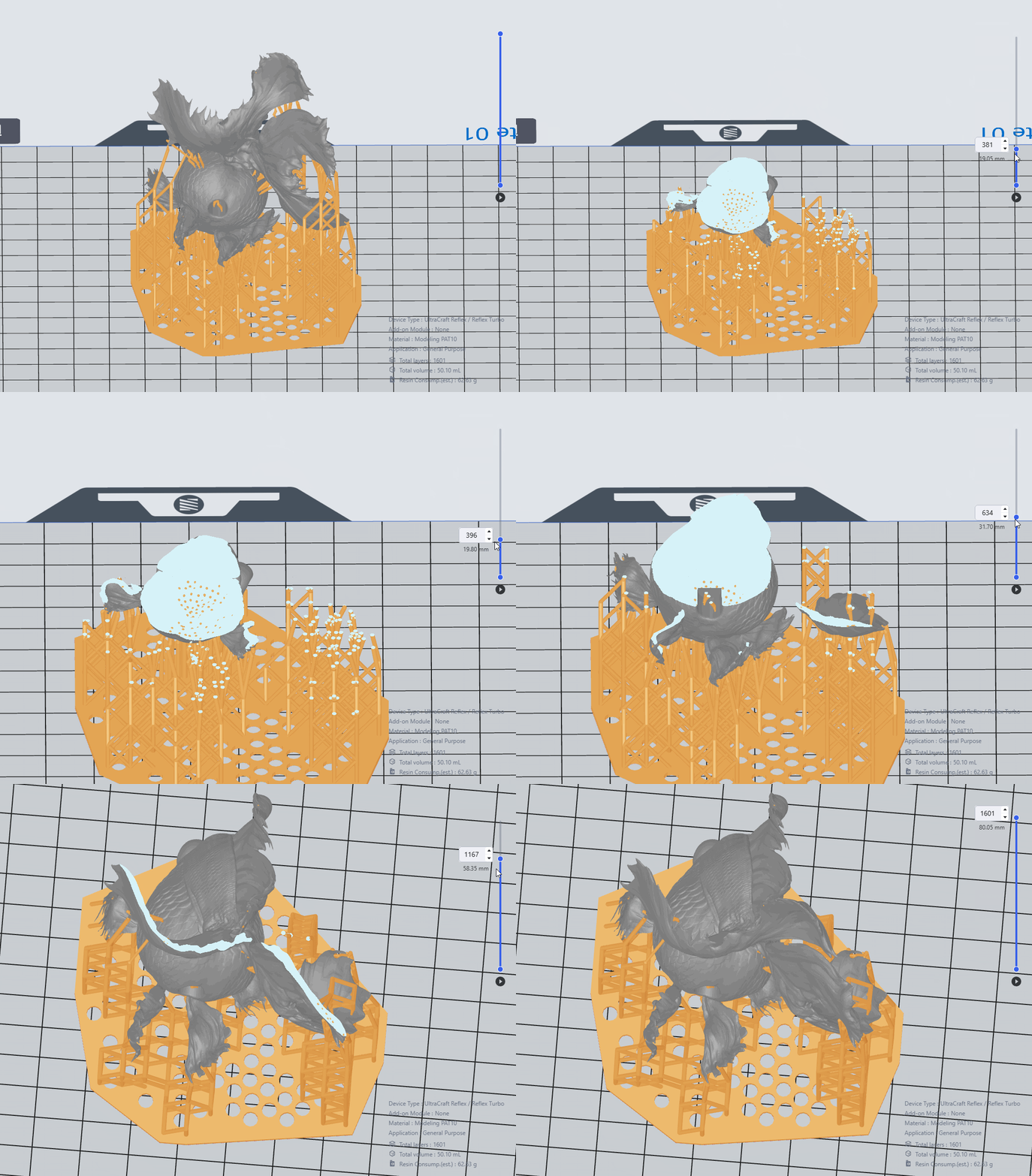 |
| Position the model to minimize the need for supports. Manually remove any supports for cantilevers within 0.8 mm. Conduct a thorough support check and reinforce as necessary. | Orient the sound port downwards to prevent the generation of supports between headphone models. Perform a support check and reinforce as needed. | Eliminate supports that are not at the lowest points inside the model. Also, remove external supports for cantilevers within 0.8 mm. Conduct a support check and reinforce as necessary. | Ensure that fine details and sharp angles are oriented upwards to avoid cup-like formations. Conduct a support check and reinforce as necessary. | ||||
.png) |
.png) |
.png) |
.png) |
||||
¶ Slicing in Blueprint Studio
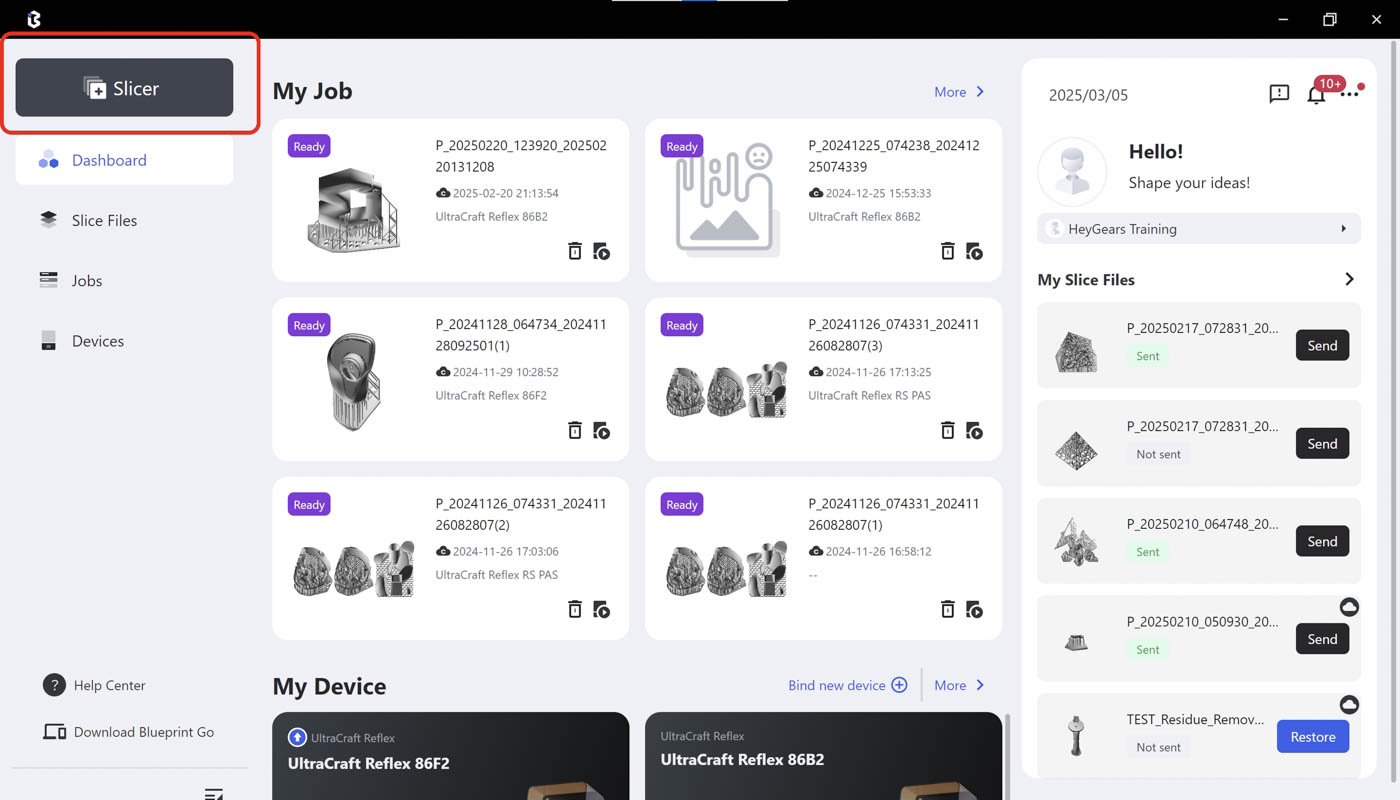
| Step 1: Enter Slicer in Blueprint Studio. | Step 2: Choose the corresponding material. |
 |
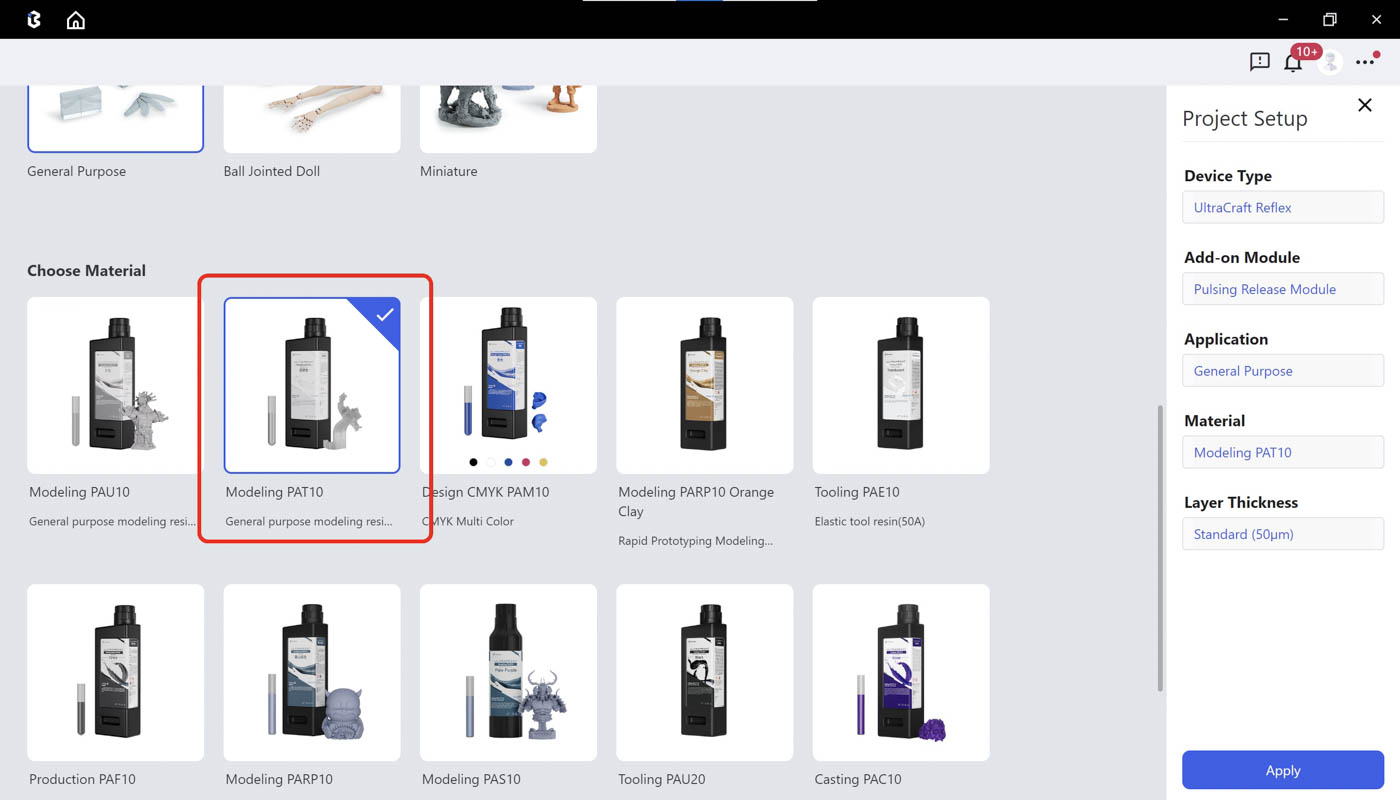 |
| Step 3: Import models in a new project by clicking the Import icon or directly dragging models to the Studio. | Step 4: In the Prepare page, use Rotate, Scale, Hollow, Hole, Label, Duplicate and other tools based on your needs. |
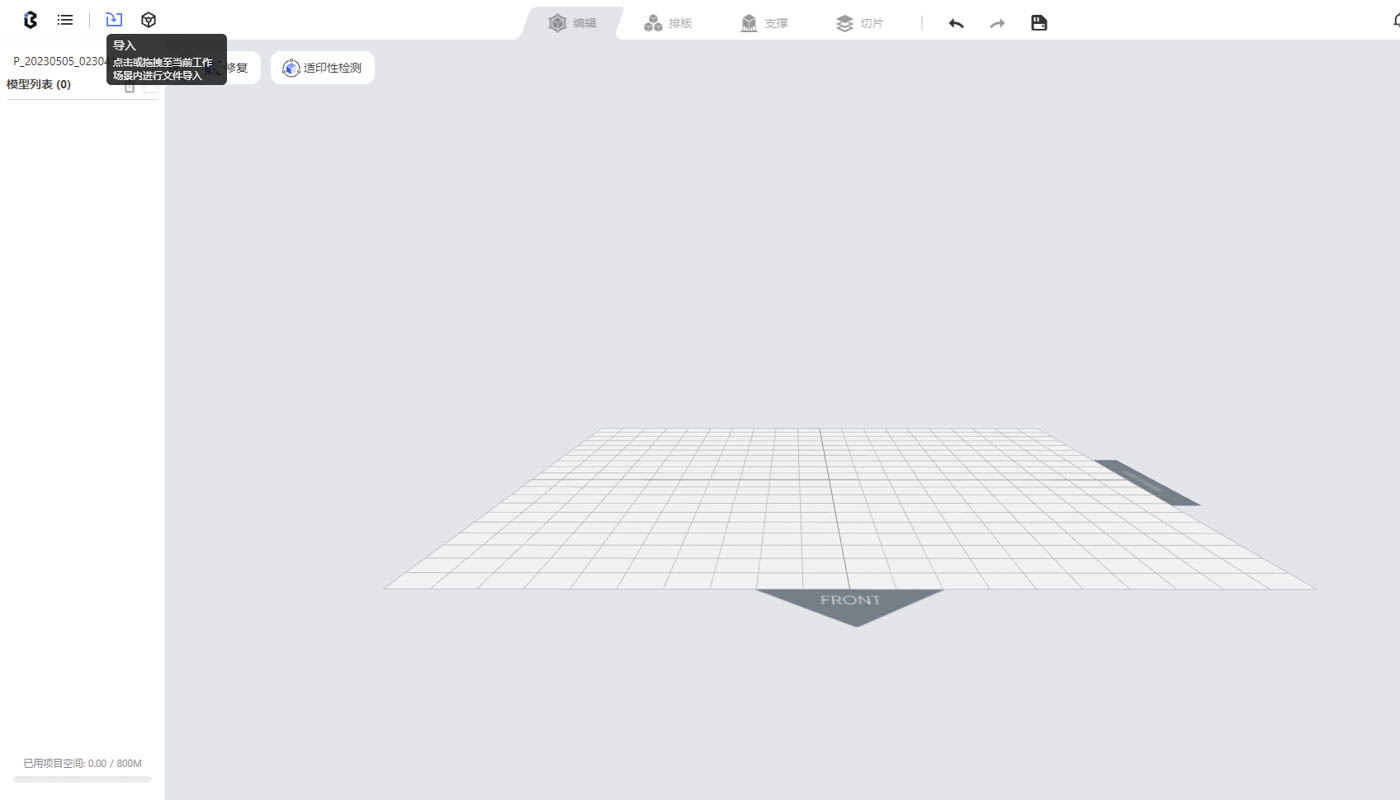 |
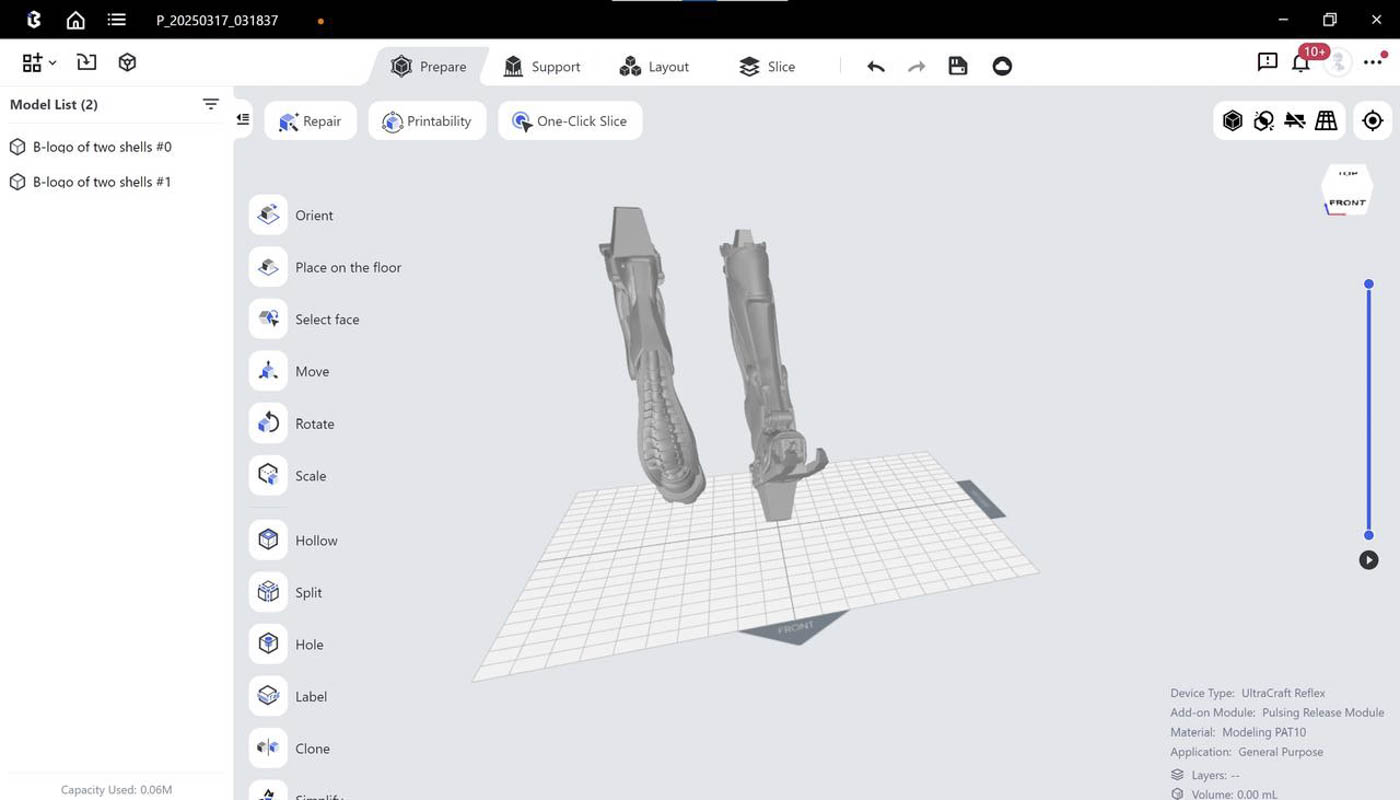 |
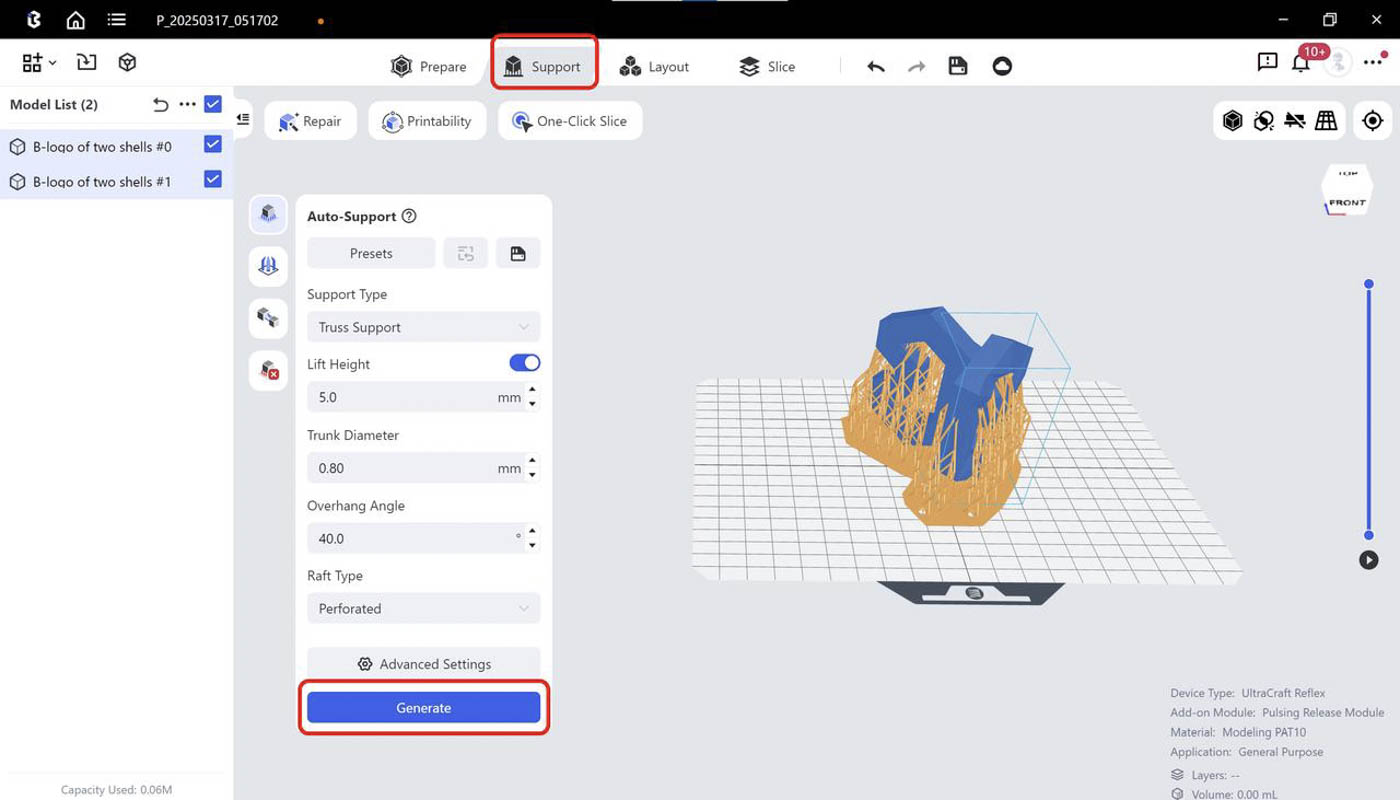
| Step 5: Run Auto-layout. | Step 6: Run Auto-support, choose Truss support and generate supports. |
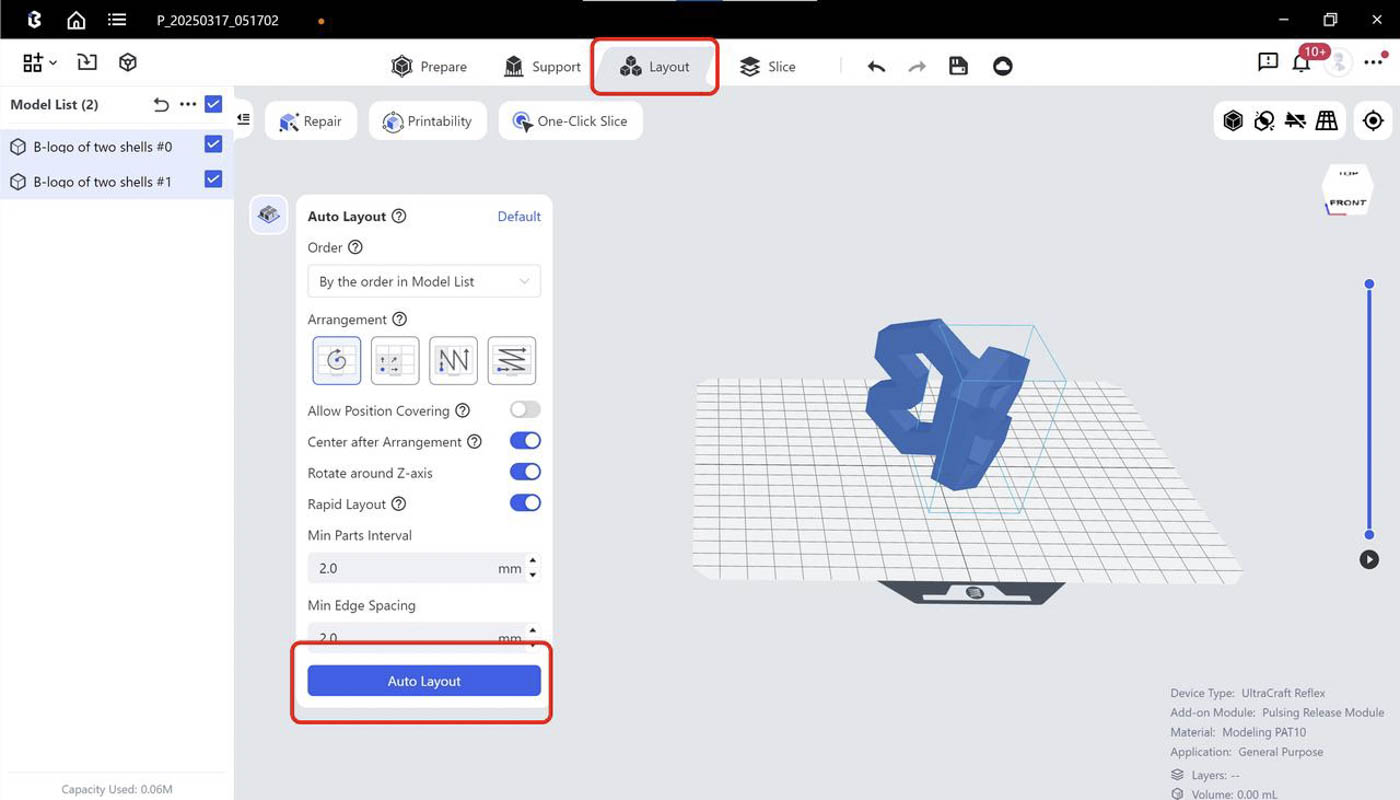 |
 |
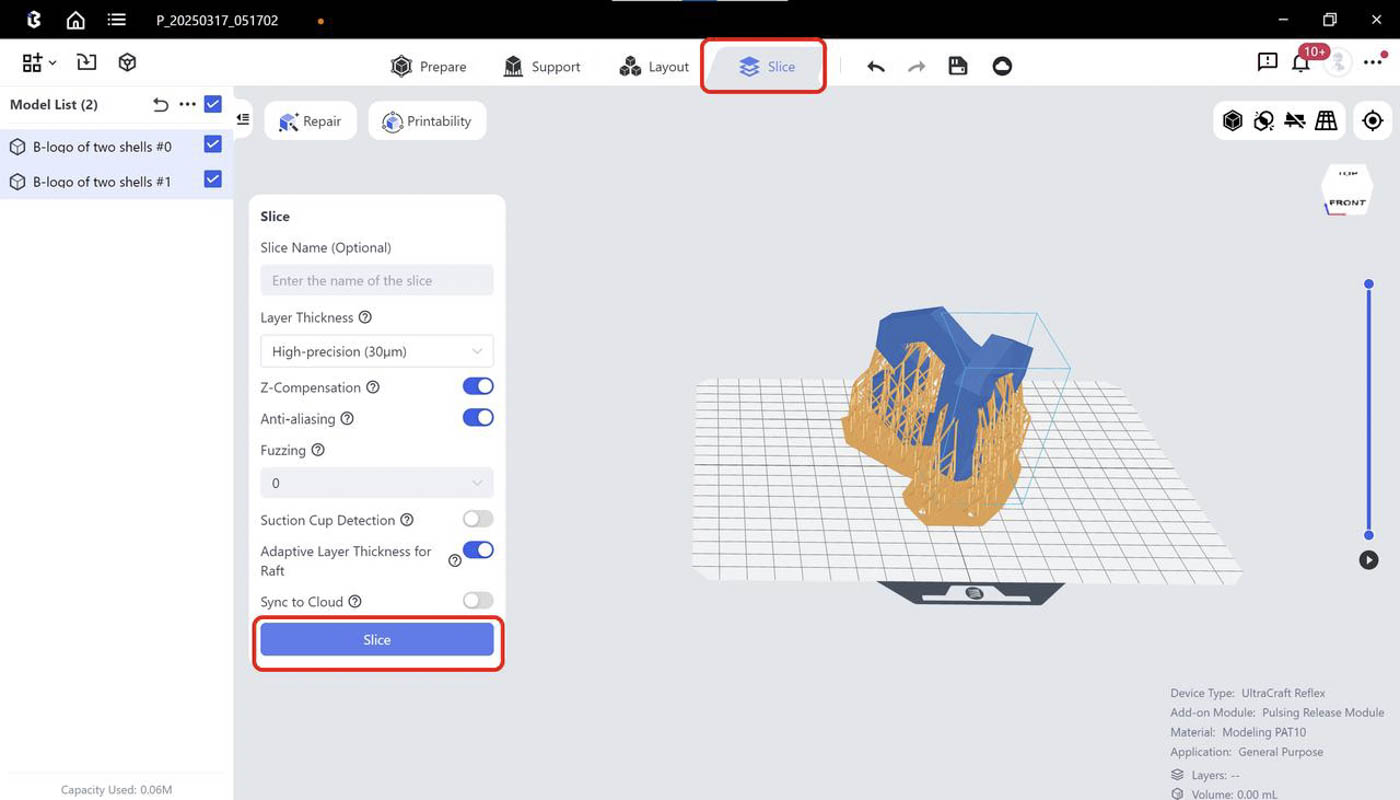
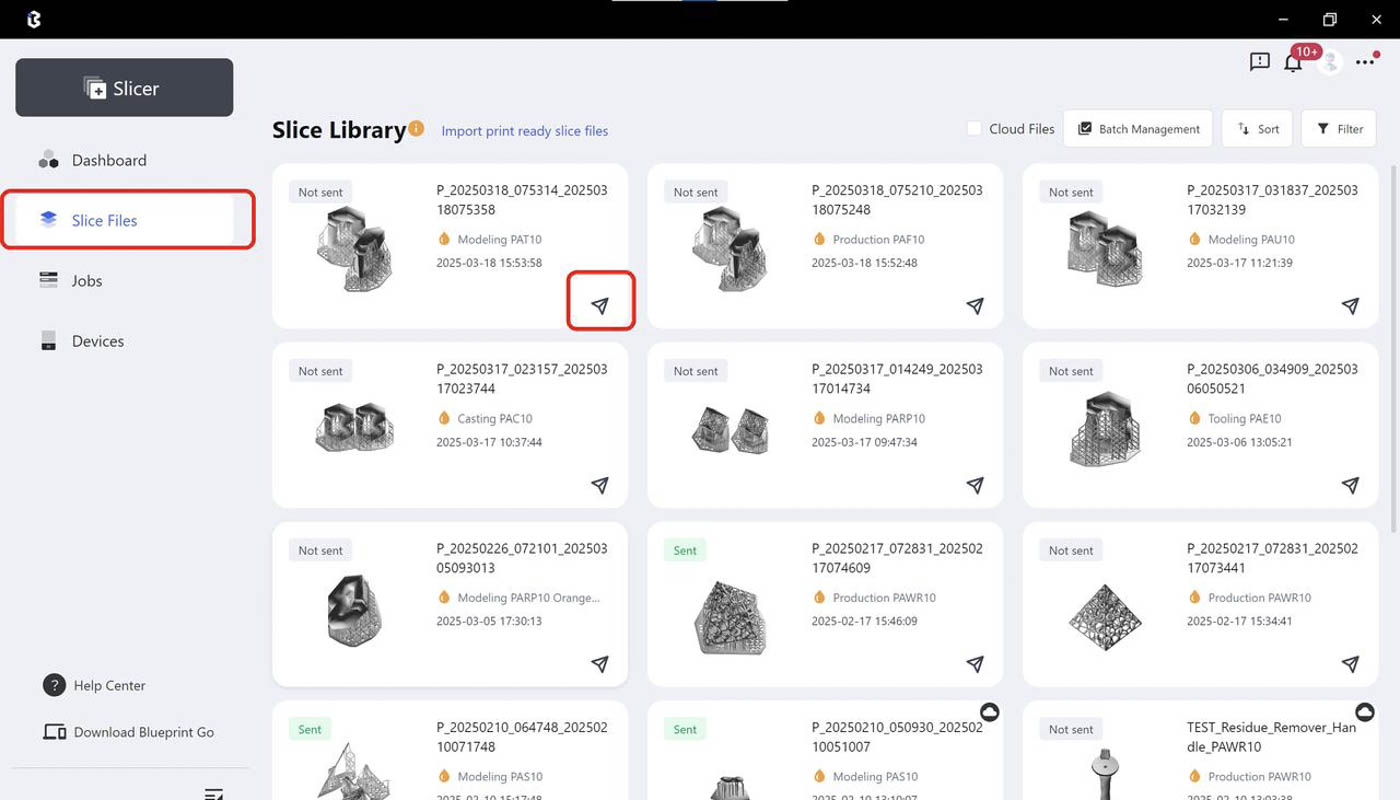
| Step 7: Run Slicing. You may edit the slice file name if needed. | Step 8: After slicing is done, you may check slice files and send print jobs at the [Slice Files] page |
 |
 |
¶ Printing and Post-Processing
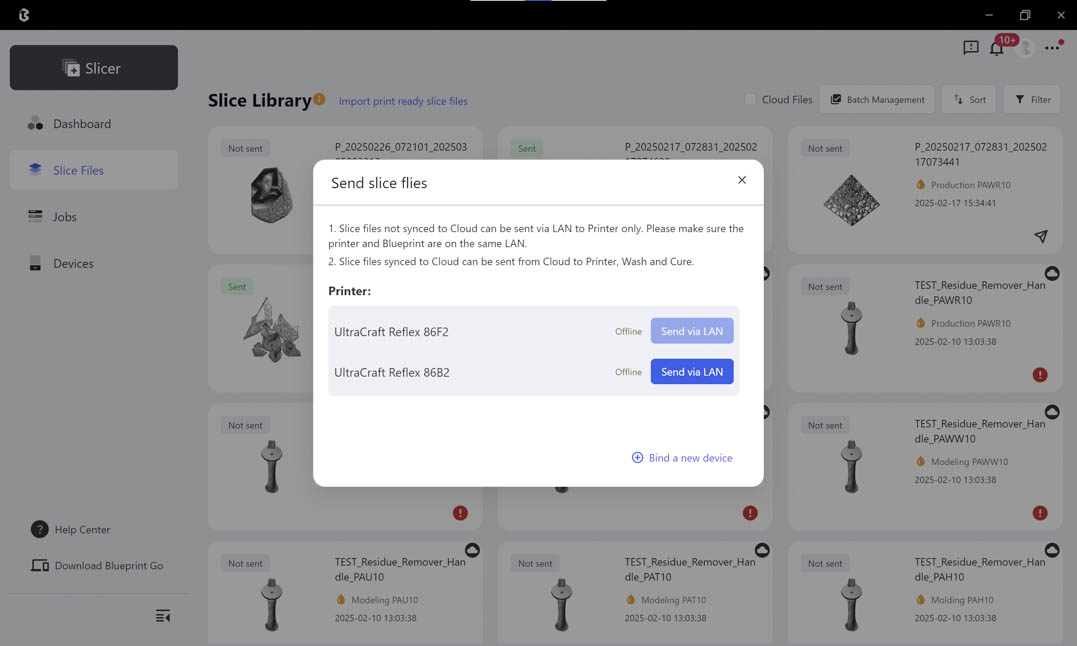
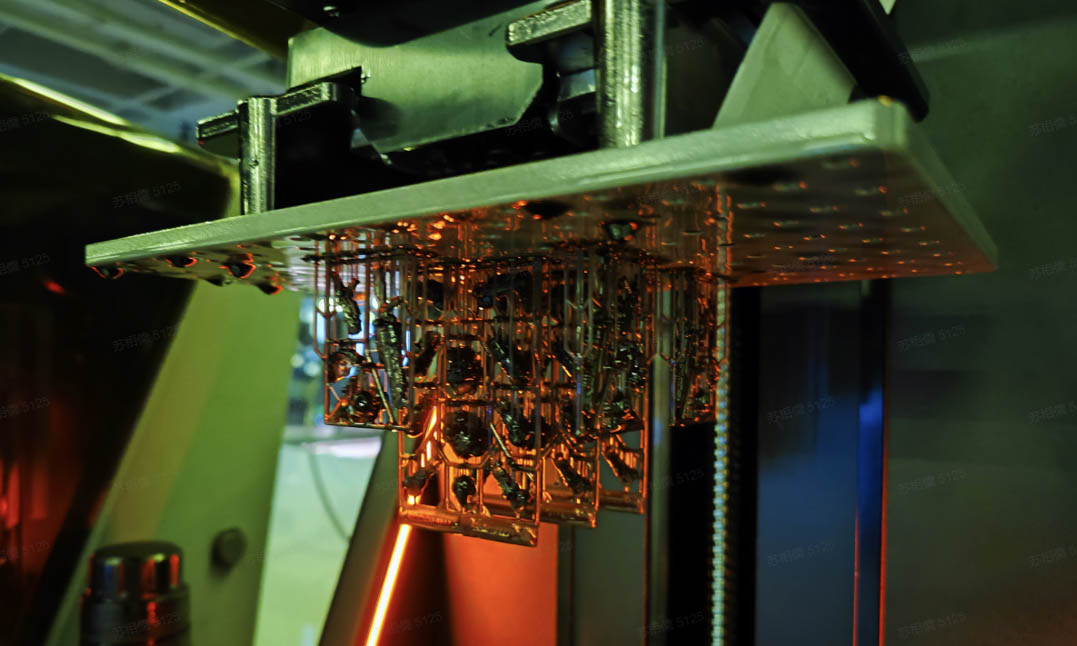
| Step 1: Send the slice files to your printer on Blueprint platform, or import them to your printer via USB flash drive. | Step 2: Printing. |
 |
 |
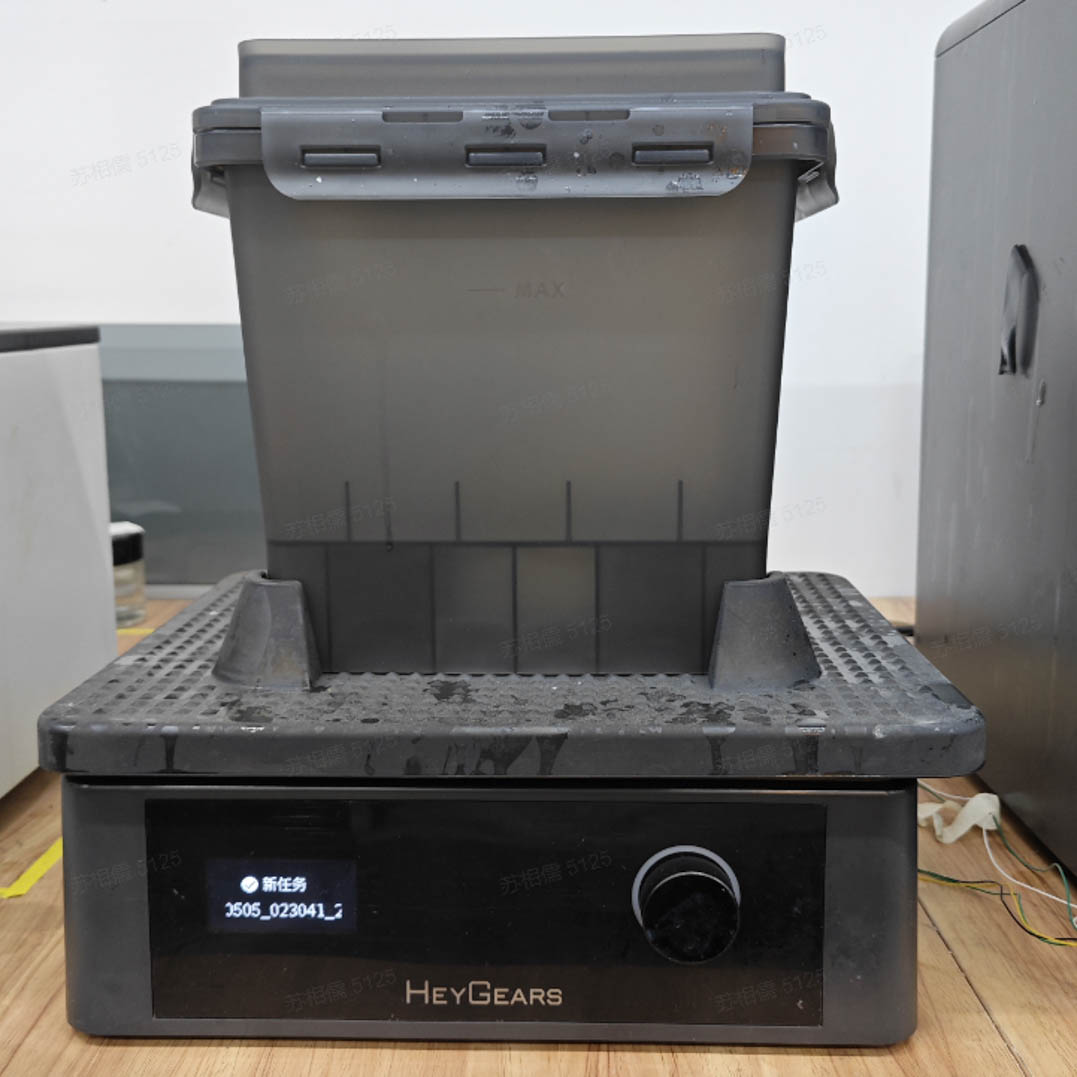
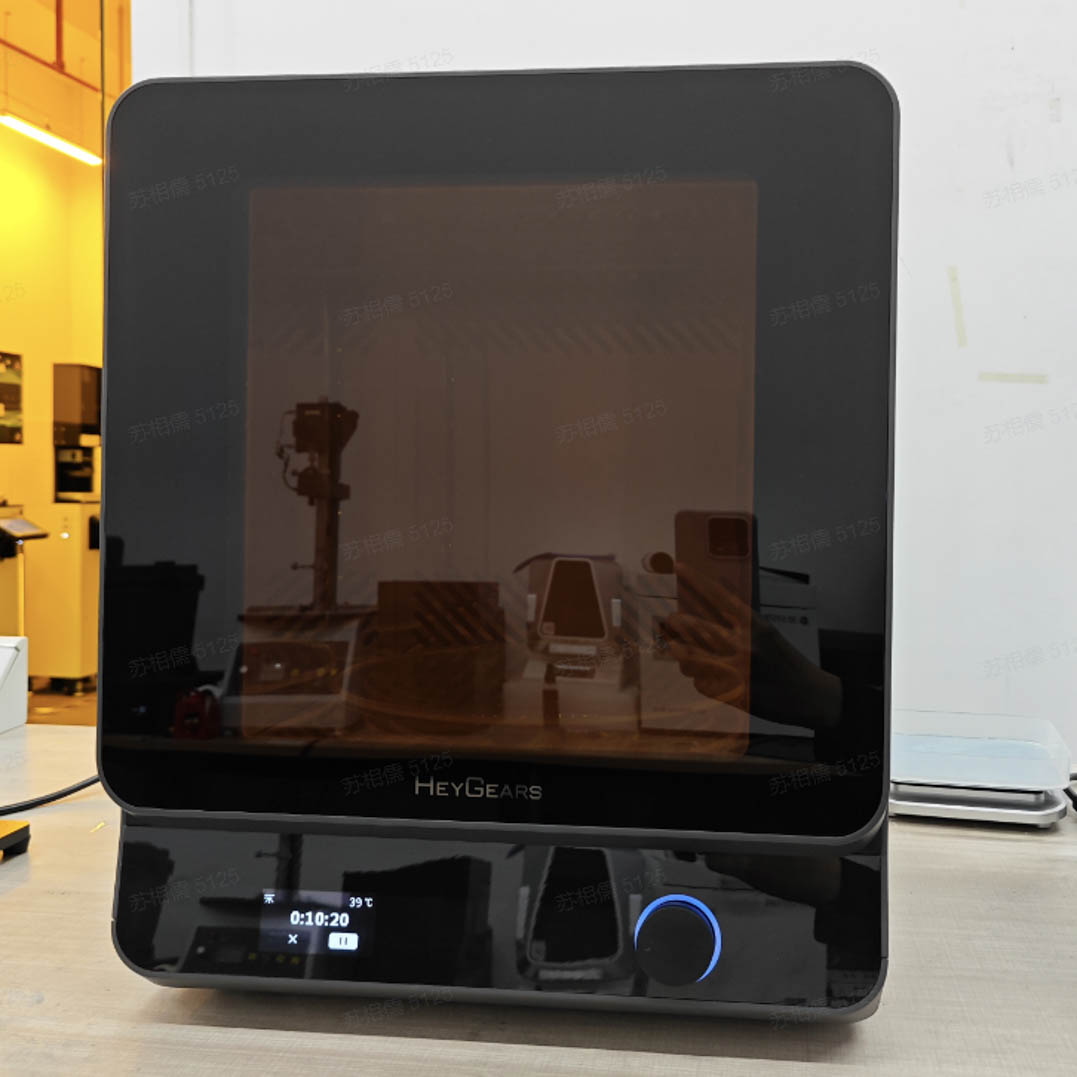
| Step 3: Set the washing settings on UltraCraft Wash or in Blueprint platform when sending wash jobs. | Step 4: Set the curing settings on UltraCraft Cure or on Blueprint platform when sending curing jobs. |
 |
 |
¶ Finishing
¶ Removing Supports
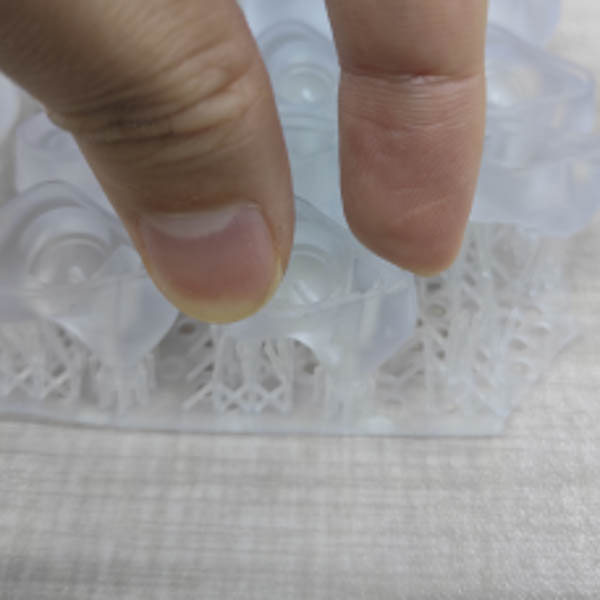
1.For most models, removing by hand will be fine (twisting off the support structures);
 |
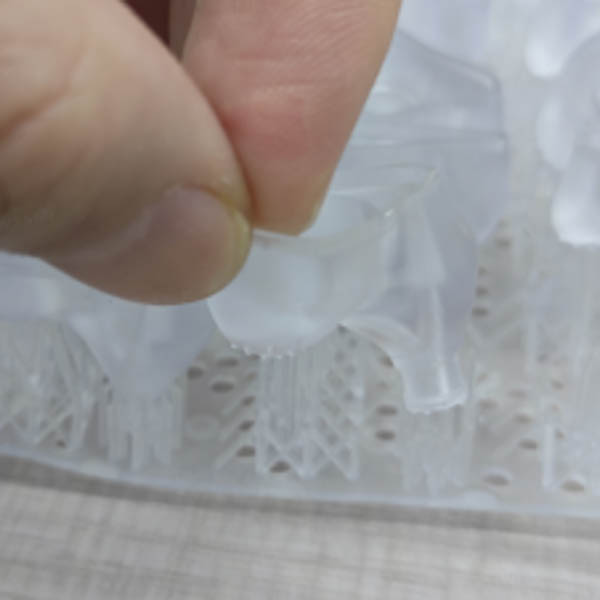 |
| Remove supports by hand | Result of removing supports by hand |
2.For models with thin wall, it's better to remove with tools (pliers or art knife).
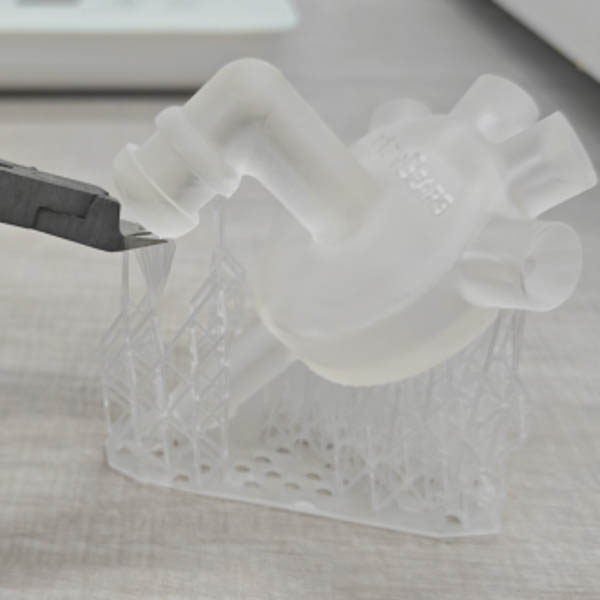
Remove supports with tweezers
¶ Sanding and Spray-Painting
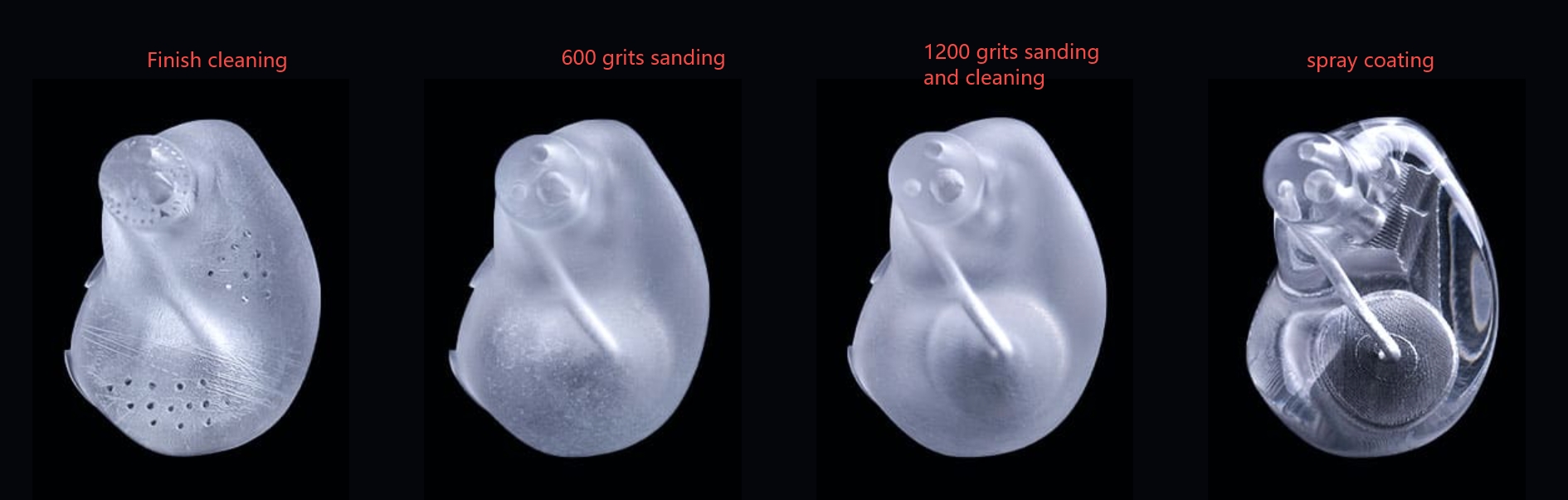
The material requires sanding and spray-painting to achieve the desired transparency. You may refer to the steps below.
1.Grinding by hand
Use wet sandpaper (from 400 mesh to 1200 mesh) to grind off layer lines and support remains. It's advised to use sandpaper that is 200 mesh finer every time switching to finer sandpaper, and grind off scratches made by previous sandpaper. After grinding with 1200 mesh sandpaper, the surface of the print part will look fine and matte.
2.Washing
Wash off the dust from grinding with water first. Wipe off the dust and fingerprints until clean with microfiber cloth and IPA/95% alcohol.
3.Spraying
Dry the model prior to spraying, or the paint quality might be affected. The more the print part is sanded, the more transparent it turns. Spray the model in a dust-free environment.
-
It's suggested to use transparent acrylic spray primer. PAT10 goes well with most spray primers.
-
Another option is UV clear coat. UV clear coat needs to be cured with UV light. Some UV coat might turn 3D-printed objects more crispy, so it's advised to have some tests in advance.
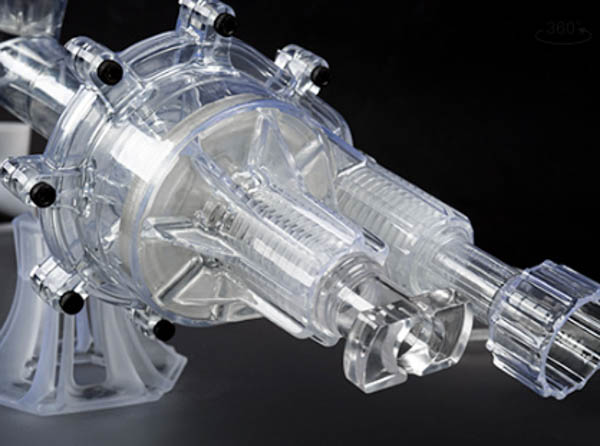
¶ Presentation of Finished Model
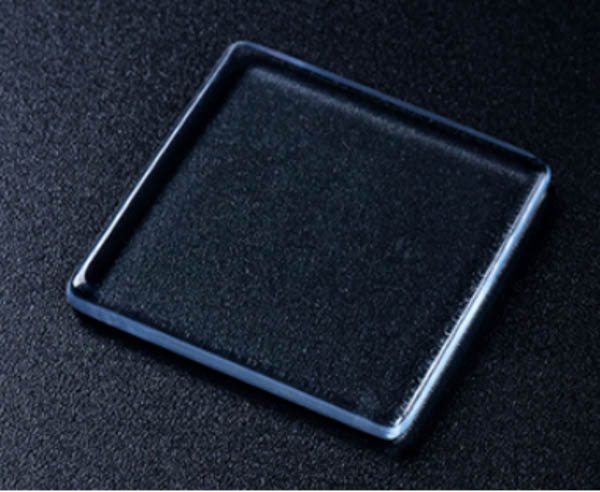
¶ Precautions
¶ Precautions and Warnings
1.Please make sure to keep on protective wear (protective gloves and goggles) during the process.
2.Please avoid direct contact with liquid resin or the print parts after curing, to prevent irritation to the eyes or skin (which might cause sensitization).
3.If the product gets into the eyes, rinse immediately with clean water and contact a doctor.
4.If the product contacts with your skin, rinse immediately with clean water and wash thoroughly with soap.
5.The product should only be used after training by qualified personnel.
6.After each use, please be sure to immediately close the bottle cap to keep the bottle sealed.
7.Before use, please shake the resin well and it’s recommended to stir the resin in the resin tank before printing, to ensure that there is no significant sediment of the color powder.
8.After pouring into the resin tank, the resin should be kept away from light, If not printed for 3 days, the resin should be filtered and poured back into the resin bottle, avoiding staying for more than 7 days in the resin tank to prevent moisture absorption and degradation, which could lead to print failures.
¶ Storage and Transportation
1.The product should be stored in an indoor environment with a temperature of 15°C ~ 28°C, free from corrosive gases, well-ventilated, and protected from high temperatures, humidity, and direct sunlight.
2.The product should be transported in an environment with a temperature of 0°C ~ 45°C, and during transportation, it should be protected from heavy pressure, direct sunlight, and exposure to rain or snow.
3.The shelf life of the product is 18 months.
¶ Disposal
Please refer to the MSDS for precise information. Liquid resin should not be directly discharged. Please allow it to be fully cured into a solid under sunlight before disposing of it according to local regulations.