Layers of printed objects misalign. How to fix them?
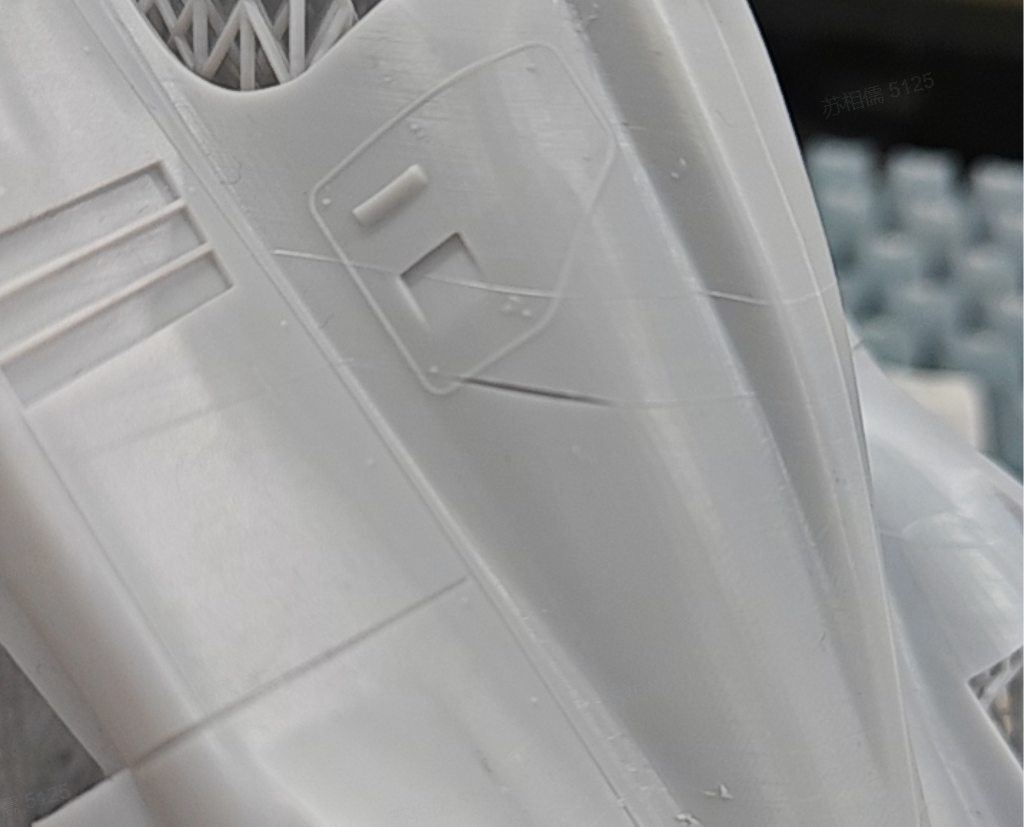
¶ Possible reason ①: Shake during printing
If the printer or the table the printer is sitting on shakes during printing, shifting might occur, leading to random layer lines, deformation or even printing failure on printed objects.
Solution: Stable environment.
If possible, it’s best to place your Reflex separately on a steady, level table. It also helps to plan a proper route when you're working around to avoid hitting the table.
¶ Possible reason ②: Residues in resin tank
If there’s any residual cured resin in the resin tank, the release film at the tank bottom may deform when the build platform descends to the tank, which will result in layer separation, deformation or printing failure.
Solution: Clean and check.
Check before printing if the resin tank and build platform are well cleaned with no residues. Clean them if any. It’s advised to filter the resin in the tank every time you finish 3 print jobs.
¶ Possible reason ③: Build platform getting loose
If the build platform is not well set up or locked in place, it might shake, shift or so during its rising and descending movements, causing layer shifting, splitting or separation.
Solution: Lock the build platform tight.
Check before printing if the build platform are locked tight and level.
¶ Possible reason ④: Components on the Z axis getting loose or being worn out
The precision of Z axis’ movement directly impact the print result. So if there’s any important component loose or worn out, issues might occur to the Z axis carrying the build platform such as shaking, not moving precisely as required or so, leading to random layer lines, deformation or even printing failure on printed objects.
Solution: Diagnose, fix or replace.
Regular check on the Z axis is necessary. In case of problems like the Z axis are worn out, loose, rusted, makes abnormal noises or so, have them fixed or replace the Z axis in time.
¶ Possible reason ⑤: Not enough supports
When printing a large object, it might shake during printing due to the rising and descending movements if it does not have sufficient supports.
Solution: Add supports.
Do not delete many supports for saving resin material. If you need to change support parameters, it’s advised to adjust carefully referring to the support quantity by “Auto-support” tool, and default or minimum support parameters. HeyGears have found out proper support parameters for each HeyGears material based on its properties after loads of tests and defines them as default parameters in “Supports” tool in Blueprint Studio.
In addition, you may check if supports are enough using “Support Angle” tool in “Manual Support” in Blueprint Studio and add supports if not enough, especially at the lowest point and islands. The center of gravity needs to be taken into consideration as printed objects might shake during printing if the center of gravity shifts.
¶ Possible reason ⑥: Resin tank release film getting less elastic
The release film of a resin tank might get less and less elastic gradually due to adhesive force. An inelastic release film can directly impact the curing of the resin liquid in the tank and result in random layer lines, deformation or even printing failure on printed objects.
Solution: Regularly check the release film.
Regularly check on the release film. If it’s broken or being worn out, and replace it if needed.
The levitated printing design of Reflex drastically reduces the adhesive force and extends the film’s service life. Besides, Reflex contains a release film sensor to help you monitor the film and send timely notifications reminding you of replacement.