¶ 1. Unpacking

¶ Item & Parameters
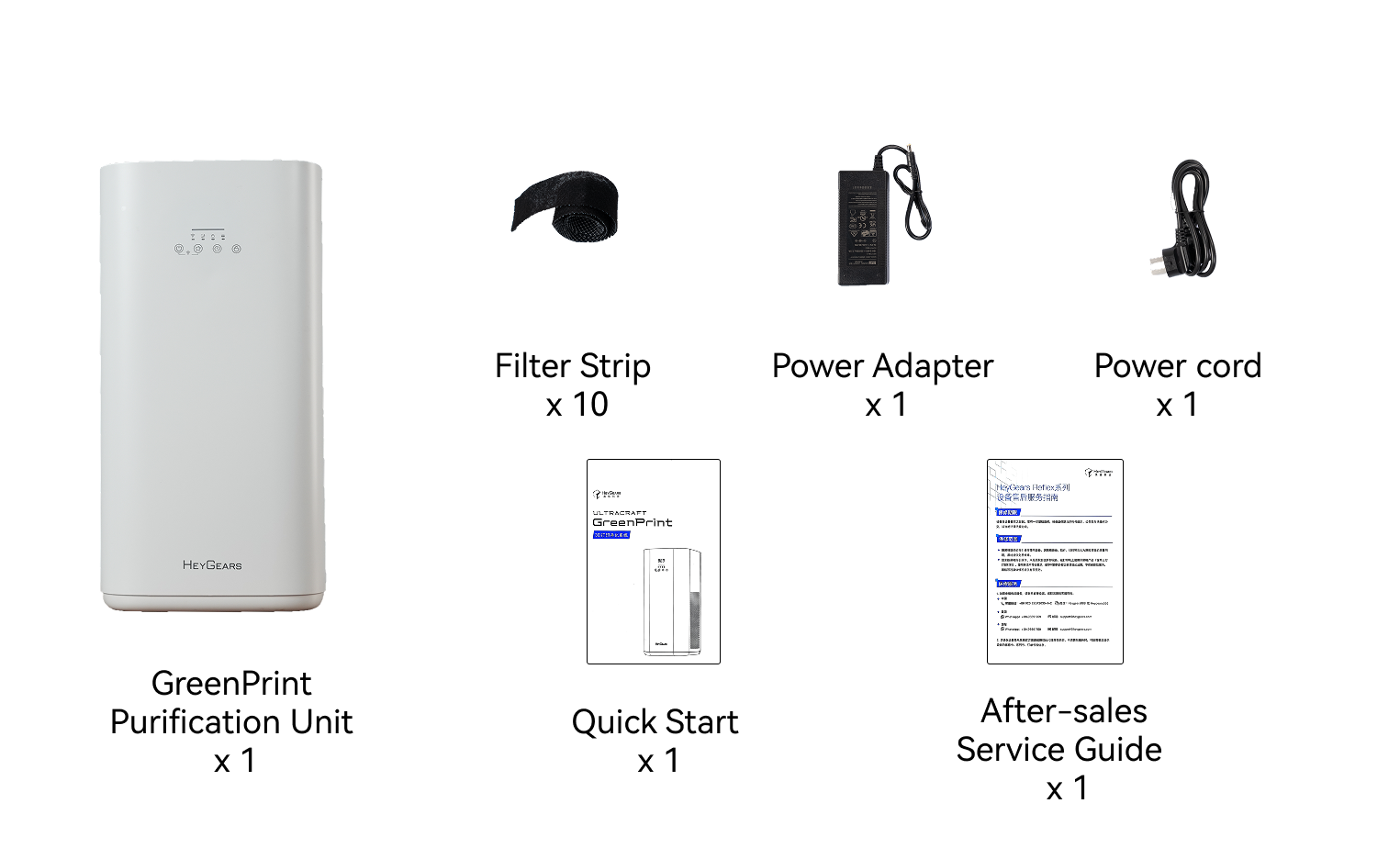
- Put the device on the ground level and check if it's intact.

- Remove four foam strips from the top of the device, and the rear cover tape.

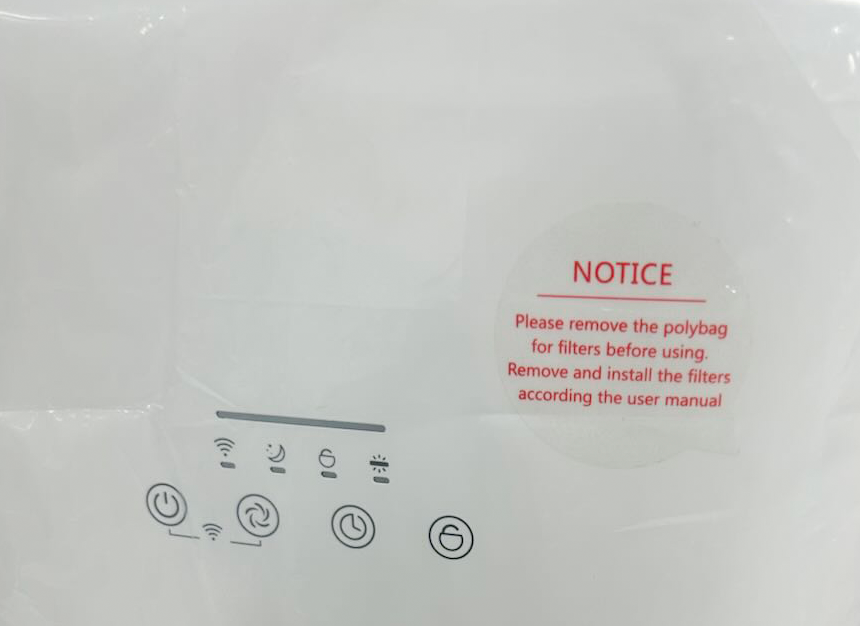
- Please remove the polybag for filers before using the device.
 |
 |
 |
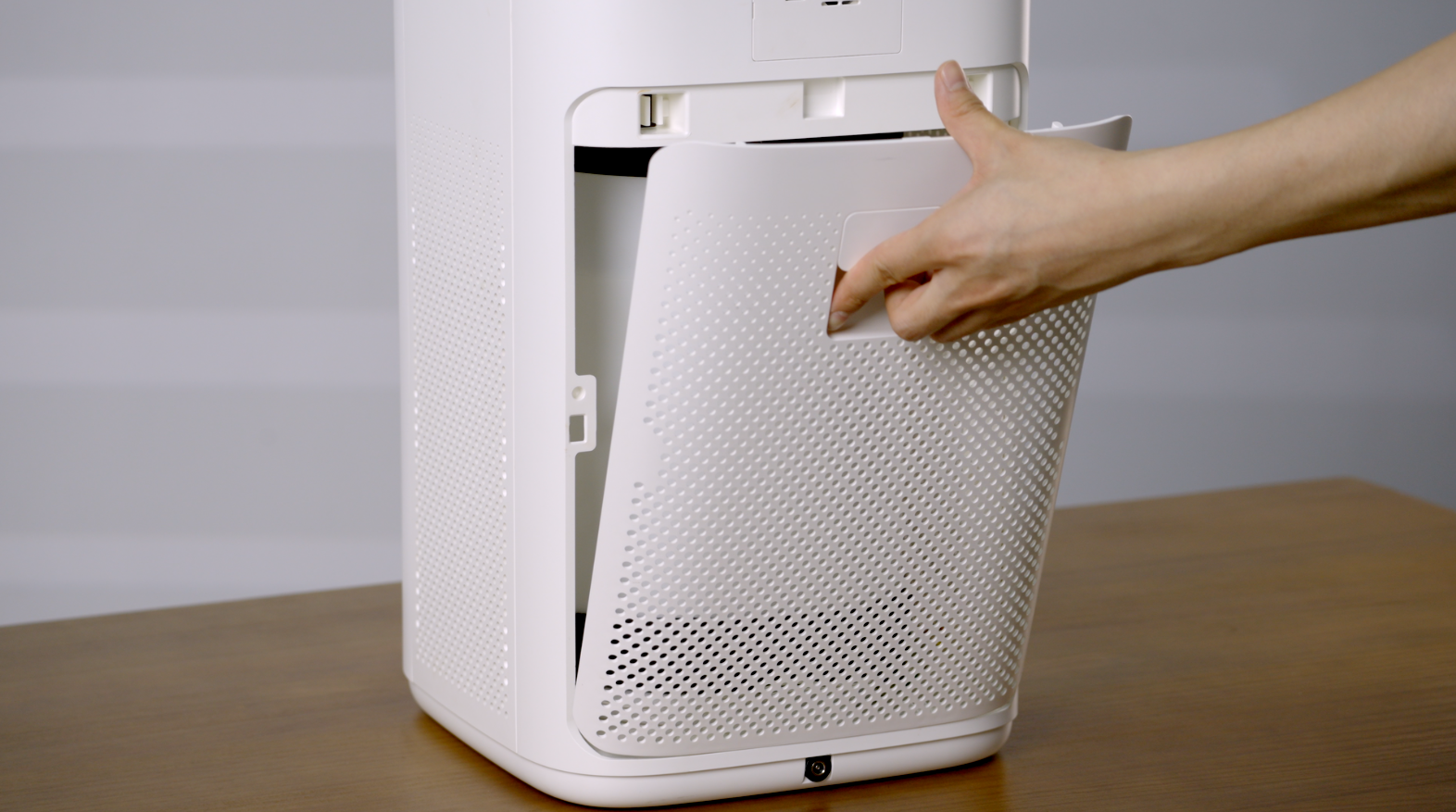
- Open the rear cover of the device and remove the packing foam inside. Take out the photocatalytic module and sequentially tear open the packaging bags of the photocatalytic packaging bags.

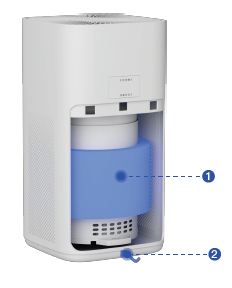
- Reinstall the photocatalytic components in order (the one marked with number 2 is the bottom , and the one marked with number 1 is the top) and connect the power supply below. Then, close the rear cover.

¶ 2. Initial Setup & Use
Operating Instructions
 |
 |
¶ 2.1 Power on the device after plugging in the power supply, press the power button (the default setting upon startup is Level 2).
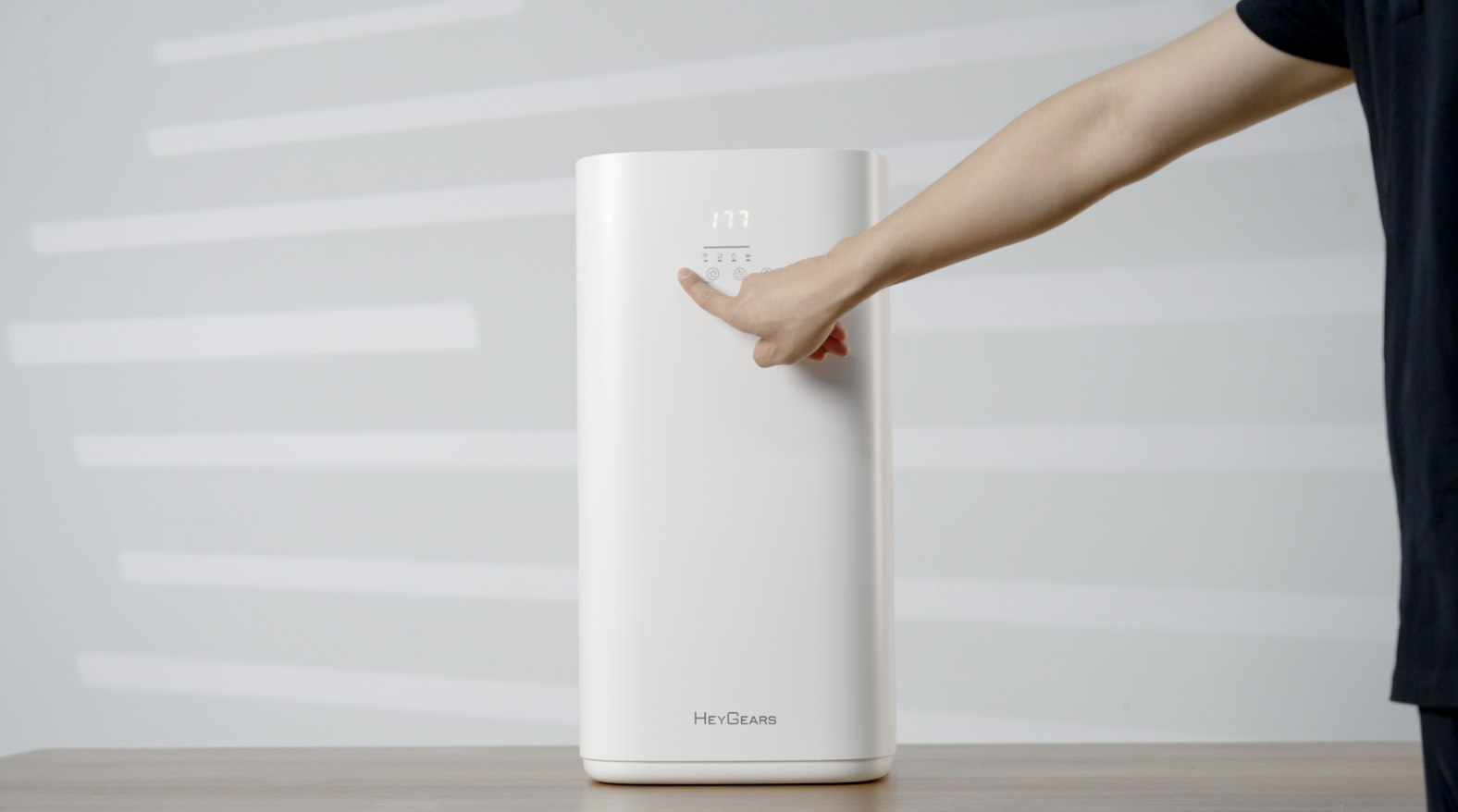
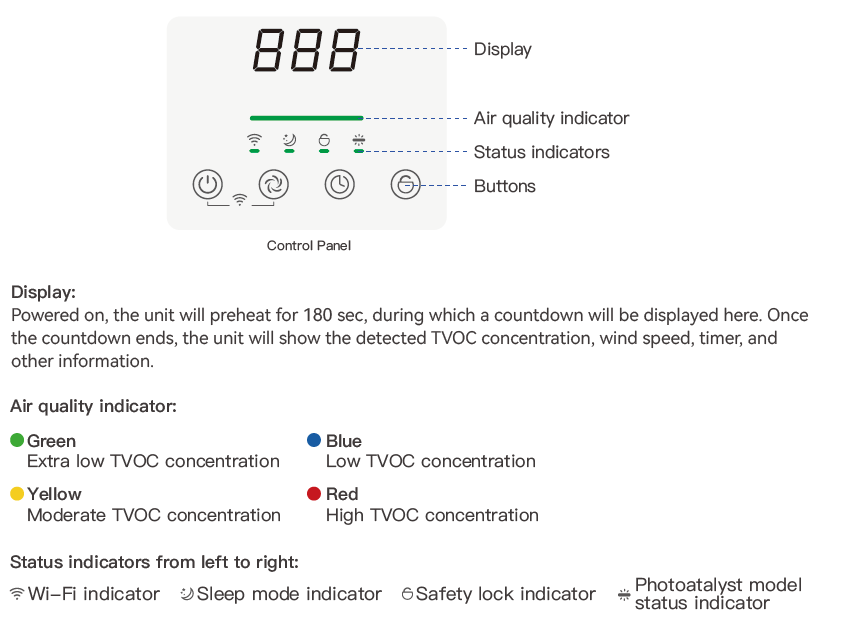
Note: Powered on, the unit will preheat for 180 sec, during which a countdown will be displayed here. Once the countdown ends, the unit will show the detected TVOC concentration, wind speed, timer, and other information.
¶ 2.2 Bind with Mobile Phone
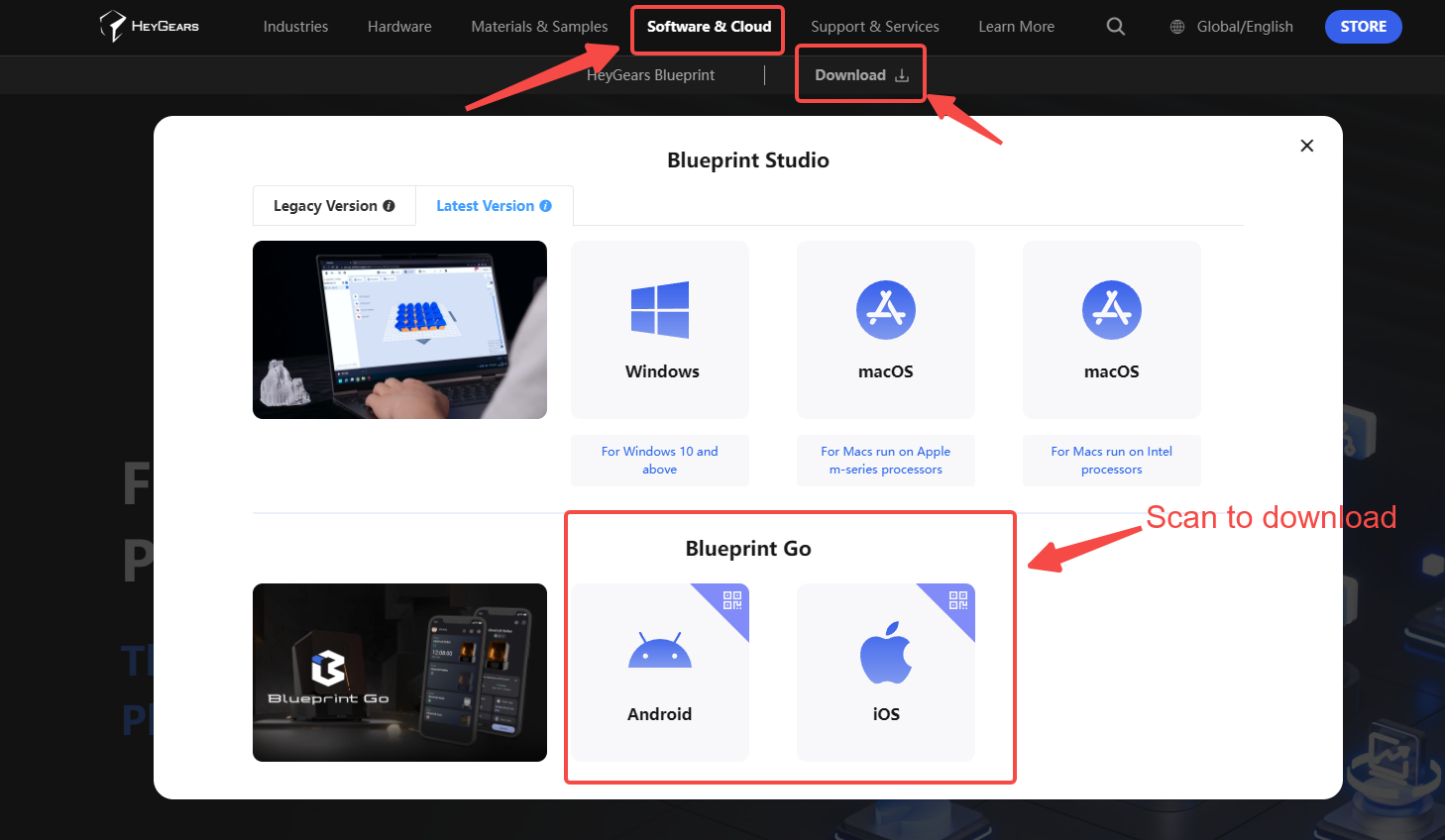
- Scan the QR code from to download the app: Blueprint Go.
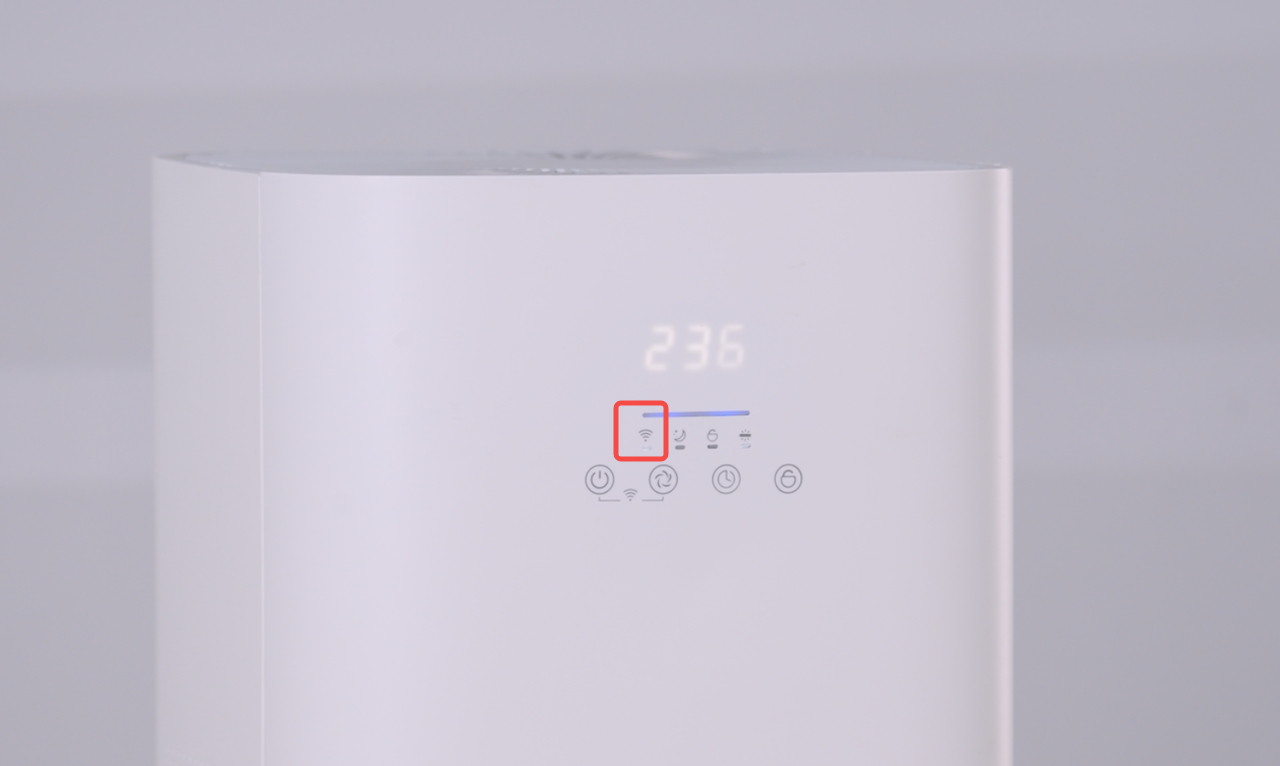
- Press the "Power + Wind Speed" buttons simultaneously and hold for two seconds.
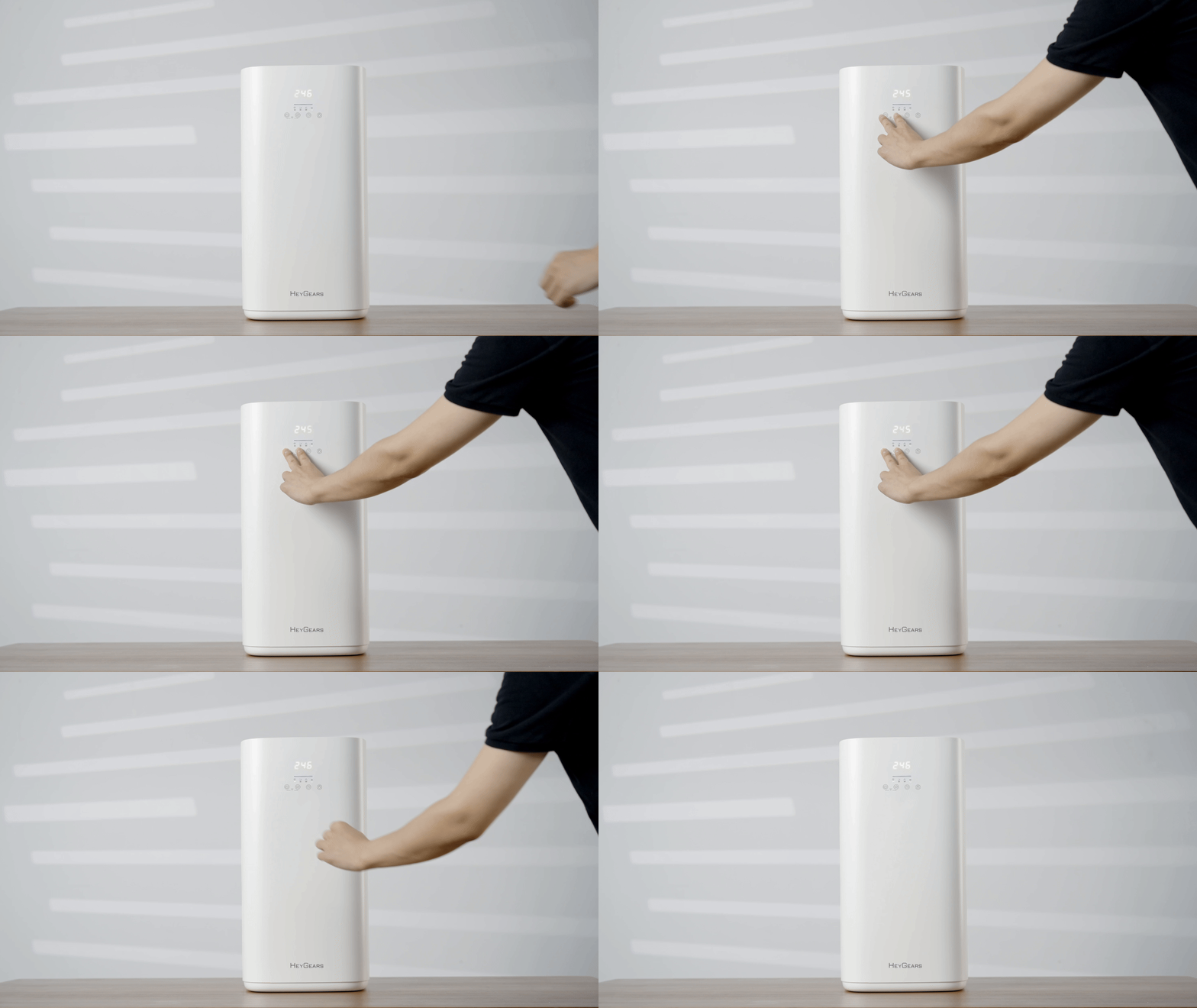 |
- Wait for the device's prompt sound and the Wi-Fi indicator light to flash, indicating successful entry into Wi-Fi mode.
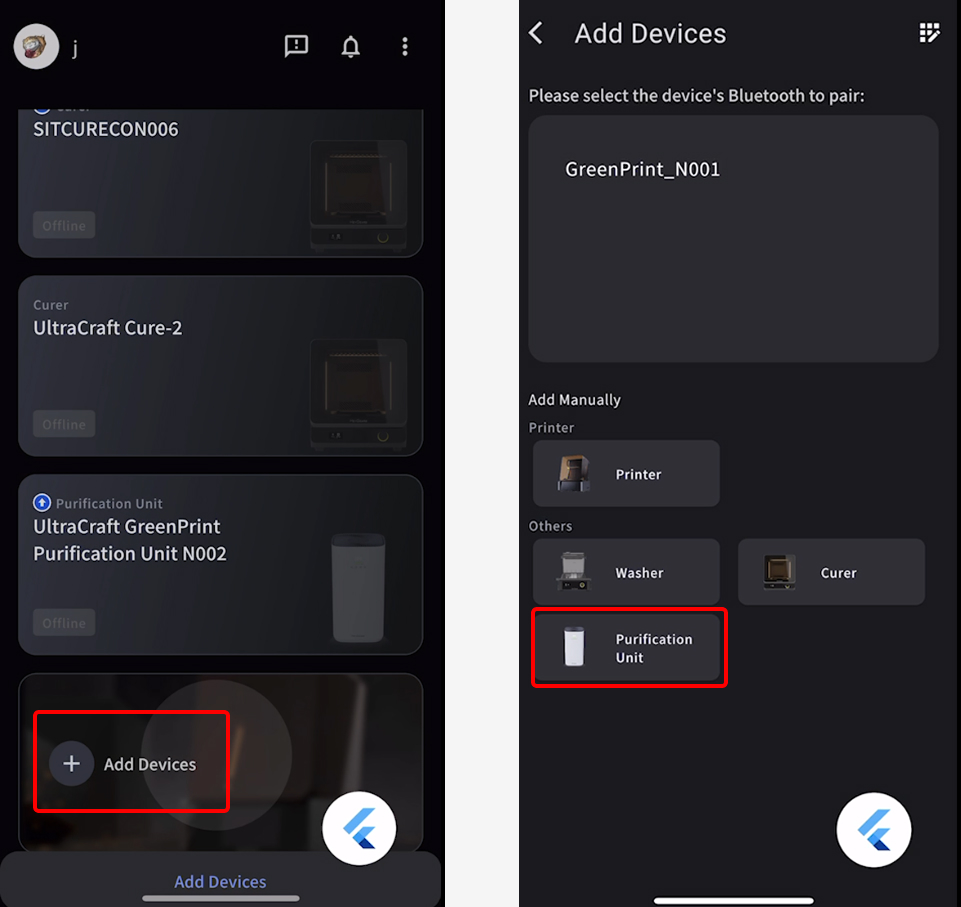
- In the Blueprint Go app, scroll down to find "Add Device." After entering the add device section, click on "Add Manually" and select "Purification Unit."
 |
 |
 |
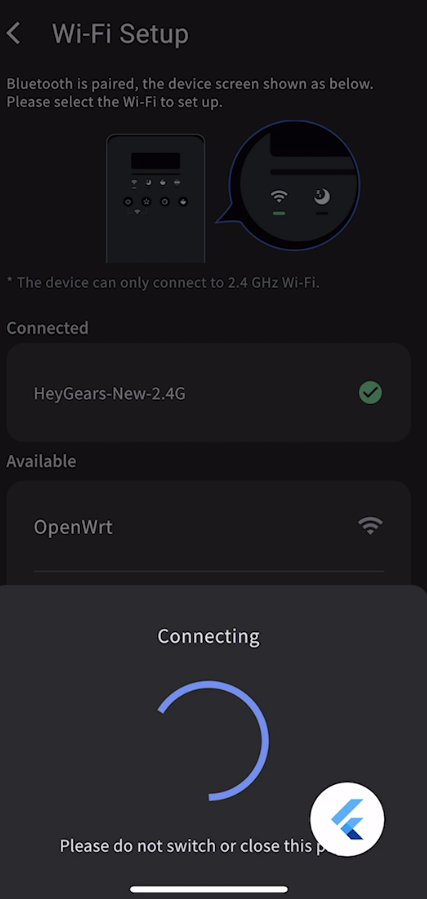
Note: The device can only connect to a 2.4G frequency network.
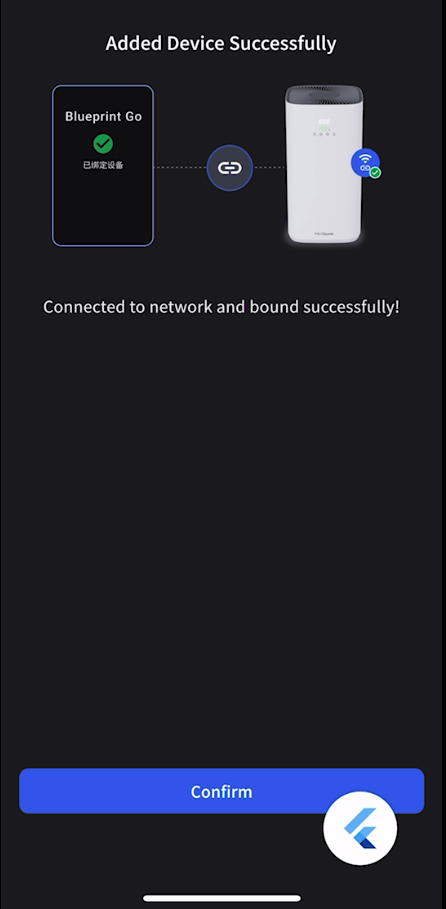
- After a successful connection, the Wi-Fi status indicator light will remain on.
¶ 3. Device Operation
¶ 1. Speed Button
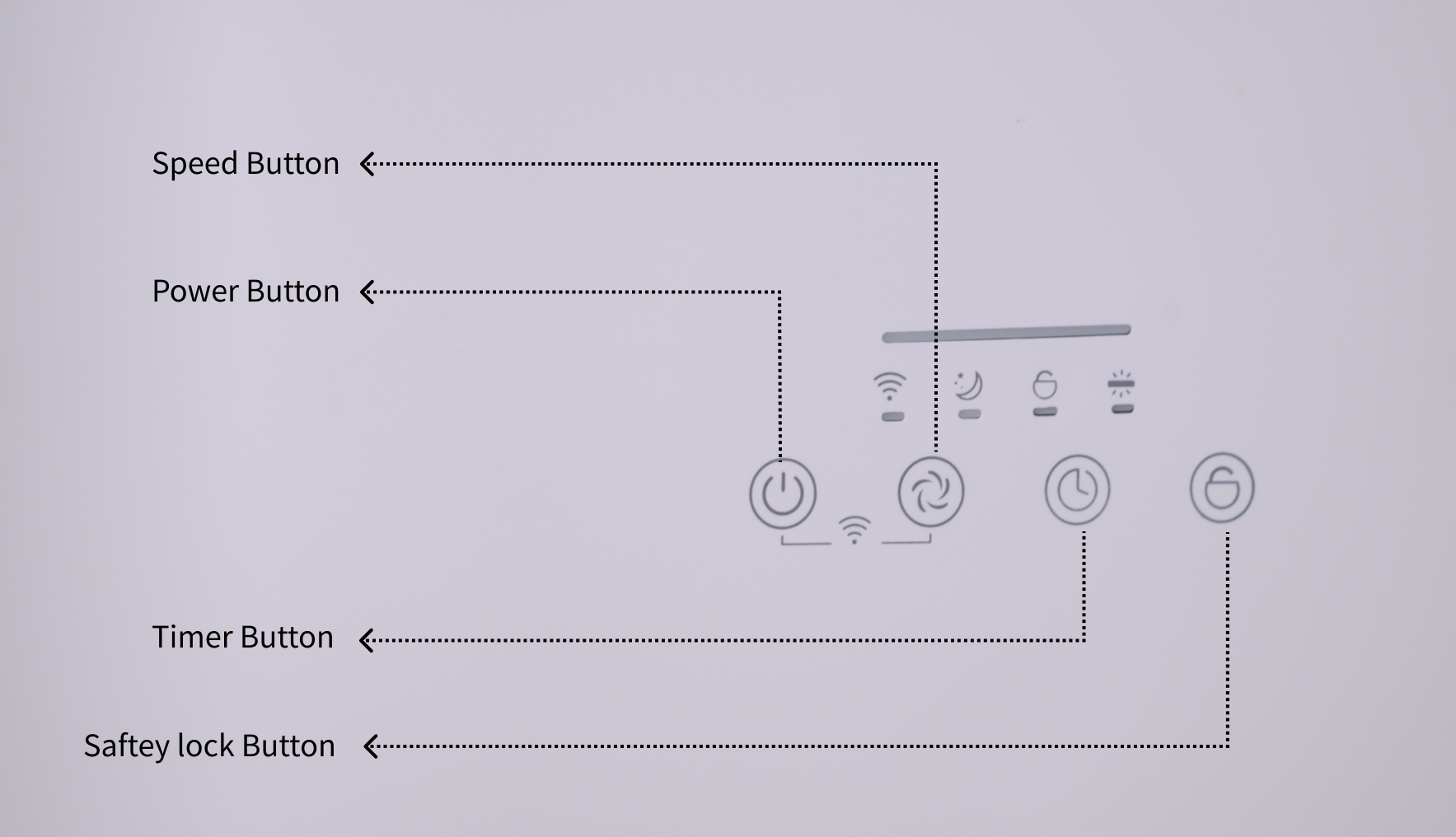
- Click to switch between wind speed levels (a total of 4 levels - 1, 2, 3, Sleep).

¶ 2. Timer Button
- Click once to increase by one hour (up to a total of 12 hours)

¶ 3. Safety Lock Button
- Long press for two seconds to enter.

¶ Maintenance and Care
¶ 1. Panel Display Troubleshooting
- When the display panel shows E0: The back cover is not installed or not secured. Please install the back cover correctly.
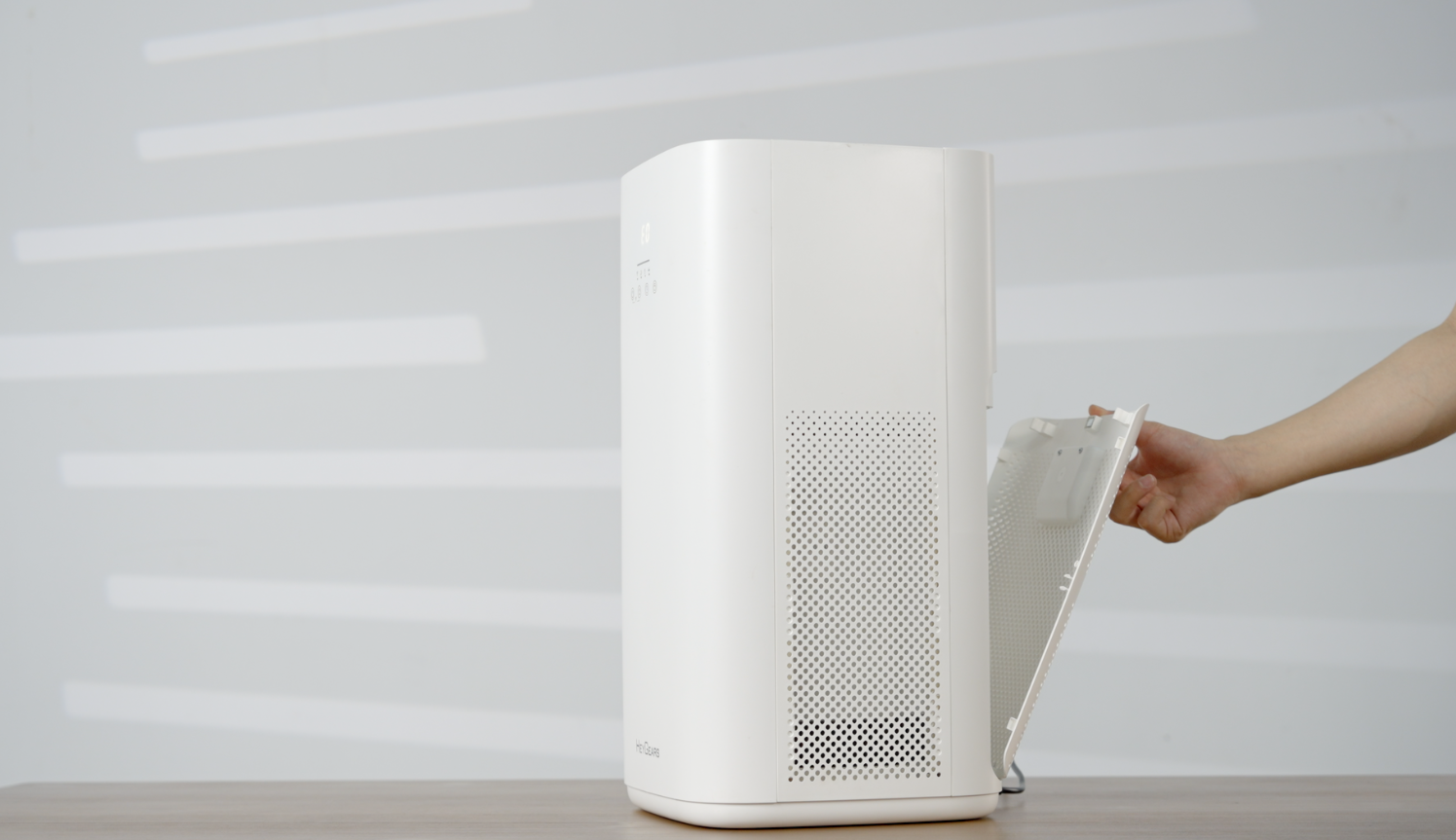
- When the display panel shows E1: The device is in an abnormal horizontal state. Please place the device upright on a level surface.

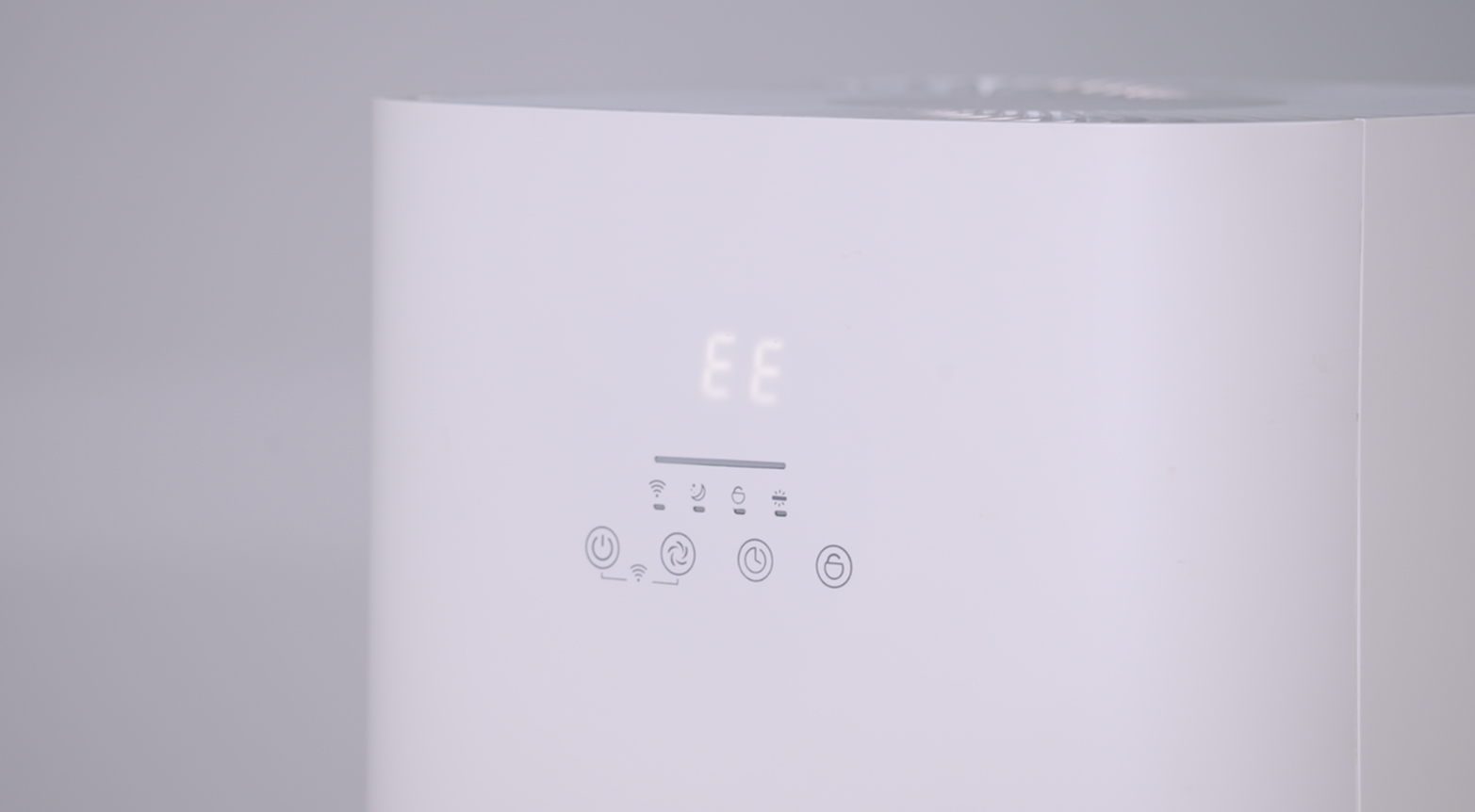
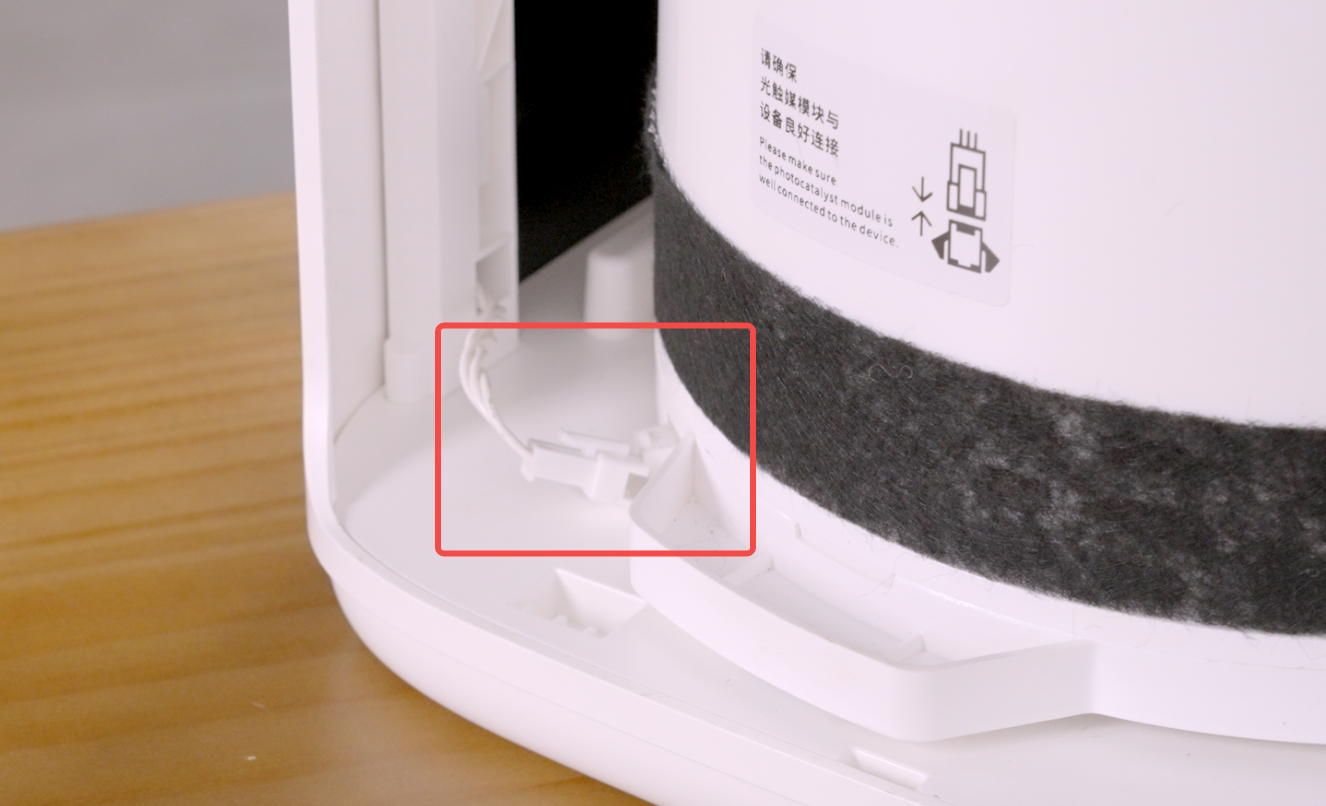
- When the display panel shows EE: The photocatalyst module is abnormal. Please check the connection status of the module's cable.
 |
 |
¶ 2. Replace Filter Strip
-
Turn off: the device and unplug the power cord.
-
Open the back cover: Grab the handle on the back cover and pull down to open it.
-
Remove the photocatalyst module: First, unplug the power supply of the photocatalyst module, then pull the module outwards.
-
Remove the old dust strip.
-
Install the new dust strip: Wrap the velvety side outward around the photocatalyst module, adjusting it until it completely covers the air inlet, then adhere it to the most snug position. This content cannot be displayed outside of the Heg Technology documentation at the moment.
 |
 |
Note: Users may need to replace the dust strip every 3-6 months. When replacing the dust strip, avoid allowing dust to enter the air inlet.