If you come up to any problem during use, including pre-processing and printing problems, besides the help and feedback channel, you may also export the logs so that our technical support staff can look into it. The steps are as follows:
¶ Software Logs
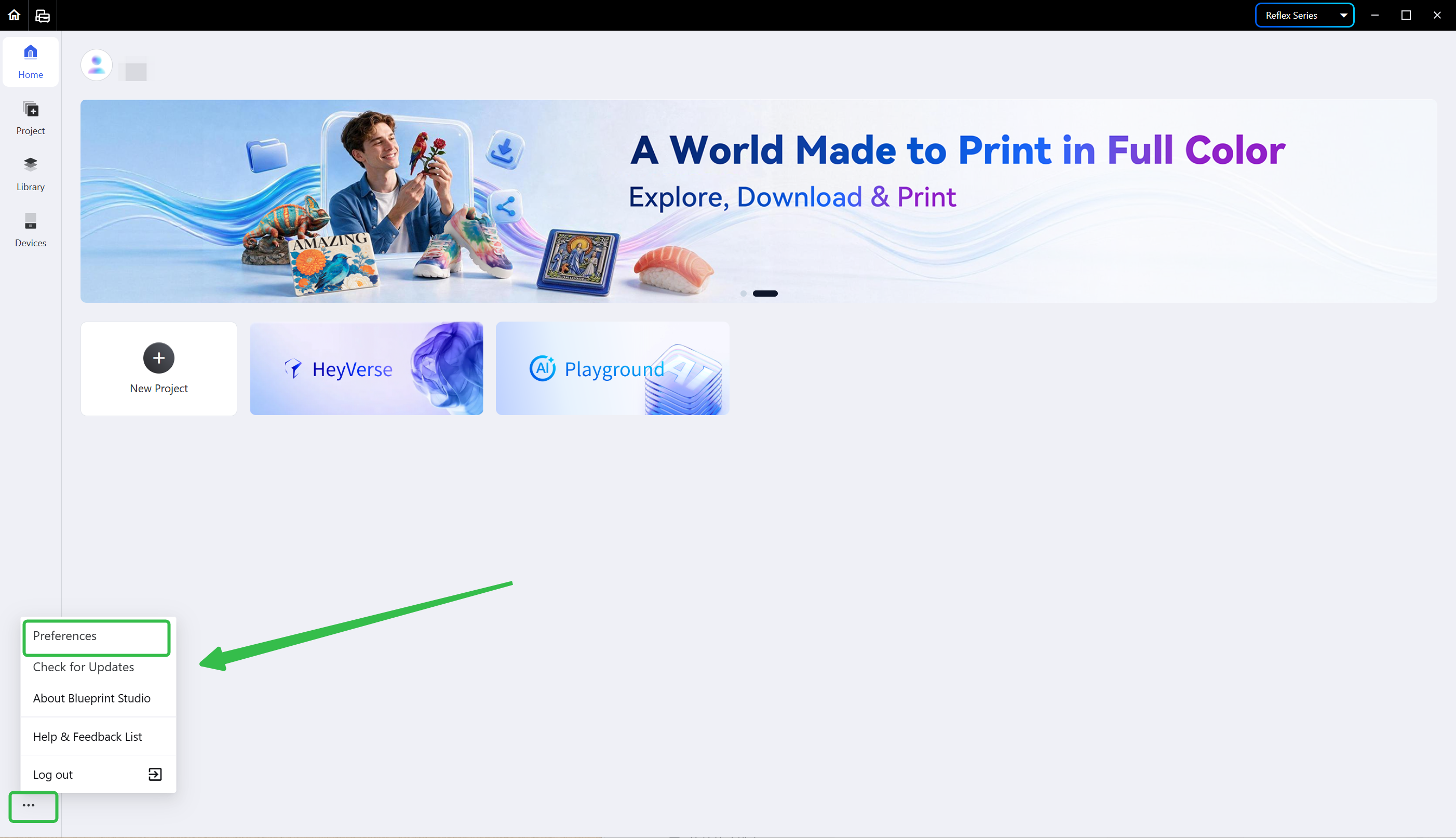
- Hover the mouse over the last icon of the left navigation bar, and choose <Preferences> in the pop-up menu.
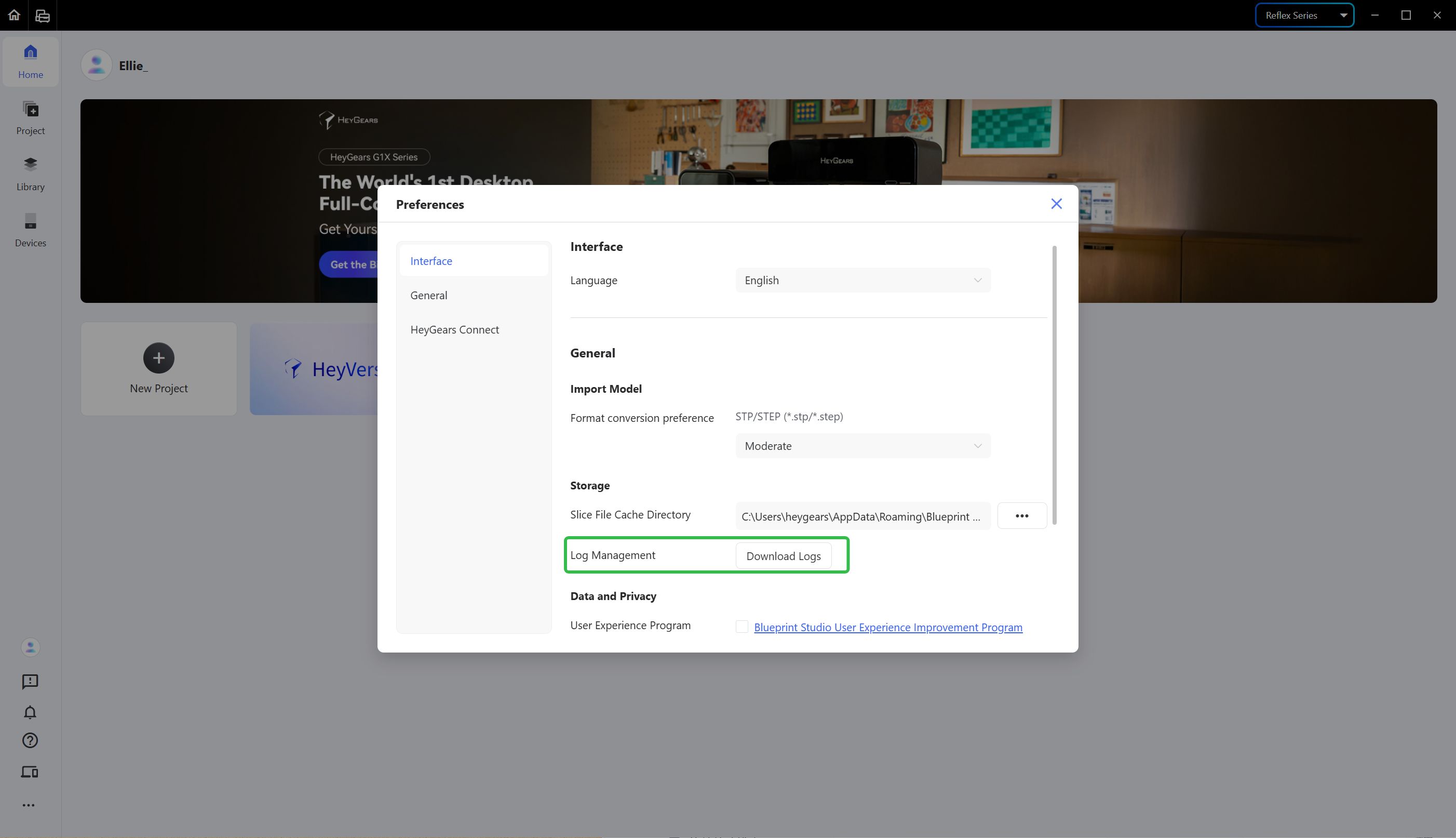
- In <Preferences>, find the <Storage> tab under <General> and hit <Download Log>.
Choose a folder and hit Save to download the logs to the local directory.
¶ Device Logs
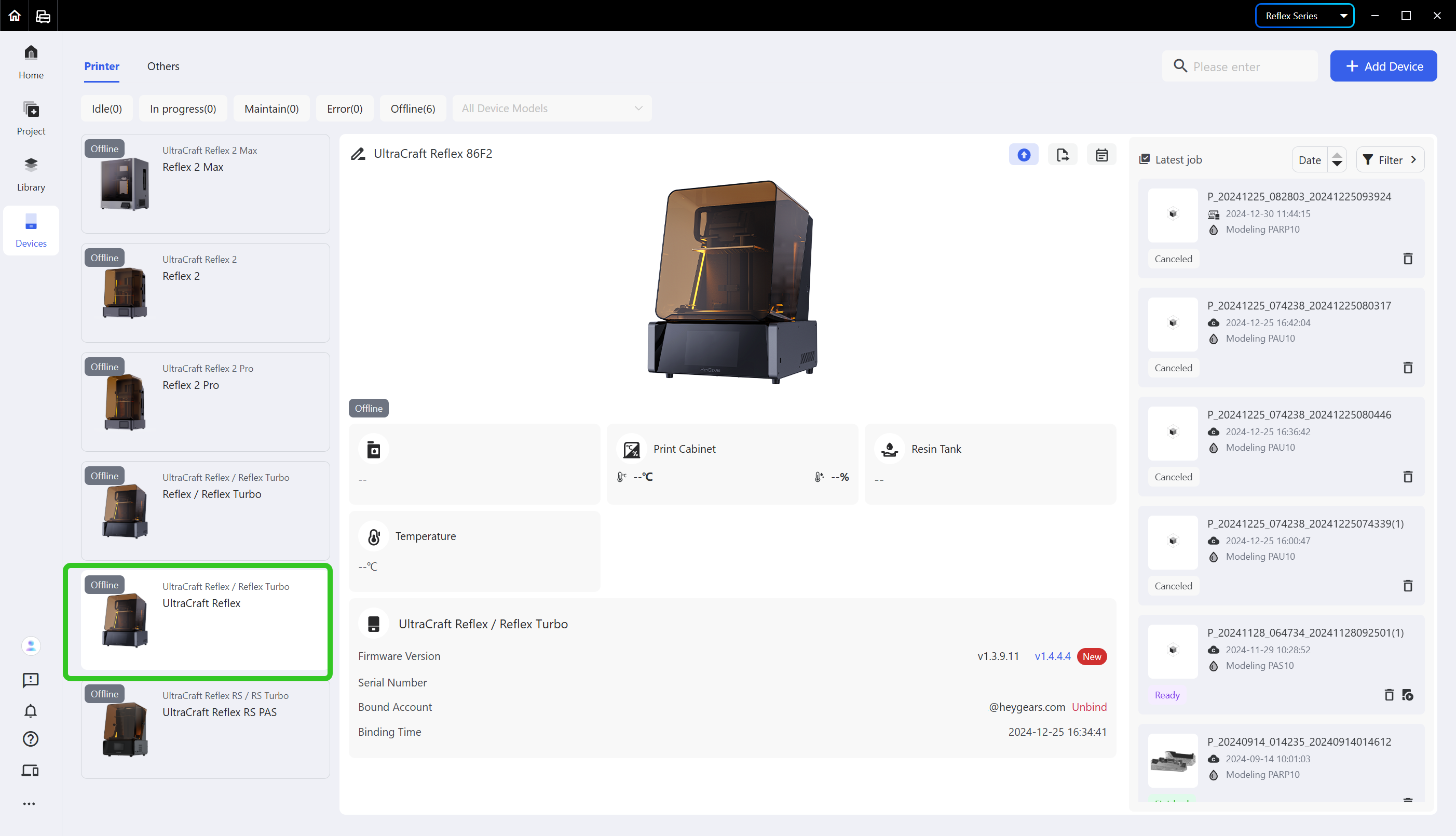
- Enter the <Devices> page and select the device card whose logs you need to export.
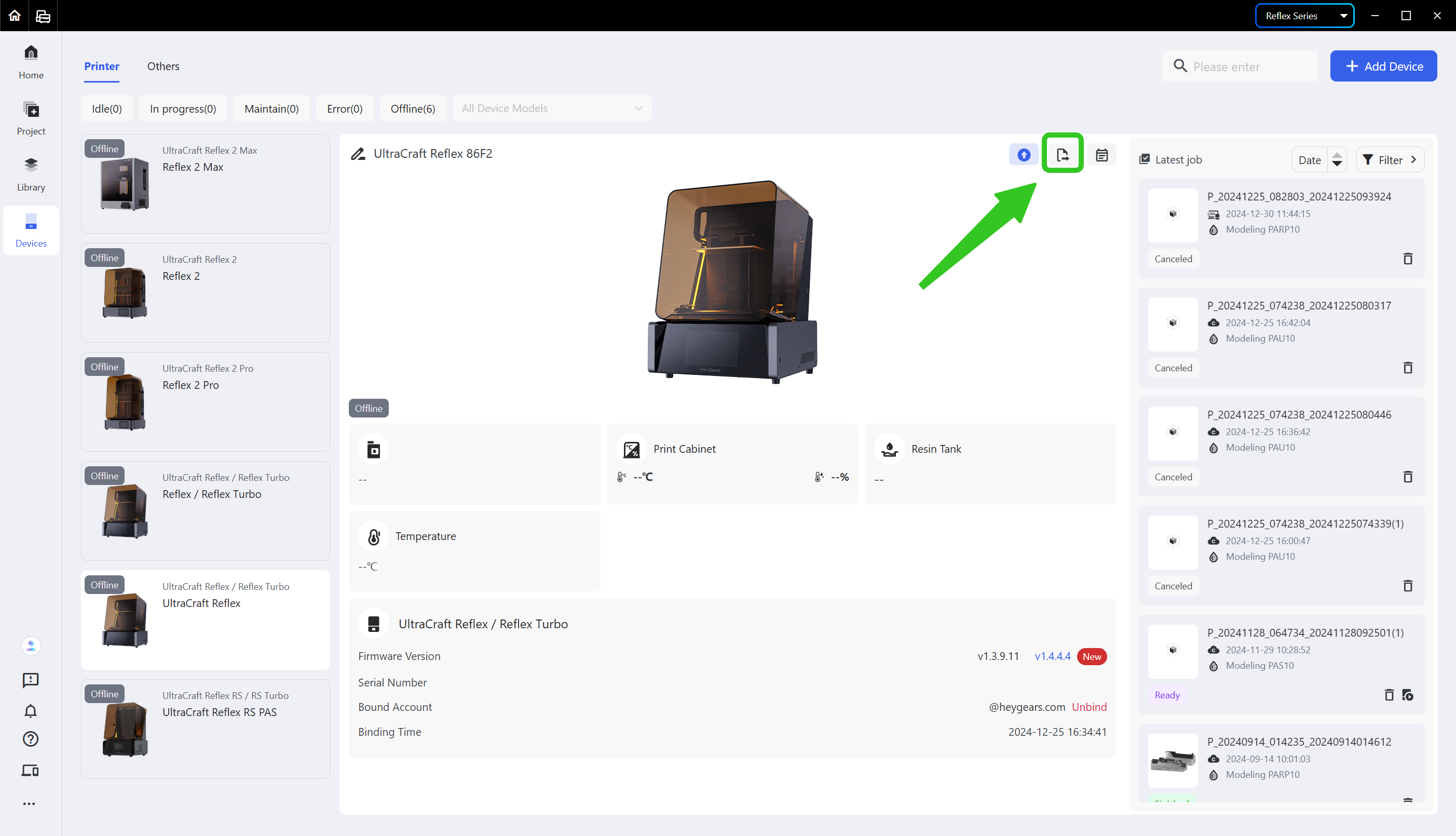
2. Click the second icon in the upper right corner of the device card.
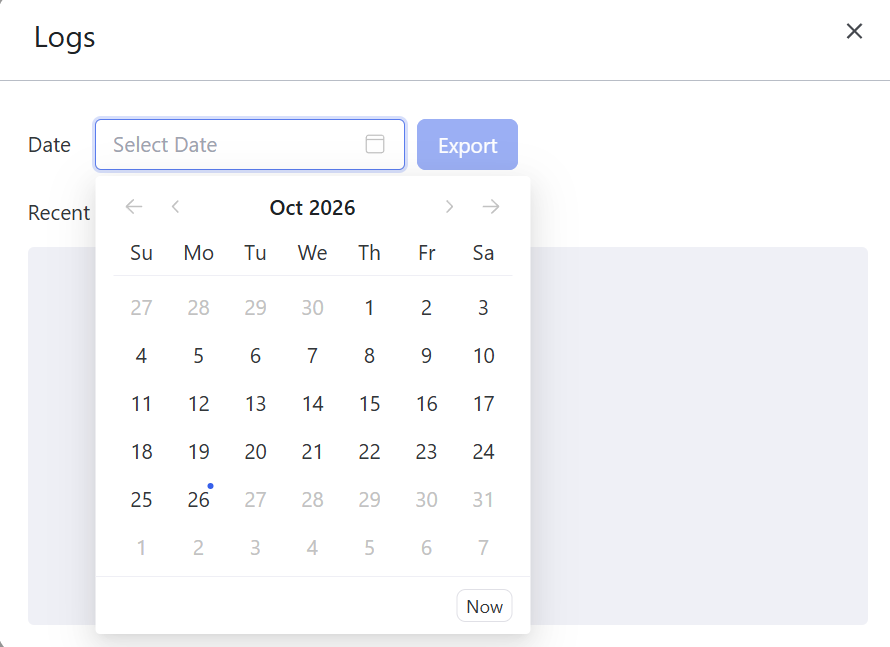
- Choose the date whose log you need to export and hit <Export>.
¶ Update History
| Version | Date |
|---|---|
| 1.0 | 2026-10-26 |