You can pre-process models on multiple plates at the same time in Blueprint Studio. The models are split into multiple slice files by plate, which is suitable for printing multi-structure models with the same material at the same time, thereby improving the printing efficiency and the resource utilization.
¶ 1. Add a Plate
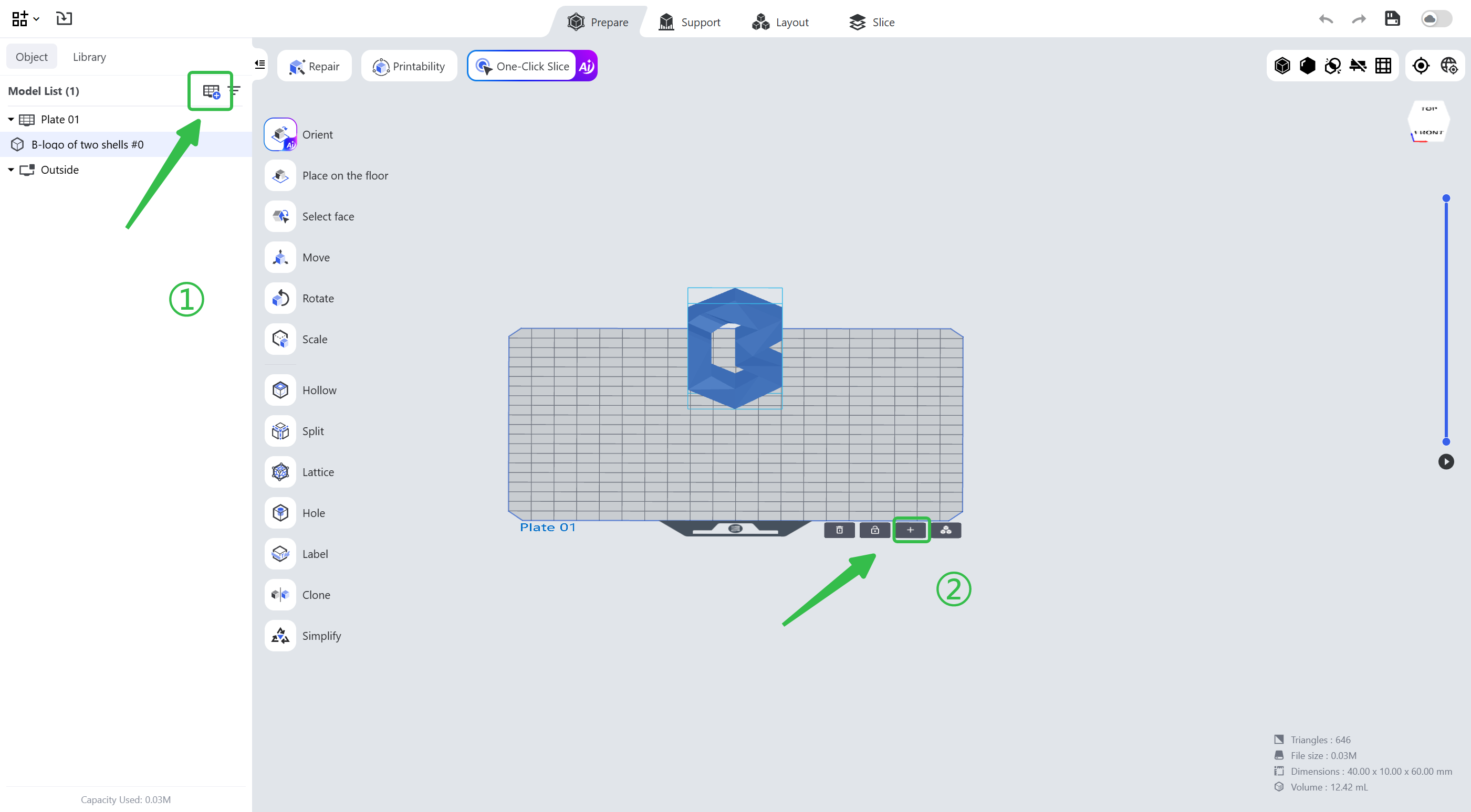
- Click the first icon in the upper right corner of the model list in the left navigation bar.
- Click the <+> icon in the lower right corner of the plate.
¶ 2. Plate Management
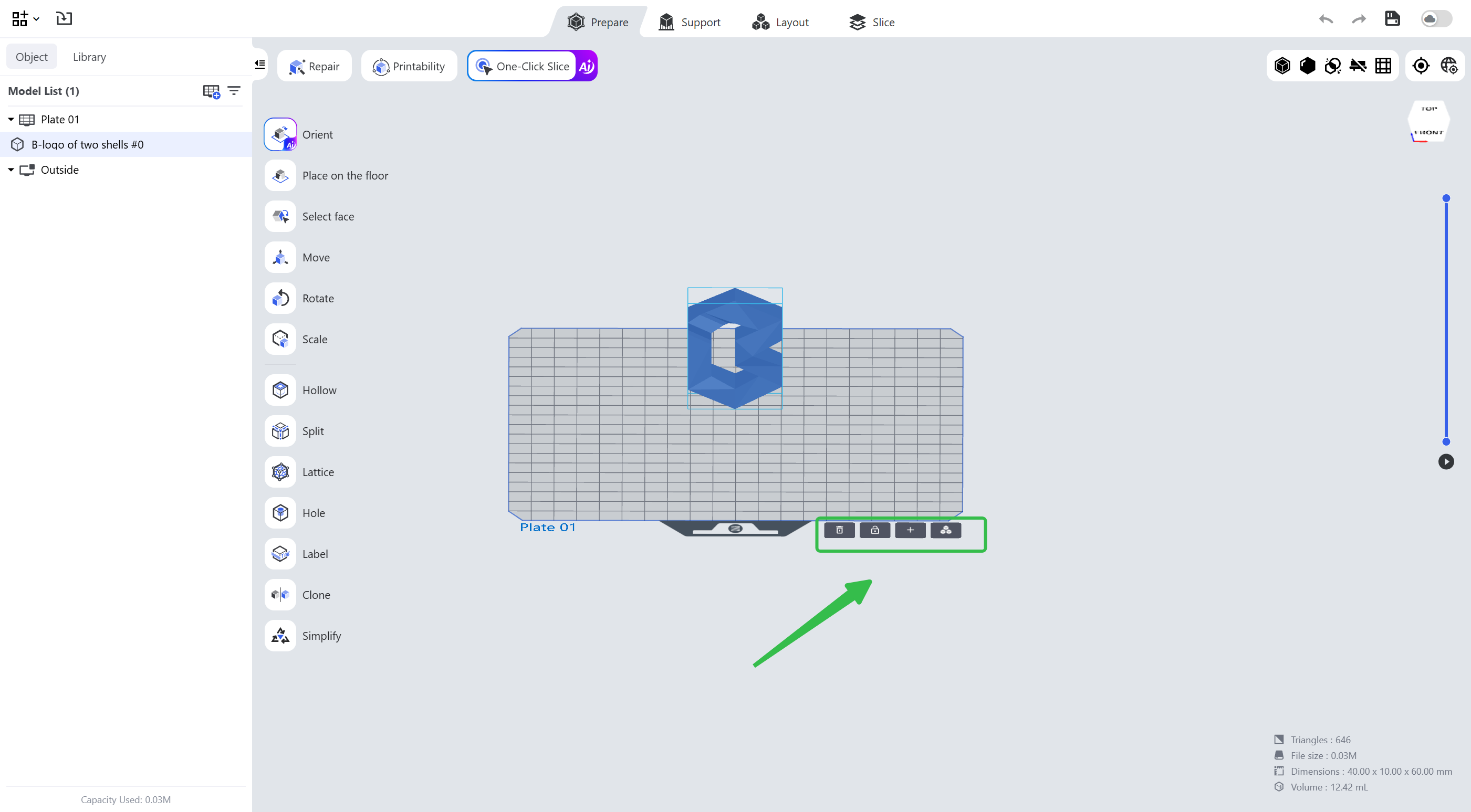
Four plate management tools are provided in the lower right corner of the plate, from left to right:
- Delete: remove the current plate.
- Lock: after clicking, the models on the plate cannot be edited.
- Add: add a new plate.
- Center Models: after clicking, the models are moved to the center of the plate automatically.
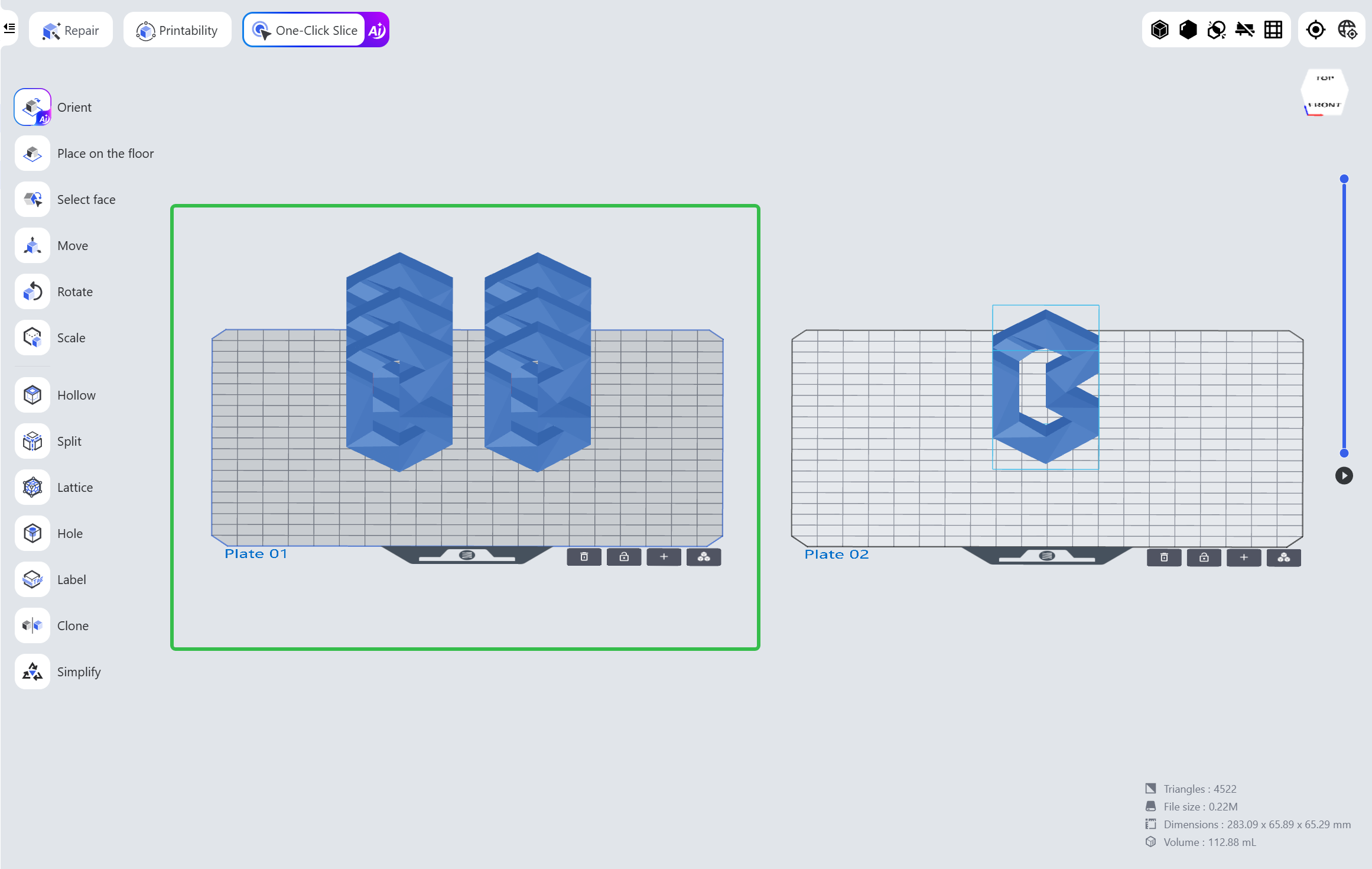
Selected Plate: click a plate to select it; the selected one is in dark gray, and the model editing takes effect only on the selected plate.
¶ 3. Multi-plate Slicing
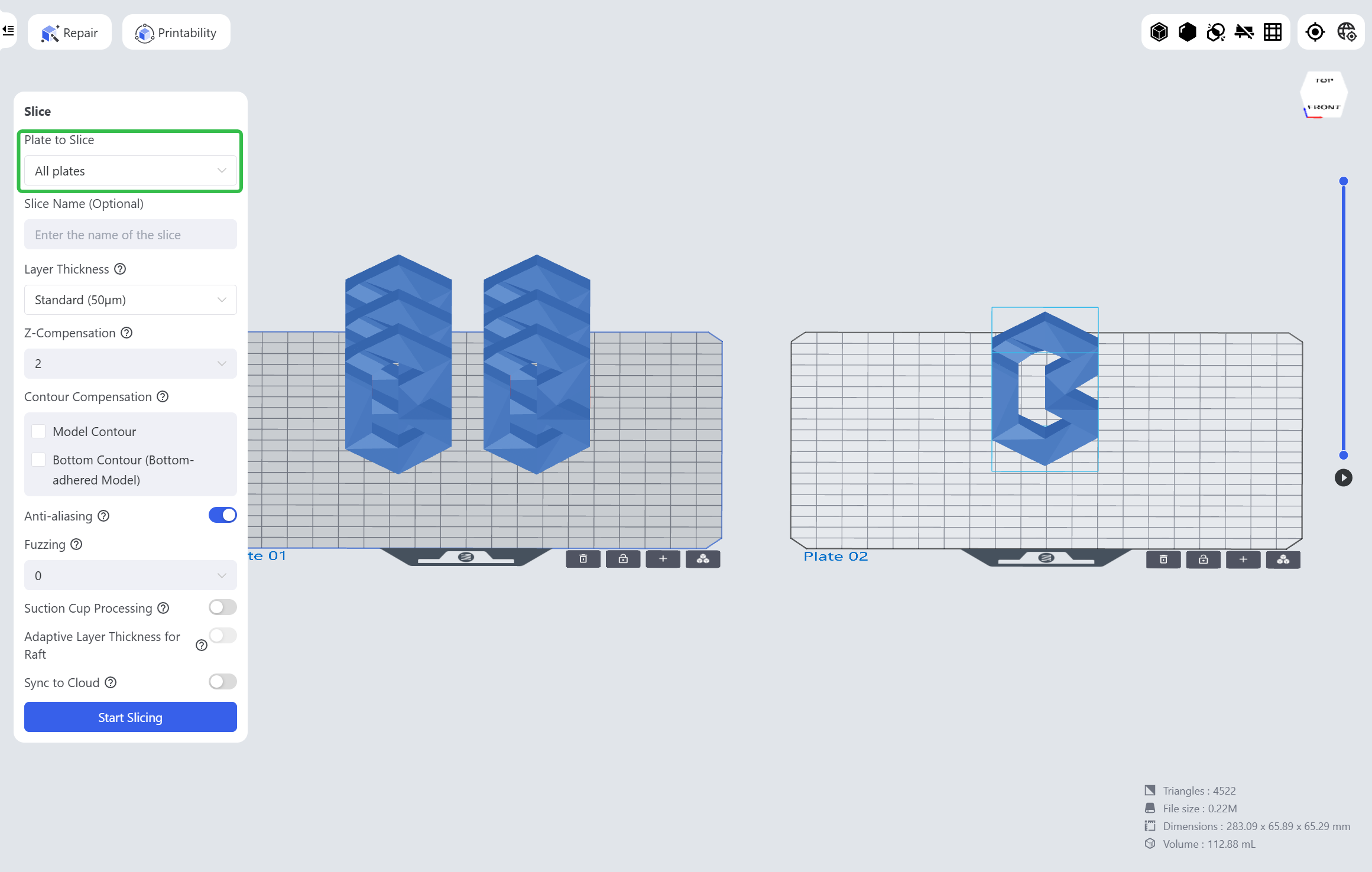
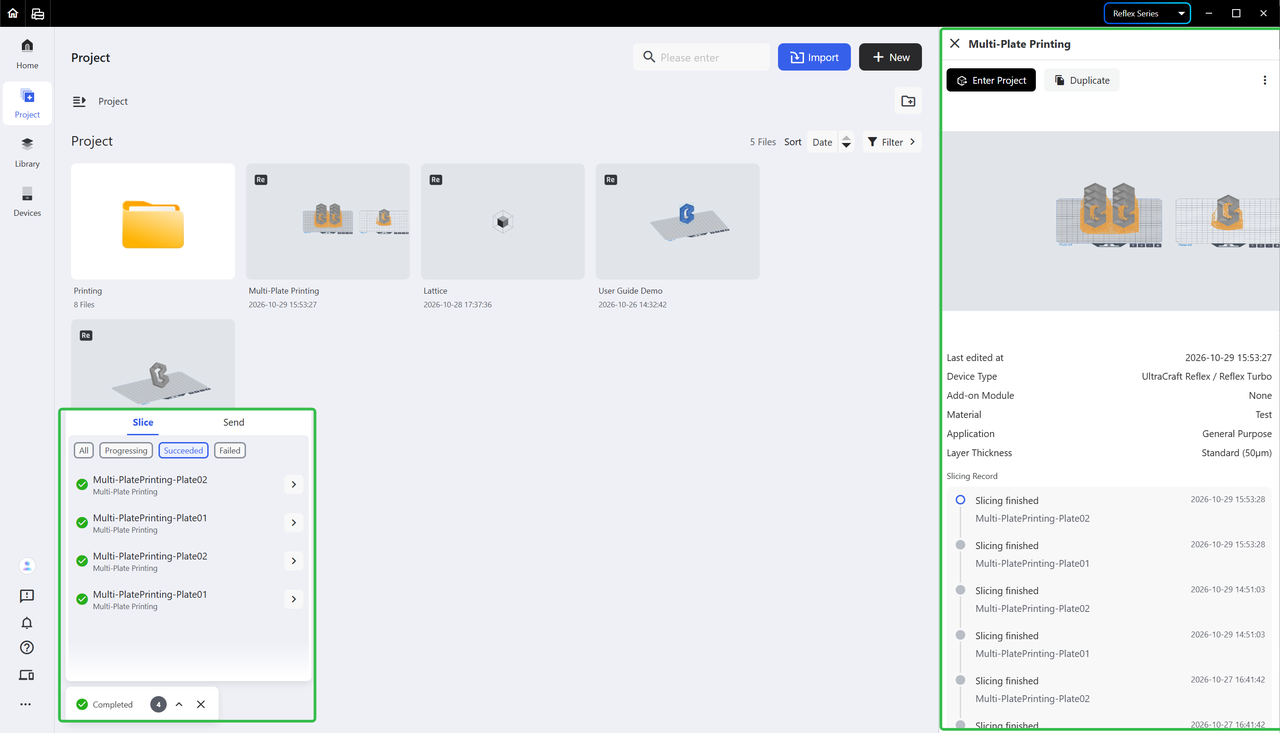
After you finish the model editing on all plates, you may select All Plates in the [Slice] page to slice all the plates at the same time. It generates a separate slice file for each plate; after slicing, you may check the slicing progress and the items in the pop-up window in the lower left corner.
| Select All Plates | Project Information |
|---|---|
 |
 |
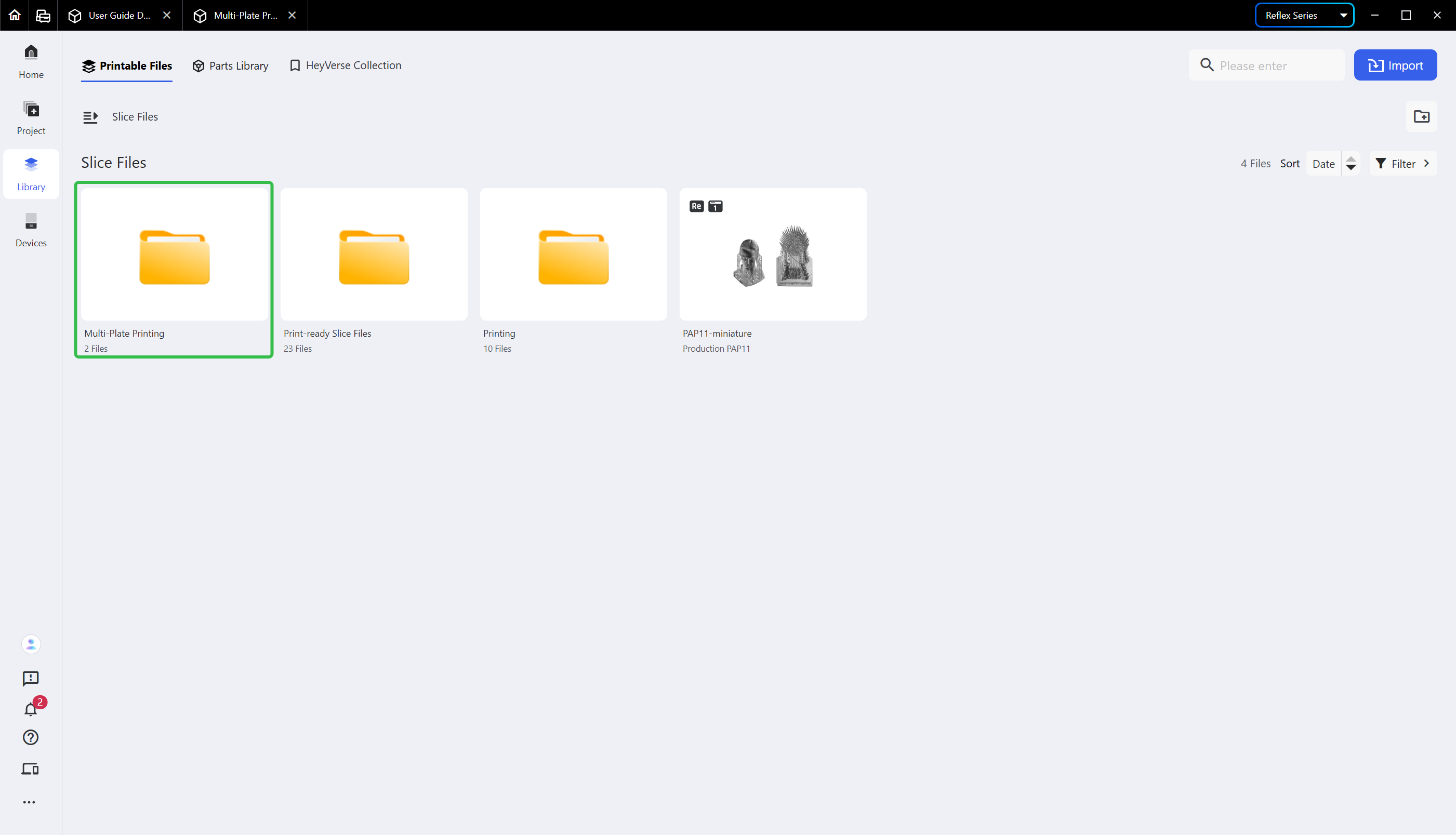
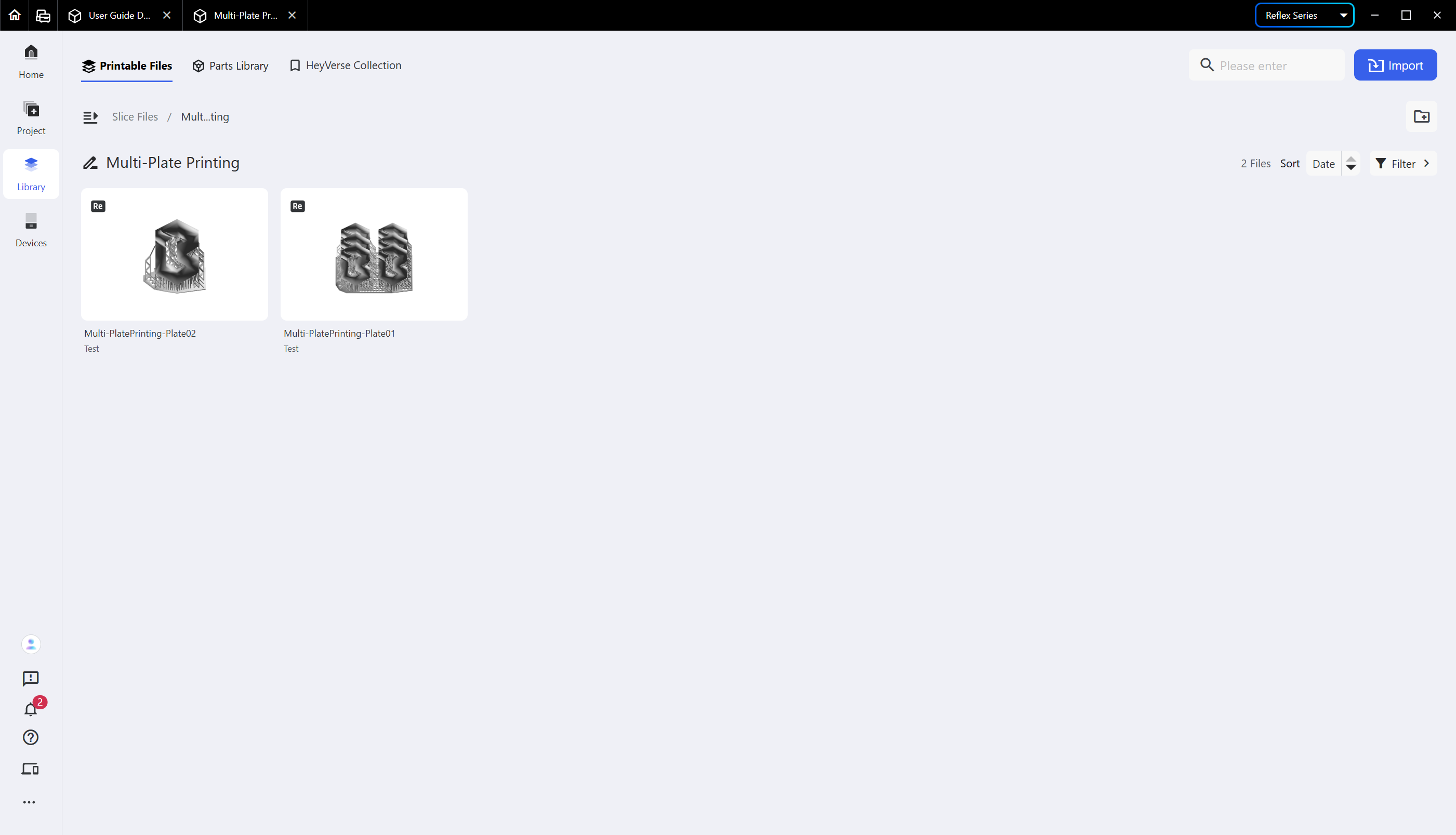
After slicing, you may find the corresponding slice folder in the [Library]; open it to check the slice information and send the slice file to the printer for printing.
| Multi-Plate Slice Folder | Multi-Plate Slice Files |
|---|---|
 |
 |
¶ Update History
| Version | Date |
|---|---|
| 1.0 | 2026-10-26 |