In <Preferences>, you may switch the language, set the model format conversion preference and the storage path, export logs, join the user experience program and turn on the HeyGears Connect.
¶ 1. Entry
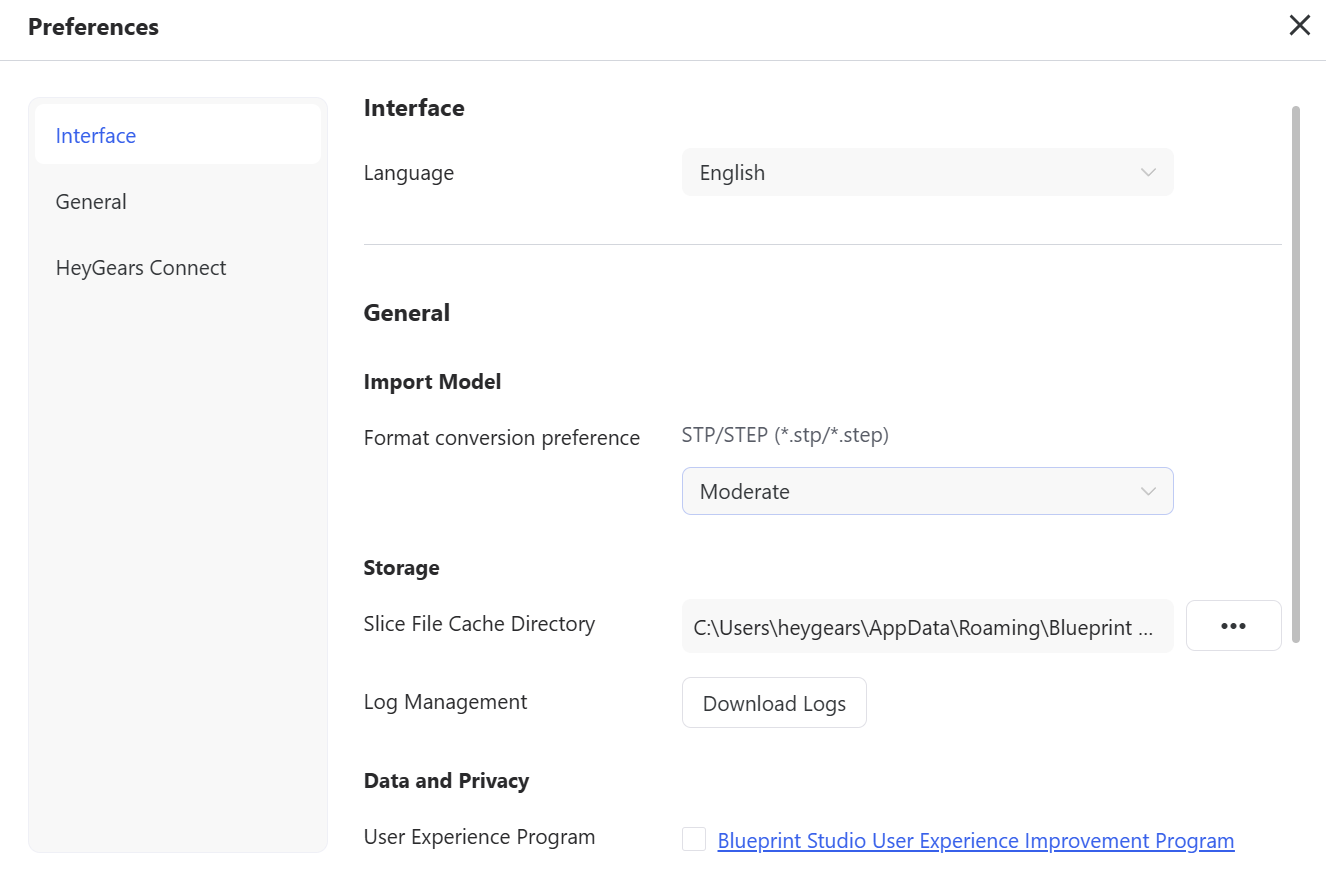
Hover the mouse over the ellipsis icon <...> of the left navigation bar and choose <Preferences> in the pop-up menu.
¶ 2. Functions
¶ 2.1 Interface
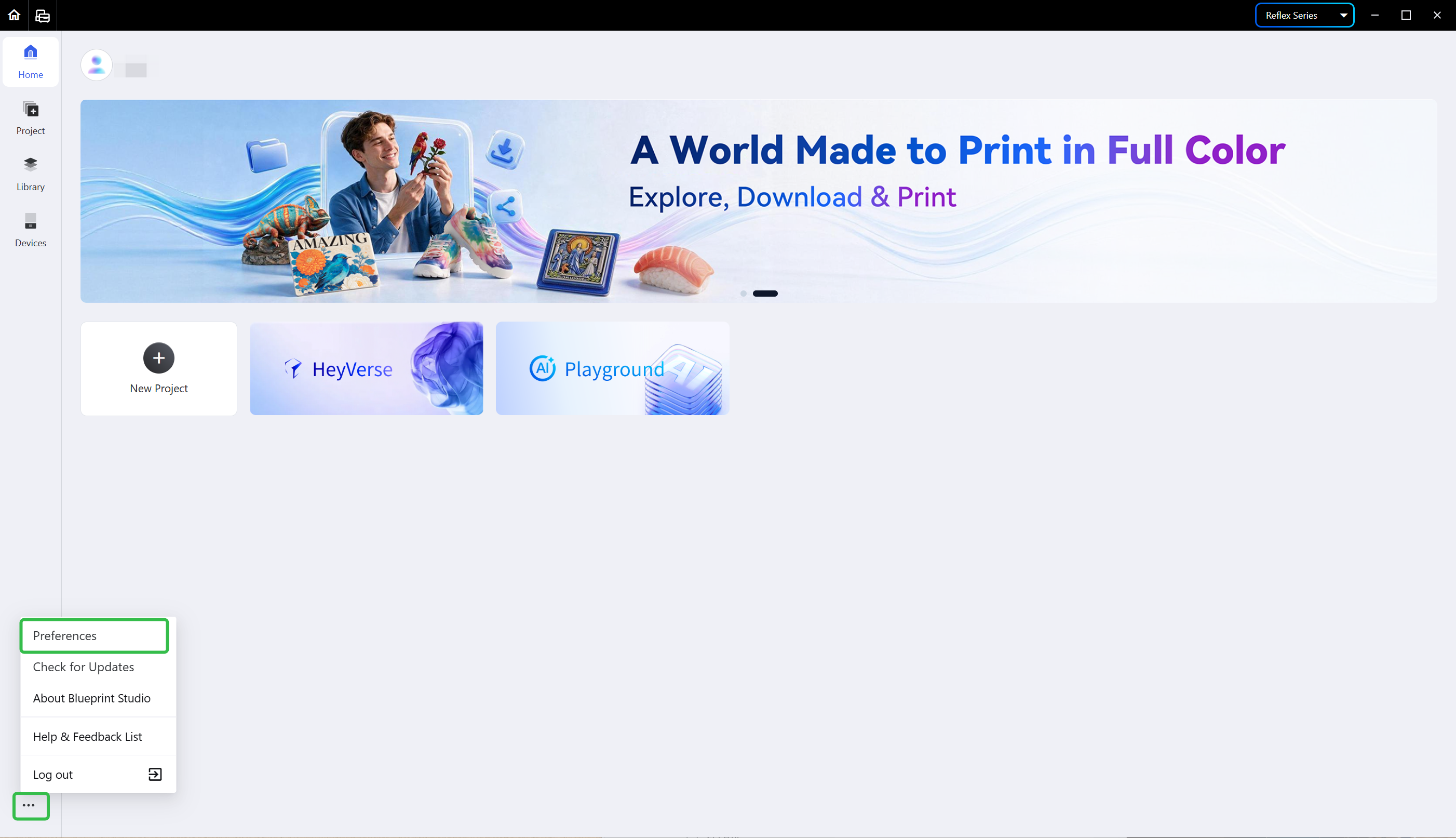
- Language: there are three options of languages, Chinese (Simplified), English and Japanese; you may switch to the language you need.
¶ 2.2 General
- Import Model: Blueprint Studio provides three format conversion preferences, <Fast>, <Moderate> and <High Precision>, for STP/STEP (
*.stp/*.step) models; you may choose the one you need. - Storage: you may set the slice cache path and download logs.
- Data and Privacy: you may choose whether to join the User Experience Program. For details, see Blueprint Studio User Experience Improvement Program.
¶ 2.3 HeyGears Connect
- Assets included during slicing: if turned on, the corresponding metadata files and thumbnail files will be saved to the slice cache path.
¶ Update History
| Version | Date |
|---|---|
| 1.0 | 2026-10-26 |