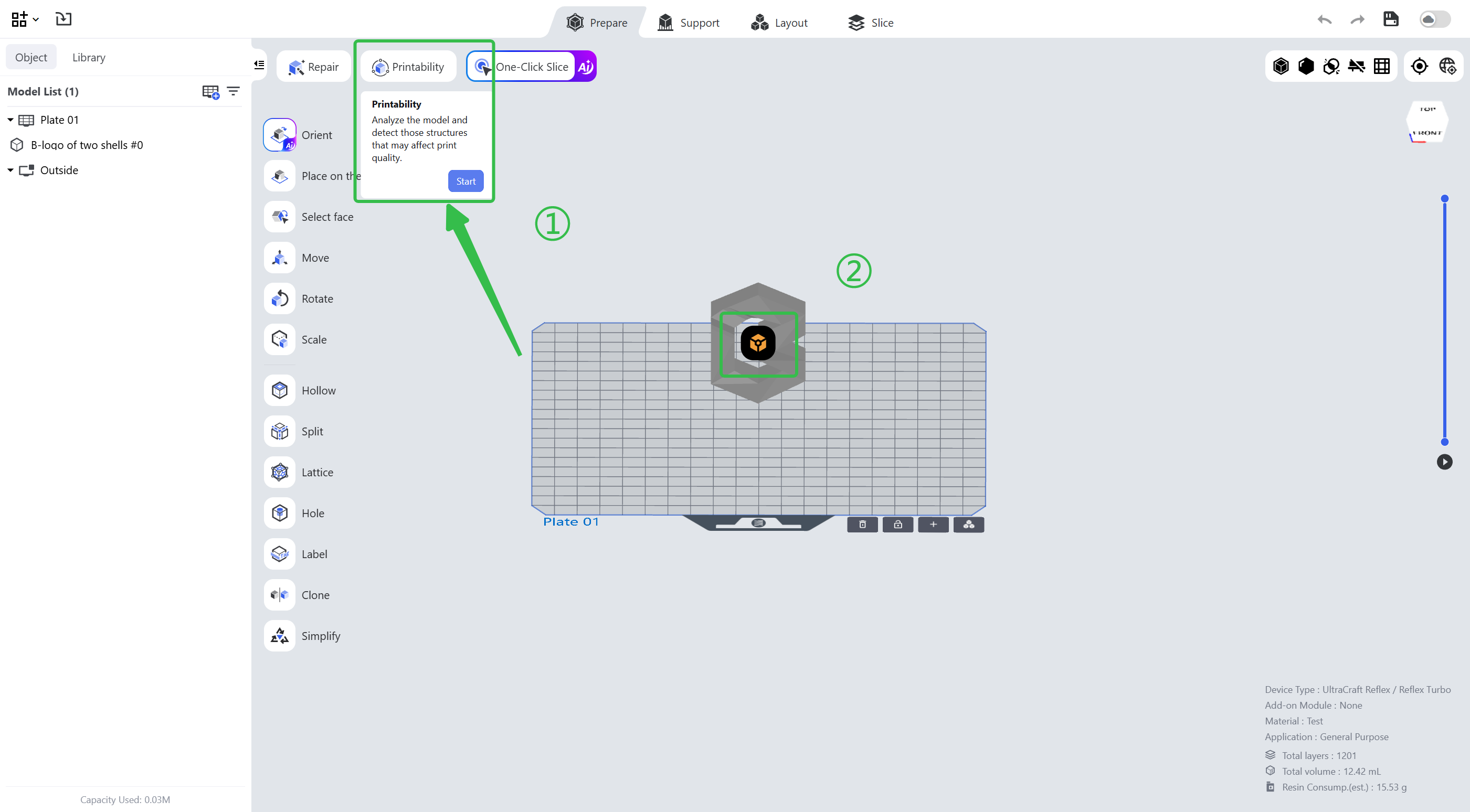
The Printability feature detects the printability of the selected model and provides optimization suggestions.
¶ 1. Entry
Enter the pre-processing page, select the model and click the second icon in the upper left corner.
¶ 2. Common Printability Problems
- Cups
A cup structure with its opening at the positive Z direction creates suction during printing, which increases the peeling force and affects the print result or even leads to a failed print. Reorient the model or add a vent hole near the cup bottom.
- Abrupt Increase of Cross Sections
Too large a difference between the area or shape of two consecutive layers will result in more severe layer lines or even a failed print. Reorient or hollow the model.
- Large Solid Cross Sections
Large solid areas in the slice image affect the print result or even lead to a failed print. Hollow the model.
- Thin-walled Structures
Too thin a wall thickness affects the print quality of the thin-walled areas or even leads to a failed print. Reorient or modify the model.
¶ Update History
| Version | Date |
|---|---|
| 1.0 | 2026-10-26 |