Blueprint Studio provides several ways to save, so that you can save the current design and setups locally or to Cloud for later access and modification.
¶ 1. Local Storage
¶ 1.1 Export the Project File
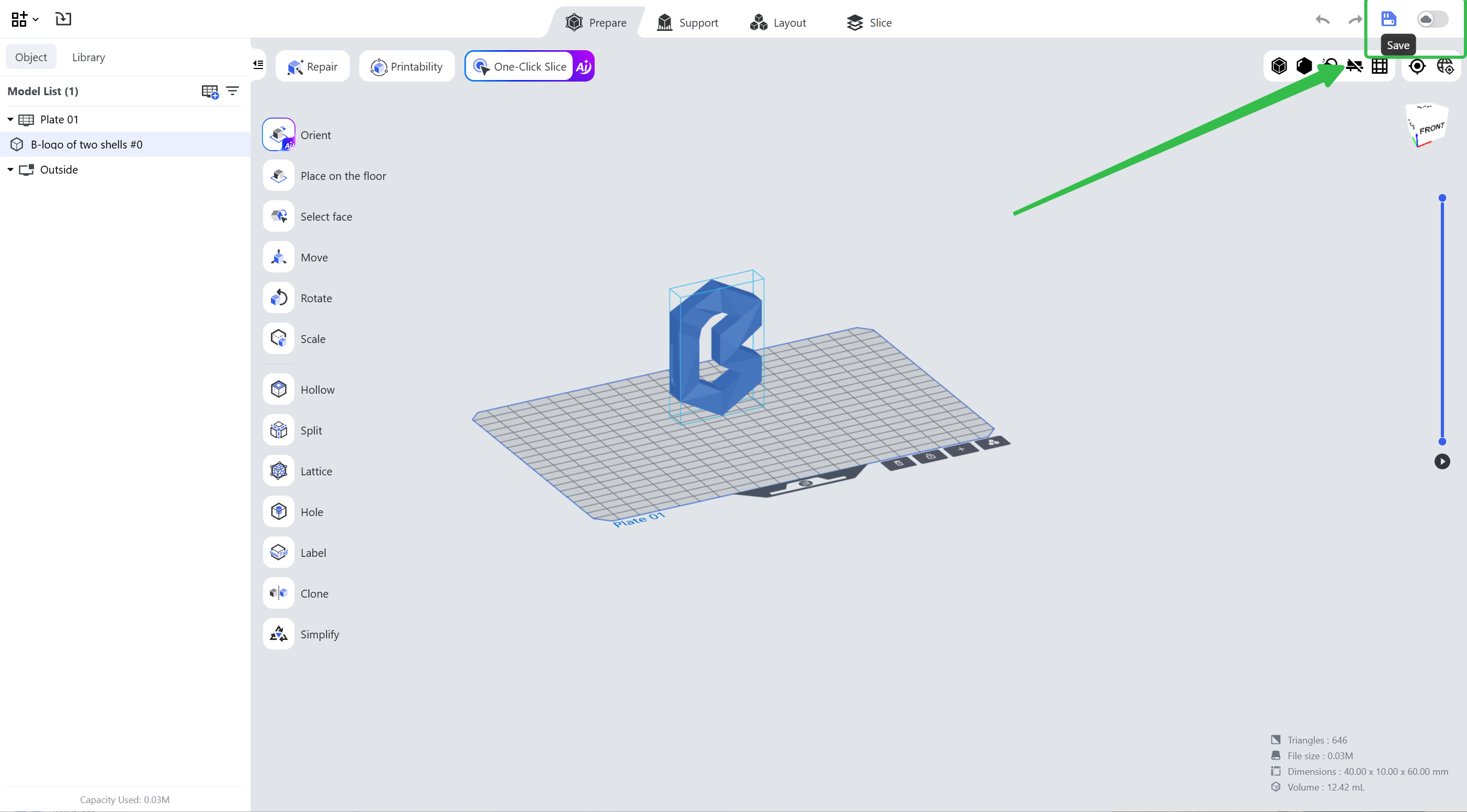
- Click the third icon in the upper right corner to save the file.
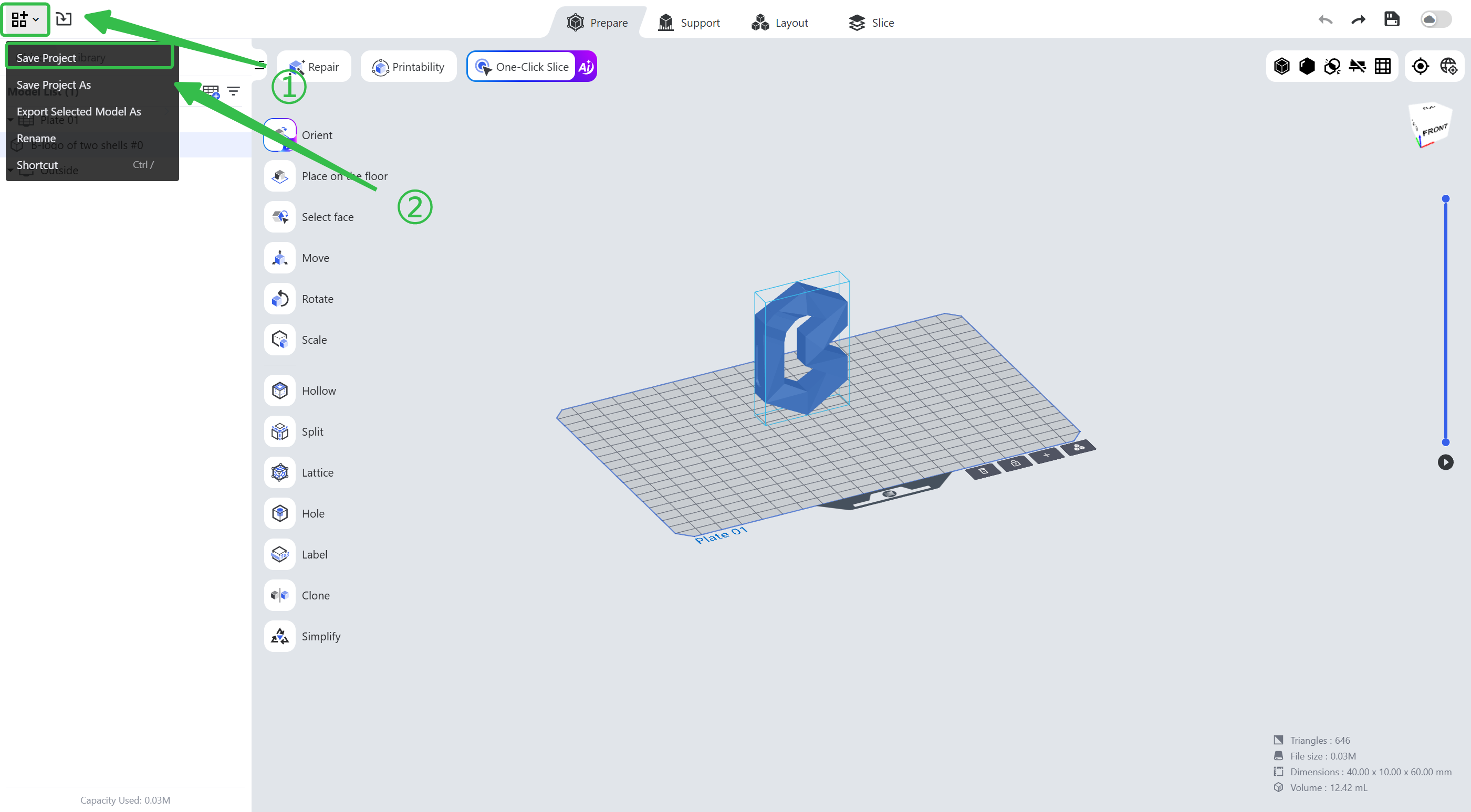
- Click the first icon in the left function bar and choose <Save Project as>.
- You may also use the shortcut <Ctrl+S> to save the file quickly.
¶ 1.2 Export Model Files
Besides project files recognizable by Blueprint Studio, you may also export model files.
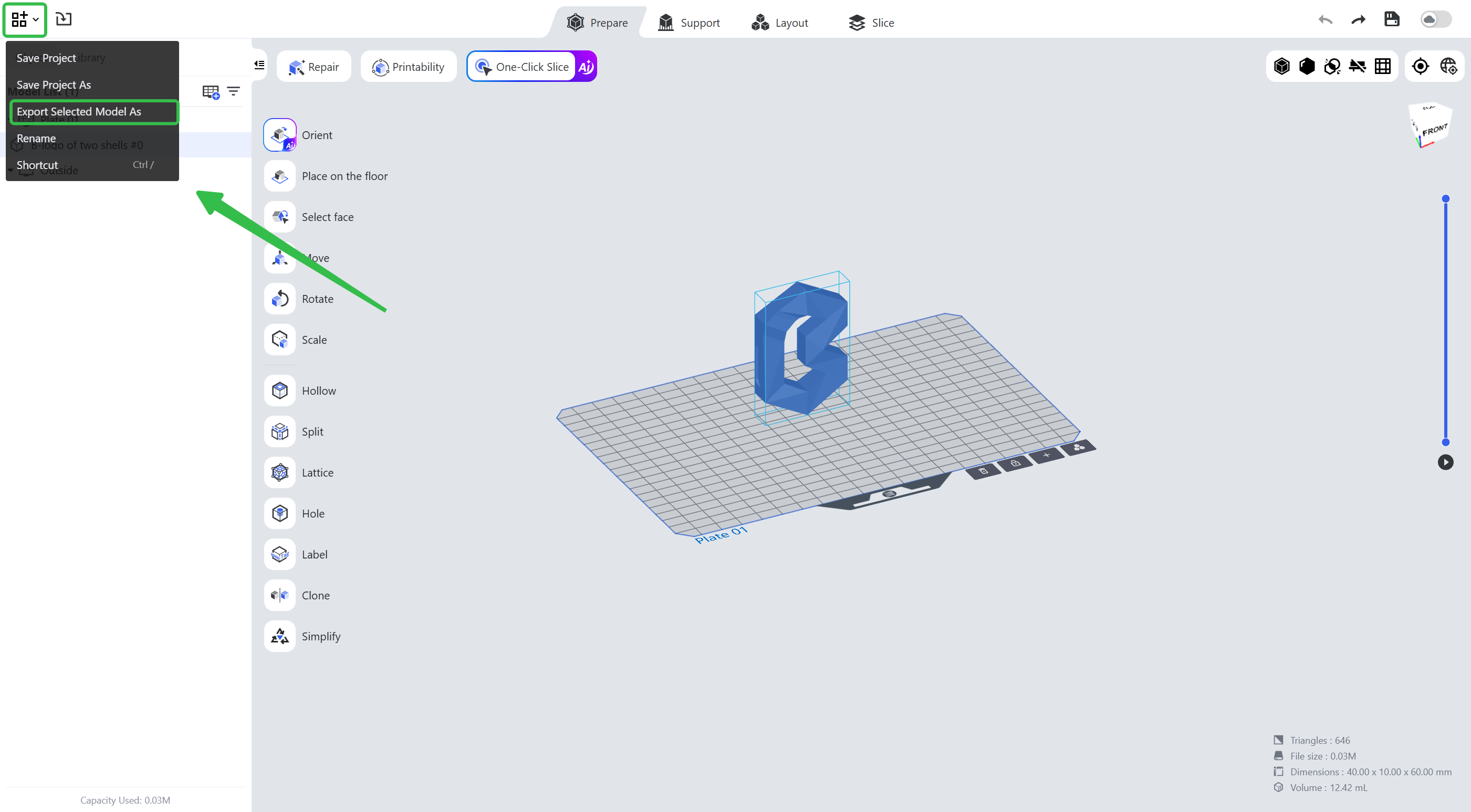
Click the first icon in the left function bar and choose <Export Selected Model As>.
You may export the models merged into one *.stl file, or export the split models into several *.stl files, or export them as several Blueprint Studio parts.
When exported as a *.bpsx file, the supports added to the models can be edited again after the file is imported to a project.
¶ 2. Cloud Storage
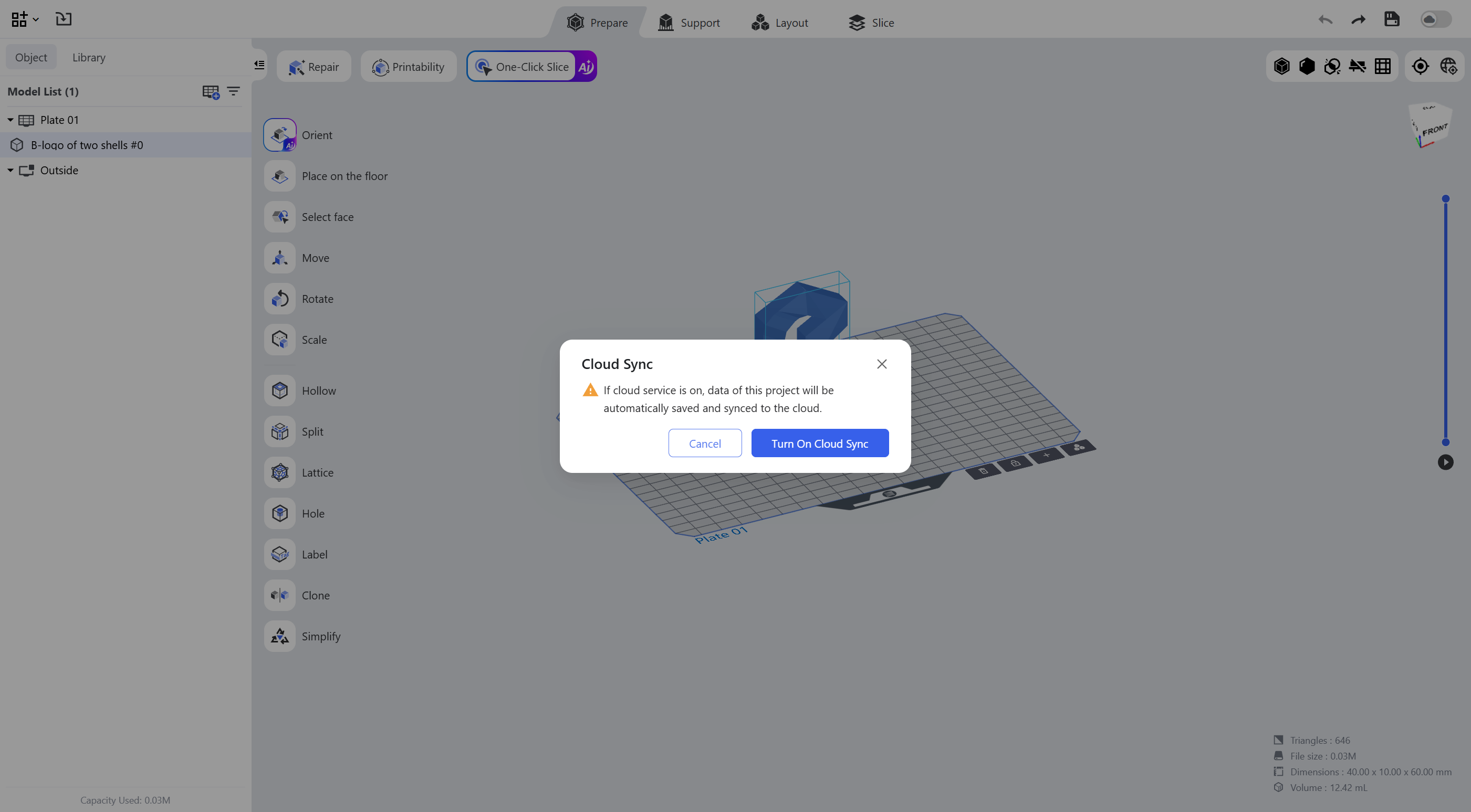
Click the cloud save option in the upper right corner and hit <Turn On Cloud Sync> to sync and save the project data to Cloud.
¶ Update History
| Version | Date |
|---|---|
| 1.0 | 2026-10-26 |