The Repair feature detects the defects in the selected model and fixes them automatically.
¶ 1. Entry
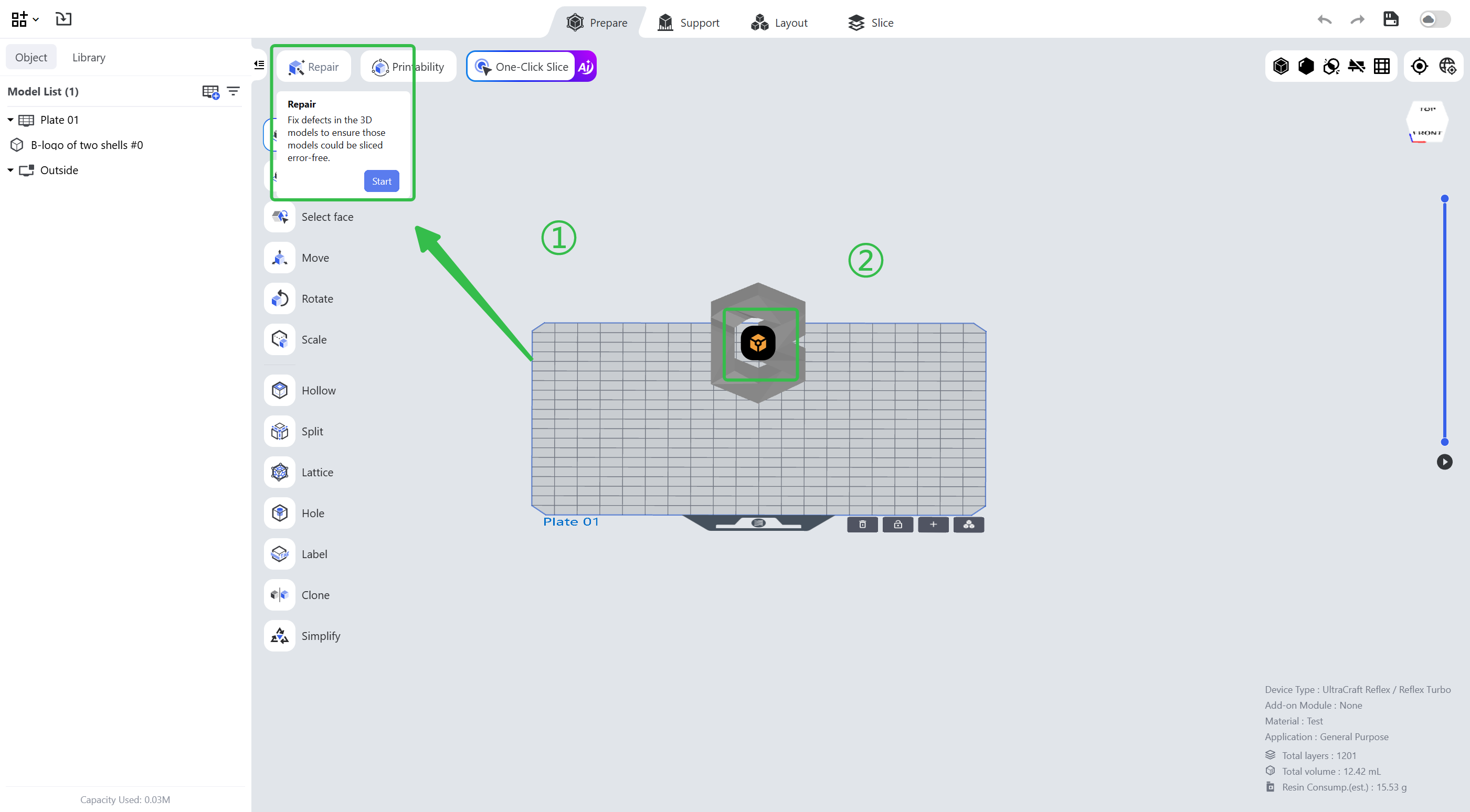
Enter the pre-processing page, select the model and click the first icon in the upper left corner.
¶ 2. Common Defect Types
- Invert Normals
Normal errors in the model cause rendering or mapping errors and affect support generation, so the wrong normals need to be reversed.
- Non-manifold
Invalid triangles, bad edges and isolated edges affect support generation and the slice image.
- Holes
Structures such as unclosed triangles affect the slice image, splitting and other features, and the holes need to be filled.
- Defected Shells
Shell defects such as intersecting or interfering shells affect splitting, holing and labeling, and can be fixed by removing the shells or carrying out Boolean operations.
¶ Update History
| Version | Date |
|---|---|
| 1.0 | 2026-10-26 |