Blueprint Studio supports several scaling methods, providing a more flexible range of adjustment and more precise dimensional control, so that you can design and edit more comfortably.
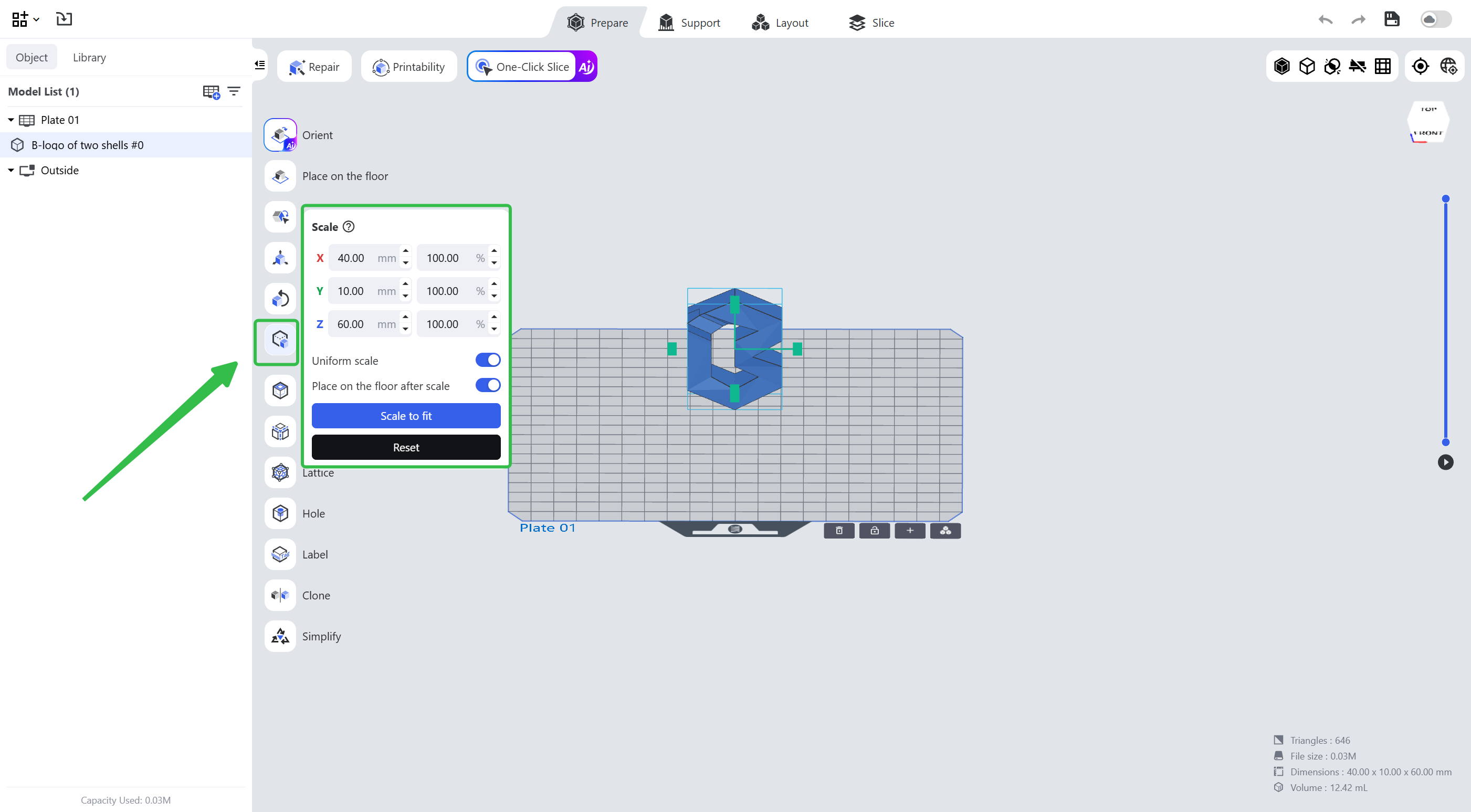
¶ 1. Scale by Ratio
Enter the dimensions or the ratio you want to scale the model to; the selected model is scaled to the specified dimensions or ratio immediately after input.
- Uniform scale: locked by default, and the X/Y/Z axes are scaled by the original ratio. Once unlocked, the model is scaled only on the selected X/Y/Z axis and the other dimensions remain unchanged.
- Place on the floor after scale: turned on by default; the model is put on the floor automatically once the scale is applied.
¶ 2. Scale with the Gadget
Hold down the left mouse on the X/Y/Z axis of the gadget and move the mouse; the model is scaled along the selected axis. If the ratio is locked, the other axes are scaled by the same ratio as well.
¶ 3. Scale to Fit
Click and the selected model is scaled to the largest size it can be within the build volume.
¶ 4. Reset
The model goes back to the size and ratio at which it was imported.
¶ Update History
| Version | Date |
|---|---|
| 1.0 | 2026-10-26 |