Original version: Reflex RS/RS Turbo分区曝光测试功能模型解析说明
Instructions before use:
This document is an analytical description document for the exposure test function model of Reflex RS/RS Turbo, intended for professional users to perform both official and third-party exposure settings and model interpretation for photocurable resins. Please use it with caution.
¶ Functional Test Instructions
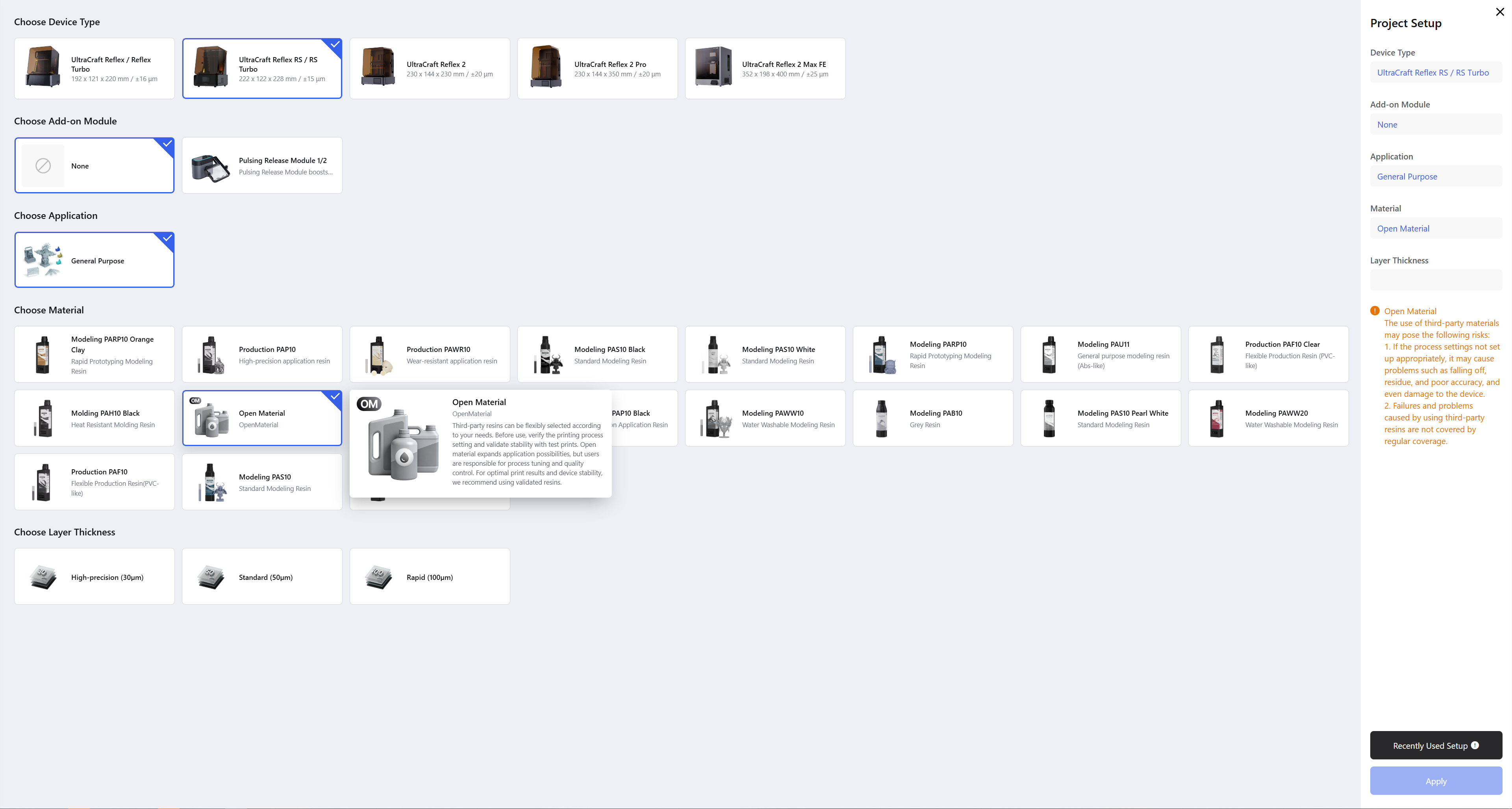
Reflex RS/RS Turbo device settings menu, select the " Resin Exposure Test" function to enter the interface:
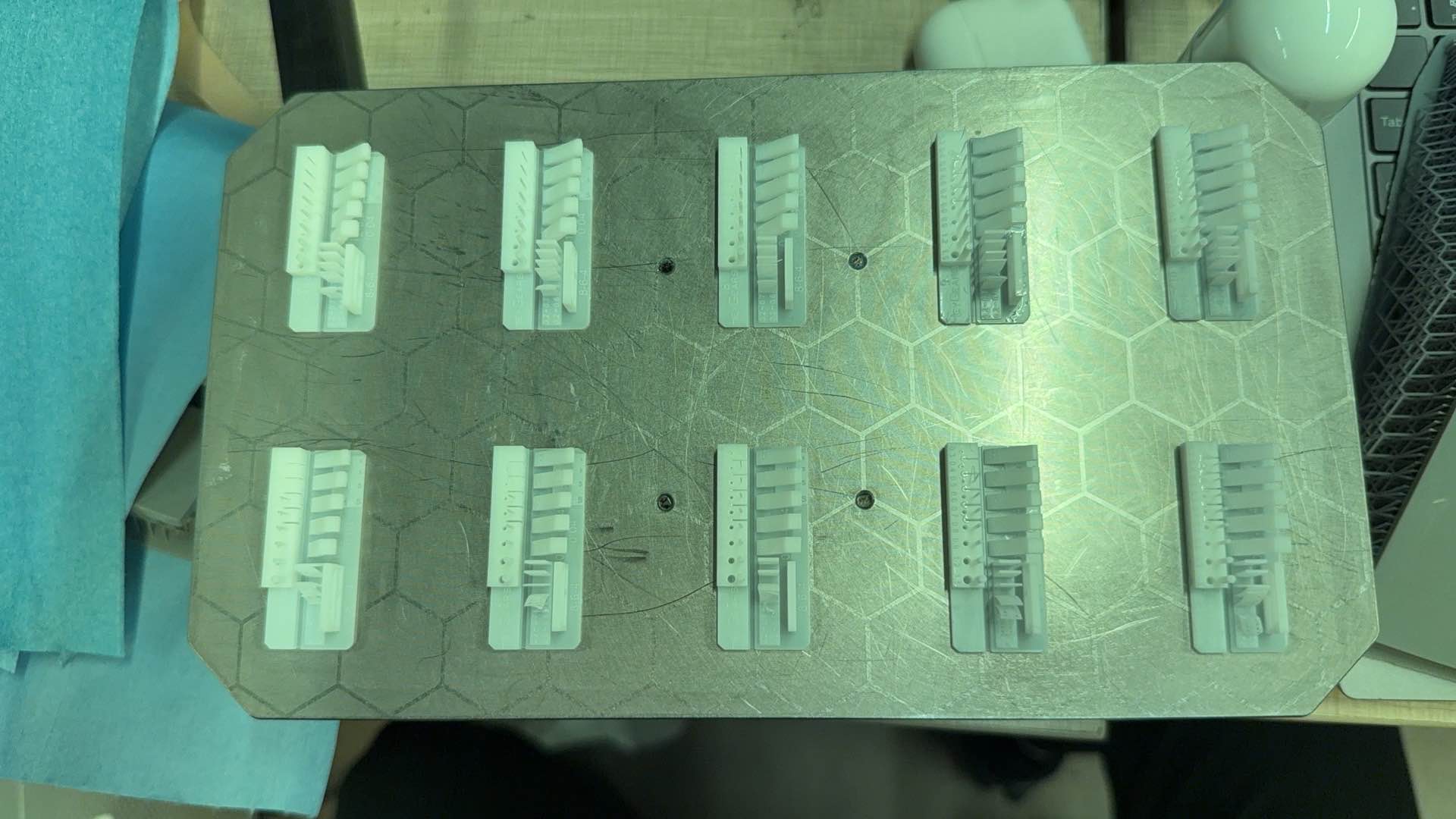
- When the RS device performs this function, it will carry out a specific printing task, the screen is divided into 10 areas for exposure, and 10 test models will be printed in one batch, with each area corresponding to a different exposure time under the standard light intensity of 17W. You can obtain the optimal exposure parameters for your resin by observing the printing results.

Users can adjust the two values of "First Zone T", which will generate 10 sets of model data with different exposures for the subsequent printing test.

Pour the resin to be tested into the resin tank, and after clicking start, the device will simultaneously print 10 models with different exposure parameters in separate areas.

Please refer to the following figure for the printing result: Perform molding interpretation on the actual molding models of the following partitions, and select an appropriate exposure time (for reference when writing parameters into the "Normal Layer Exposure Time " in the printing editor for Open Material in RS/RST Print Process Editor (Open Material) Feature Explained.
 |
 |
¶ Download HeyGears Zone Exposure Test function Model
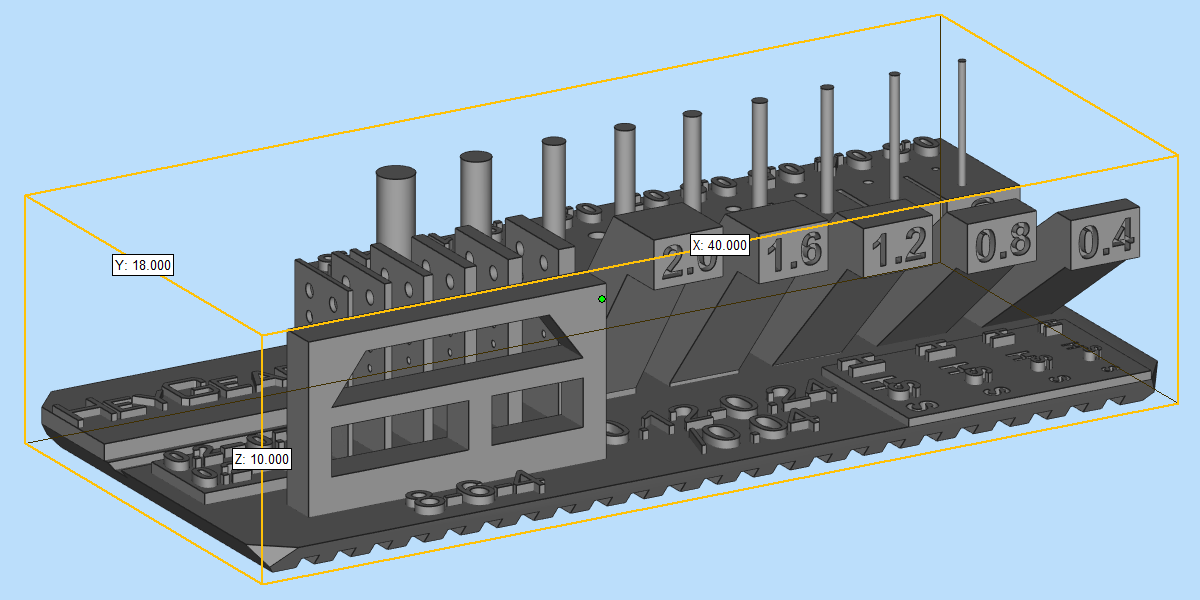
Download link: HeyGears_3D.stl
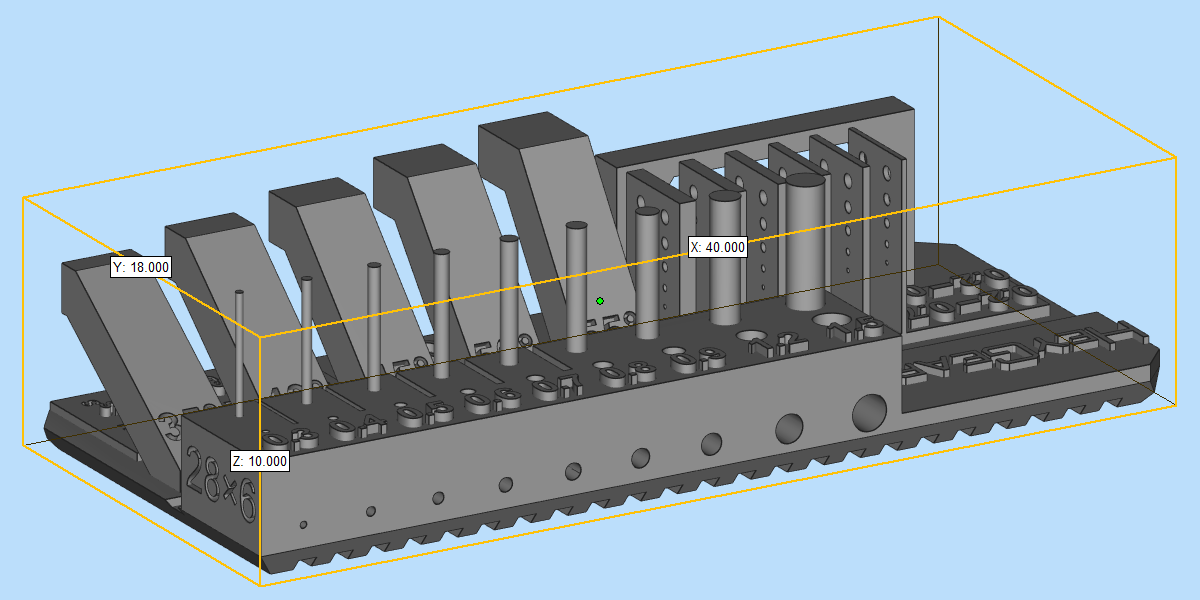
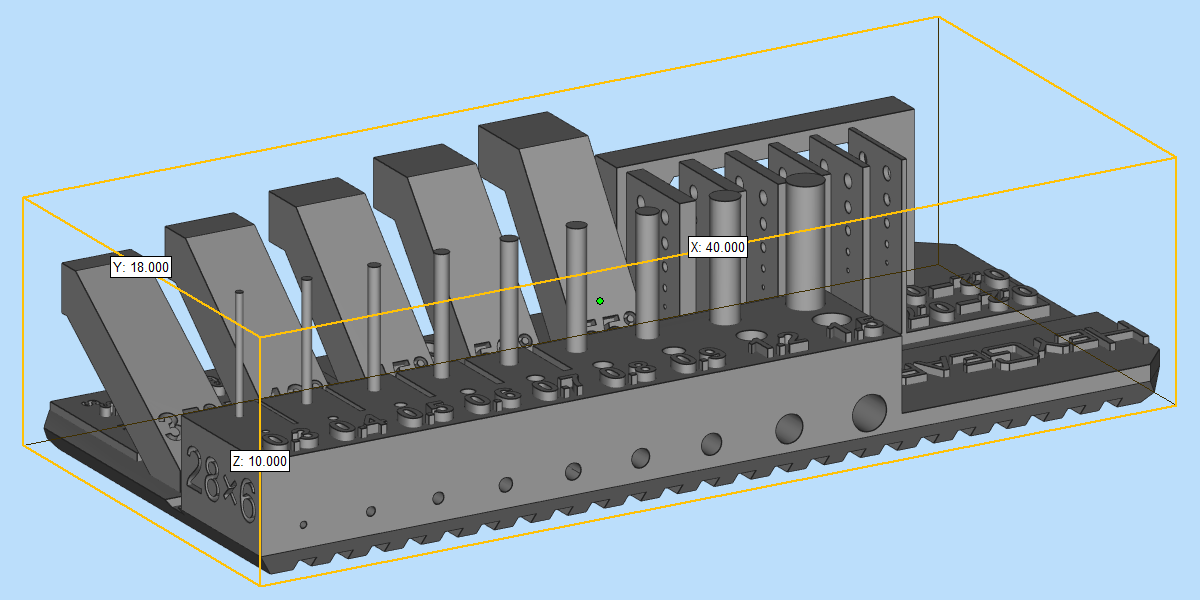
Overall dimensions of the model: X40 × Y18 × Z10 mm
 |
 |
¶ Model Functional Zoning
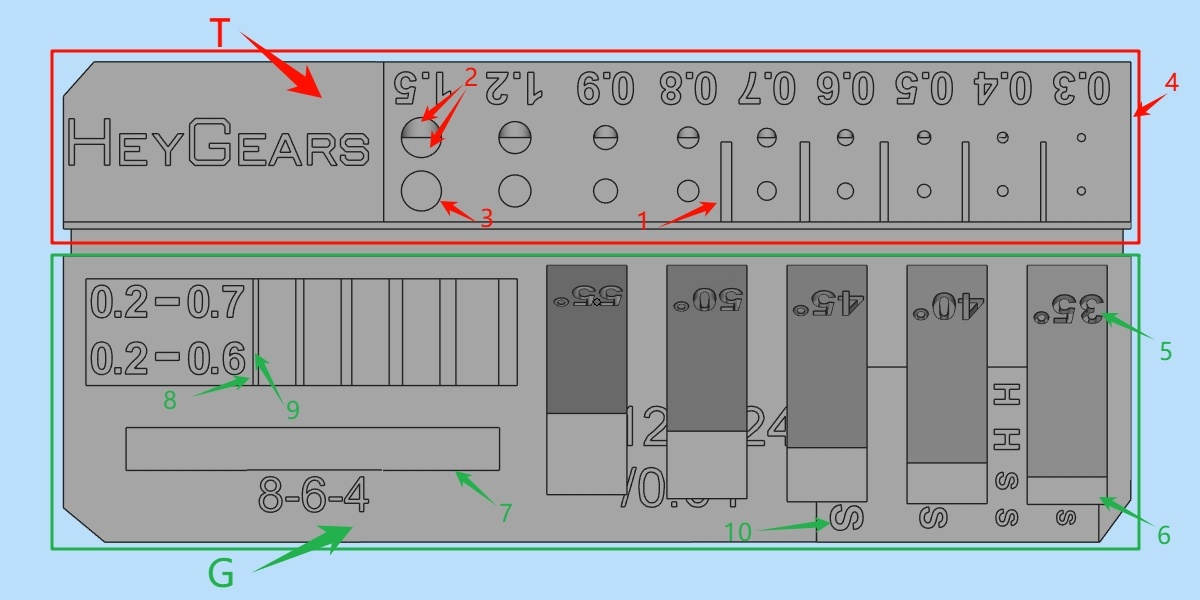
As shown in the figure below, the model consists of two parts, the T region and the G region, which are used to detect different structures respectively, among which:
Zone T — Test Zone: Characterize whether the exposure time is appropriate based on the forming effect of slits, holes and pillars;
Zone G – Guidance Zone: It characterizes the forming capability of different structures (such as thin walls, single long cantilevers, etc.) under a specific exposure time, so as to guide the parameter settings for structures including supports and model wall thickness, as well as parameters such as the line width of marking characters.
¶ Interpretation of Molding of Different Model Structures
The selection of material exposure time should be targeted at the type of structure to be printed, and the optimal one should be comprehensively selected from its gradient test parts (reference preference: overexposure / underexposure. ..). If there is no obvious structural pertinence or requirements for all types of structures, it is recommended to preferentially select the exposure with suitable gap formation as the exposure parameter for the actual resin printing application.
P. S.: The recommended values below are not universally applicable, and the actual selection should be based on the user's subjective experience.
¶ Interpretation of Zone T Functions:
¶ T-1: Gap
- Test values: 0.2 mm, 0.25 mm, 0.3 mm, 0.35 mm, 0.4 mm
It is recommended to use an exposure value between 0.2 and 0.3, which can achieve proper forming without clogging (note that the model must be cleaned thoroughly). For fine details, a slightly underexposed setting is required, with exposure corresponding to a slit width of 0.25mm or smaller; if print success rate is prioritized over fine details, a slightly overexposed setting is acceptable, with exposure corresponding to a slit width of 0.3mm or larger.
¶ T-2: Hole
- Test values: 0.3,0.4,0.5,0.6,0.7,0.8,0.9,1.2,1.5 mm
Horizontal holes & vertical holes. An exposure dose within the recommended range of 0.3 to 0.6, which enables formability without clogging, is considered appropriate (ensure thorough cleaning);
¶ T-3: Column
- Test values: 0.3,0.4,0.5,0.6,0.7,0.8,0.9,1.2,1.5 mm
It is recommended that an exposure level that enables forming without collapse or deformation within the range of 0.3 to 0.6 is appropriate;
¶ T-4: Dimensions
- Test value: 28 mm in length × 6 mm in width
The allowable deviation range is [-0.5,0.5] mm. If the deviation exceeds the limit, the proportion can be calculated and optimized by adjusting the pre-processing compensation parameters (such as scaling).
¶ Function Interpretation of Area G:
¶ G-5: Critical Support Angle
- Guideline values: 35,40,45,50,55°
Under specific exposure parameters, the rectangular structure does not require additional supports when tilted at a certain angle, with no obvious deformation or peeling as the acceptance criterion. For example, if the unsupported indicator structure at 40° shows no obvious deformation or peeling, while the unsupported angle indicator structure at 35° exhibits deformation/peeling, then the unsupported angle is 40°, and the support critical angle of 40° or above shall be selected when adjusting the automatic support parameters of the model;
¶ G-6: Single Cantilever Length
- Guide values: 0.4,0.8,1.2,1.6,2.0 mm
Under specific exposure parameters, the maximum unidirectional cantilever length that does not require support is defined as the qualified value when the corresponding single cantilever of that length shows no obvious deformation or peeling. For example, if a 0.8mm single cantilever is printed completely without obvious collapse, deformation or peeling, while a 1.2mm single cantilever has peeling and delamination issues, the recommended unsupported overhang distance in the model's automatic support parameters shall be [0.8,1.2) mm. If unsupported single cantilever structures of ≥1.2mm appear, manual supplementary supports shall be added;
¶ G-7: Double cantilever length / Crossbeam length
- Guideline values: 4 mm, 6 mm, 8 mm
Classified as single cantilever length, which refers to the maximum length of an unsupported crossbeam under specific exposure parameters. The qualification criterion is that the crossbeam of the corresponding length shows no obvious deformation or peeling. For example, if a 4mm crossbeam is printed completely without obvious collapse, deformation or peeling, while a 6mm single cantilever has problems such as collapse, deformation, peeling and delamination, the estimated formable length of the model crossbeam is 4mm. After automatic supporting, crossbeam-like structures longer than 4mm shall be inspected and manually supplemented with supports;
¶ G-8: Hole
- Guideline values: 0.2,0.3,0.4,0.5,0.6 mm
It indicates the formability of holes with different depths and sizes under specific exposure parameters, and the qualification criterion is that there is no obvious blockage;
¶ G-9: Thin-walled
- Guideline values: 0.2,0.3,0.4,0.5,0.6,0.7 mm
It indicates the formability of thin-walled parts with different thicknesses under specific exposure parameters, and the qualification criterion is defined as no obvious deformation or transverse lines;
¶ G-10: Character
- Guideline values: 0.12,0.16,0.2,0.24 mm
It indicates the formability of concave and convex characters with different line widths (fixed depth of 0.34 mm / height of 0.38 mm, which are also the recommended values for character depth and height) under specific exposure parameters, with no obvious deformation or blockage as the acceptance criterion.
¶ Equipment Cleaning
After the Reflex RS/RS Turbo device finishes printing the exposure test piece, corresponding cleaning operations need to be performed on the resin vat, build platform and resin to enable normal printing, including but not limited to using the vat cleaning function, resin filtration, platform cleaning and other operations.