Most models need supports so they can be printed successfully. Blueprint Studio can help you add supports in an efficient and accurate manner with the tools below.
¶ 1. Auto-Support
Automatically add supports to the selected model. Supports editing support parameters before generating. For application and parameters, please refer to Auto-support.
¶ 2. Manual Support
Manually add or delete supports to the selected model one by one. Supports editing support parameters before generating. For application and parameters, please refer to Manual Support.
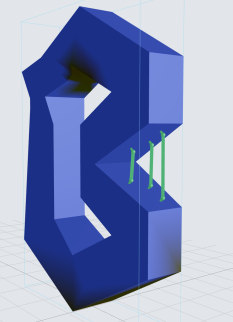
¶ 3. Strut
Add a strut connecting two points on model surface you select. With this tool, you may add supports to other faces of the selected model for a successful print.
 |
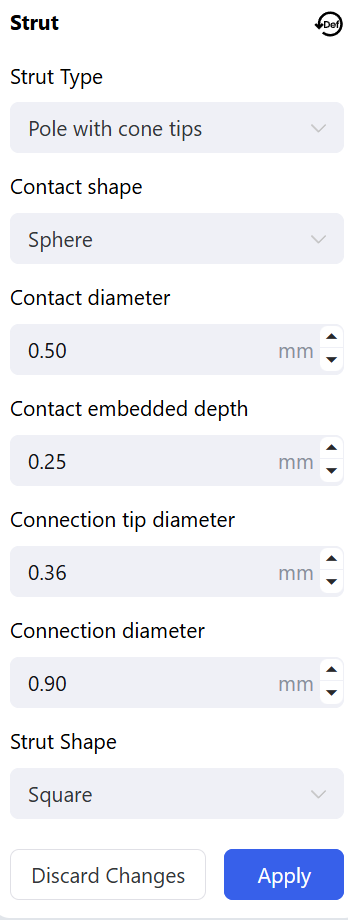 |
- Strut Type: <Biconical> or <None>.
- Contact Shape: <Sphere> or <None>.
- Strut Shape: <Square>, <Octagon> or <Dodecagon>.
¶ 4. Clear All
Remove all the supports (including struts) on the selected model.
¶ Update History
| Version | Date |
|---|---|
| 1.0 | 2026-10-26 |